Cartridge
Holder
Filter
Bypass
Plug
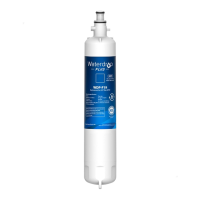
SmartWater
Water by Culligan
Filter
Bypass
Plug
With adapter Without adapter
(appearance may vary)
Cartridge
Holder
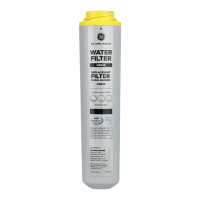
About the GE
®
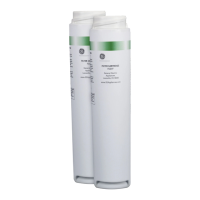
MWF water filter cartridge
To reduce the risk associated with choking, do not allow children under 3 years of age to have access to small parts
during the installation of this product. The disposable filter cartridge should be replaced every
6 months at the rated capacity, or sooner if a noticeable reduction in flow rate occurs.
For the maximum benefit of your filtration system, GE recommends the use of GE-branded filters only. Using
GE-branded filters in GE and Hotpoint
®
refrigerators provides optimal performance and reliability. GE filters
meet rigorous industry NSF standards for safety and quality that are important for products that are filtering your water. GE has not
qualified non-GE-branded filters for use in GE and Hotpoint refrigerators and there is no assurance
that non-GE-branded filters meet GE's standards for quality, performance and reliability.
If you have questions, or to order additional filter cartridges, visit our website at www.gewaterfilters.com
or call GE Parts and Accessories, 800.626.2002.
Customers in Canada should consult the yellow pages for the nearest Camco Service Center.
WARNING
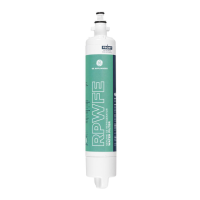
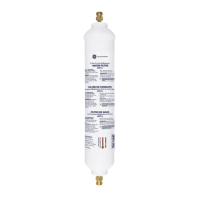
Water filter cartridge
The water filter cartridge is located in the back upper right corner of
the refrigerator compartment.
When to replace the filter on models
with a replacement indicator light
There is a replacement indicator light for the water filter cartridge
on the dispenser. This light will turn orange to
tell you that you need to replace the filter soon.
The filter cartridge should be replaced when the replacement
indicator light turns red or if the flow of water to the dispenser or
icemaker decreases.
When to replace the filter on models
without a replacement indicator light
The filter cartridge should be replaced every six months
or earlier if the flow of water to the dispenser or
icemaker decreases.
Removing the filter cartridge
If you are replacing the cartridge, first remove the old one
by slowly turning it to the left. Do not pull down on the cartridge. A
small amount of water may drip down.
CAUTION: To reduce the risk associated with property damage due
to water leakage, read and follow instructions before installation
and use of this system. Installation and use MUST comply with all
state and local plumbing codes.
Installing the filter cartridge
1
Fill the replacement cartridge with water from the tap
to allow for better flow from the dispenser immediately
after installation.
2
Line up the arrow on the cartridge and the cartridge holder. Place
the top of the new cartridge up inside the holder.
Do not push it up into the holder.
3
Slowly turn it to the right until the filter
cartridge stops. DO NOT OVERTIGHTEN.
As you turn the cartridge, it will
automatically raise itself into position.
The cartridge will move about a ½ turn.
4
Run water from the dispenser for 1-1/2 gallons (about three
minutes) to clear the system and prevent sputtering.
5
Press and hold the RESET WATER FILTER pad (on some models) on
the dispenser for three seconds.
NOTE: A newly installed water filter cartridge may cause water
to spurt from the dispenser.
Filter bypass plug
You must use the filter bypass plug when a replacement filter
cartridge is not available. The dispenser and the icemaker will not
operate without the filter or filter bypass plug.
To use the filter bypass plug on Water by Culligan
™
models,
you must first remove the filter adaptor from the cartridge holder by
turning it to the left.
SmartWater
Filter Bypass
Plug
Cartridge
Holder
Filter
Bypass
Plug
SmartWater
Water by Culligan
Filter
Bypass
Plug
With adapter Without adapter
(appearance may vary)
Filter Bypass
Plug
Cartridge
Holder
Filter
Bypass
Plug
SmartWater
Water by Culligan
Filter
Bypass
Plug
With adapter Without adapter
(appearance may vary)
Water by Culligan

 Need help?
 General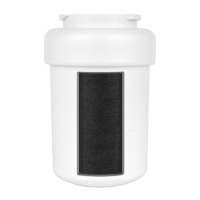

 To Next Page