8 49-1000464 Rev. 0
vCARE AND CLEANING
System Cleaning / Sanitizing Procedure
(continued)
8.Whenthe'Cleaning'indicatorlightturnsoff,drainthe
Opal.
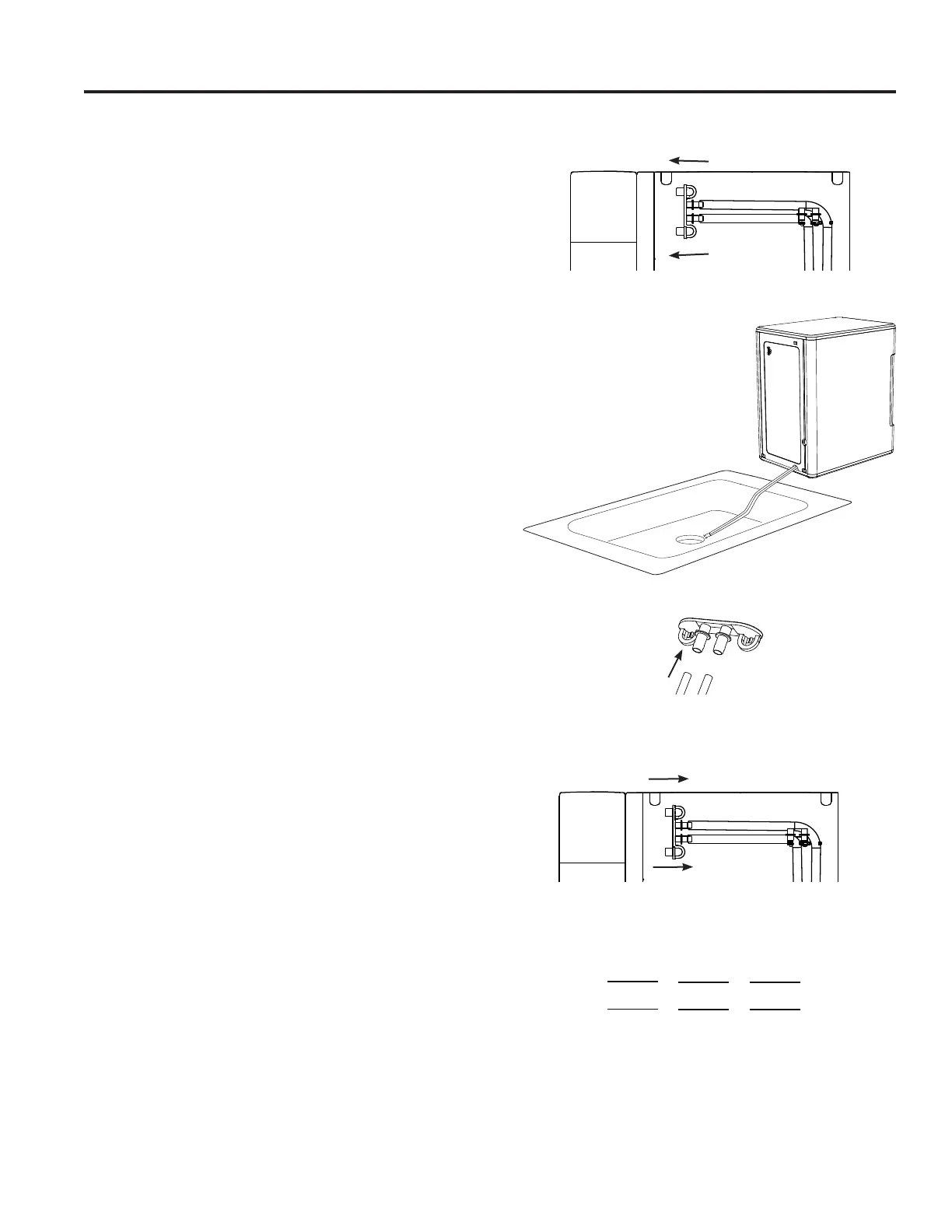
9.Unhookthetopofthedrainhosesatthebackoftheunit.
Seefigure5.
10.Thenlaythemdowntodrainintoasinkorbucketthatis
belowtheleveloftheicemaker.Seefigure6and7.
11.Removetheplugsandallowthewatertocompletely
drain.Seefigure7.
12.Oncewaterstopsflowing,re-insertthedrainplugs.
13.Torinse:addfivecupsoffreshwatertothewater
reservoir,andpressthe'Clean'buttontoinitiatea
secondcleaningcycle.Toexitthecleaningcycle
atanytime,pressandholdthe'Clean'buttonfor3
seconds.
14.Repeatsteps8through13twomoretimes,adding
fresh water to the reservoir each time (you may
continue to repeat the rinse cycle, for as many times
as you like).
15.Replacedraintubesonback.Seefigure8.
16.Whencomplete,fillunitwithfreshwaterandpressthe
'Power'buttontostartmakingice.Seefigure9.
Care and Cleaning
Figure5
Pull to the left to unhook
Figure8
Replacedraintubes
Figure7
Figure9
Figure6
Making Ice
Defrosting Cleaning
Hold 3 Sec
Clean
Light Power



 To Next Page