EasyManua.ls Logo

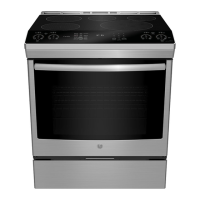
GE PC2B935YPFS - User Manual

GE PC2B935YPFS
8 pages
Print Icon
To Next Page IconTo Next Page
Loading...
295D1344P041 Rev. 1 11-20
READ AND SAVE THESE INSTRUCTIONS
For a full manual in English and Spanish visit
Para un manual completo en inglés y español
GEAppliances.ca/en/
Thank You! ... for your purchase of a GE Appliances brand appliance.
Register Your Appliance: Register your new appliance online at your convenience!
Timely product registration will allow for enhanced communication and prompt service under the terms of your warranty,
should the need arise. You may also mail in the pre-printed registration card included in the packing material.
Gas and Dual Fuel Gas Ranges
Quick Guide
ANTI-TIP DEVICE
To reduce the risk of
tipping the range, the
range must be secured
by a properly installed
anti-tip bracket. See
installation instructions
shipped with the bracket for complete details
before attempting to install.
To check if the bracket is installed and
engaged properly, look underneath the range
to see that the rear leveling leg is engaged
in the bracket. On some models, the storage
drawer or kick panel can be removed for easy inspection. If visual inspection is not possible, slide the range forward,
confirm the anti-tip bracket is securely attached to the floor or wall, and slide the range back so the rear leveling leg is
under the anti-tip bracket.
If your range is removed for cleaning, servicing or any reason, be sure the anti-tip device is reengaged properly when the
range is replaced. Failure to take this precaution could result in tipping of the range and can result in death or serious
burns to children or adults.
Never completely remove the leveling legs or the range will not be secured to the anti-tip device properly.
IMPORTANT SAFETY INFORMATION
WARNING
Read all safety instructions before using the product. Failure to follow these instructions may result in
fire, electrical shock, serious injury or death.
WARNING
If the information in this manual is not followed exactly, a fire or explosion
may result, causing property damage, personal injury or death.
- Do not store or use gasoline or other flammable vapors and liquids in the vicinity of this
or any other appliance.
- WHAT TO DO IF YOU SMELL GAS
■ Donottrytolightanyappliance.
■ Donottouchanyelectricalswitch;donotuseanyphoneinyourbuilding.
■ Immediatelycallyourgassupplierfromaneighbor’sphone.Followthegassupplier’s
instructions.
■ Ifyoucannotreachyourgassupplier,callthefiredepartment.
- Installation and service must be performed by a qualified installer, service agency or the
gas supplier.
A child or adult can tip the range and be killed.
Install the anti-tip bracket to the wall or floor.
Engage the range to the anti-tip bracket by sliding the
range back such that the foot is engaged.
Re-engage the anti-tip bracket if the range is moved.
Failure to do so can result in death or serious burns
to children or adults.
Tip-Over Hazard
WARNING
Anti-Tip
Bracket
Leveling
Leg
https://www.geappliances.ca/en/support/register-your-appliance

Question and Answer IconNeed help?

Do you have a question about the GE PC2B935YPFS and is the answer not in the manual?

Overview

This document describes a GE Appliances gas range, providing essential information for its safe and effective use, maintenance, and troubleshooting.

Function Description

The GE Appliances gas range is a cooking appliance designed for both surface cooking and oven baking/broiling. It features multiple surface burners for various cooking needs and an oven with baking, broiling, and self-cleaning functions. Some models may include WiFi connectivity for remote control and software updates.

Important Technical Specifications

The manual does not explicitly list technical specifications like dimensions, BTU ratings, or power requirements. However, it implies standard gas range operation and features common to modern appliances, such as electric spark ignition for burners and an oven capable of self-cleaning at high temperatures.

Usage Features

Cooktop Usage:

  • Lighting Surface Burners: To light a surface burner, push the control knob in and turn it to the LITE position. An electric spark will ignite the gas. All burners will spark when one is turned to LITE. Once ignited, adjust the flame size by turning the knob.
  • Flame Size Selection: Match the flame size to the cookware size. Flames larger than the bottom of the cookware are inefficient and potentially hazardous.
  • Griddle Use (on some models): For models with a griddle, ensure it is properly positioned on the center burner. Do not use the griddle on an extended amount of time without food to avoid damage.
  • Power Failure: In a power failure, the oven is inoperable. Surface burners can be lit manually with a match by holding a lit match near the ports beneath the burner cap and slowly turning the knob to the LITE position.

Oven Usage:

  • Setting Time: Push the Clock pad, enter the time, and push the Clock pad again.
  • Setting Cook Time: Push the Cook Time pad, enter the desired cooking time, and push the Start pad.
  • Setting Delay Time: Push the Delay Time pad, enter the desired delay time, and push the Start pad.
  • Baking: For general baking, use a single rack. Place food in the center of the oven.
  • Convection Bake/Roast: Use for baking on multiple racks or roasting.
  • Broiling: Use for searing foods. Always broil with the door closed.
  • Oven Probe (on some models): Use to bake foods to a precise temperature.
  • Sabbath Mode (on some models): This feature allows the oven to be used for religious observances.
  • Adjusting Oven Temperature: The oven temperature can be adjusted up or down by 35°F. Push the Bake or Broil pad, then push the 2 or 8 pad to decrease or increase the temperature, and push Start.
  • WiFi & Remote Enable: Some models offer WiFi connectivity for software updates and remote control via the SmartHQ app.

Self-Cleaning Oven (on some models):

  • The self-cleaning feature operates at high temperatures to burn away food soils.
  • Before starting, remove pans, shiny metal oven racks, and other utensils. Only porcelain-coated oven racks may be left in.
  • Wipe away excessive grease and food soils to prevent smoke.
  • Do not touch oven surfaces during self-clean.
  • Do not use oven cleaners or protective coatings.
  • Do not clean the door gasket.
  • Important: Move birds to a well-ventilated room during self-clean, as fumes can be harmful to them.
  • If the self-cleaning mode malfunctions, turn off the oven and disconnect power.

Maintenance Features

Cooktop Maintenance:

  • Cleaning: Remove burner caps and heads. Wash them in hot soapy water and rinse. Clean the ports in the burner heads. Ensure all parts are dry and correctly reassembled before operating.
  • Do not operate cooktop without all burner parts and grates in place.
  • Do not attempt to remove dual oval burner caps from the burner heads.

Oven Maintenance:

  • Manual Cleaning: For light soils, use warm soapy water. For heavier soils, use a mild abrasive cleaner or sponge.
  • Self-Clean Mode: Follow instructions for self-cleaning (see above).
  • Steam Clean Mode: Pour one cup of water into the bottom of the oven, close the door, push Steam Clean, then push Start.

Troubleshooting:

The manual includes a troubleshooting guide for common issues:

  • Oven not working: Check if the oven is cool, if the temperature is too high for self-clean, or if controls are set incorrectly.
  • Excessive smoking during clean cycle: Indicates excessive soil or grease.
  • Oven door will not open: Temperature inside the oven has not dropped below the unlocking temperature.
  • Top burners do not burn evenly: Check for improper burner assembly or if burner ports are clogged.
  • Oven temperature too hot or too cold: Oven temperature needs adjustment.

Safety Information:

The manual emphasizes numerous safety warnings:

  • Fire Hazard: Never use water on grease fires. Smother flaming pans. If fire in the oven, close the door and turn off the oven. Do not force the oven door open during self-clean fire.
  • Oven Safety: Never cover oven slots, holes, or racks with foil or liners. Do not place cooking utensils or baking stones on the oven floor. Do not leave items in the oven when not in use. Stand away from the oven when opening the door. Never broil with the door open.
  • Cooktop Safety: Never leave surface burners unattended. Use proper pan size. Do not use a wok with a round metal support ring. Do not attempt to lift the cooktop. Do not use aluminum foil to cover grates or line the cooktop.
  • Flammable Materials: Keep flammable materials away from the oven and cooktop.
  • Carbon Monoxide Poisoning: Improper installation, maintenance, or use can lead to carbon monoxide poisoning.
  • Children: Keep children away from the appliance during operation, especially during self-clean.
  • Oven Liners: Do not use aluminum foil or commercial oven liners.
  • Door Gasket: Do not clean or damage the door gasket.

GE PC2B935YPFS Specifications

General IconGeneral
BrandGE
ModelPC2B935YPFS
CategoryRanges
LanguageEnglish

Related product manuals