EasyManua.ls Logo

GE PCS940DMWW - User Manual

GE PCS940DMWW
64 pages
Print Icon
To Next Page IconTo Next Page
Loading...
Write the model and serial
numbers here:
Model # _________________
Serial # _________________
You can
the rating label on
the front behind the range drawer.
OWNER’S MANUAL
RANGES
Electric Radiant Slide-In
295D3313P010 rev.0 Pub. Num. 29-6374
SAFETY INFORMATION . . . . . . . . . . 3
USING THE RANGE
Surface Units . . . . . . . . . . . . . . . . . . . . . . . . . . . 8
Cookware for Radiant Copoktop . . . . . . . . . .10
Oven Controls . . . . . . . . . . . . . . . . . . . . . . . . . .12
Settings . . . . . . . . . . . . . . . . . . . . . . . . . . . . . . .13
Options . . . . . . . . . . . . . . . . . . . . . . . . . . . . . . .14
Sabbath Mode . . . . . . . . . . . . . . . . . . . . . . . . . .15
Oven Racks . . . . . . . . . . . . . . . . . . . . . . . . . . . .16
Aluminum Foil and Oven Liners . . . . . . . . . . .17
Cookware . . . . . . . . . . . . . . . . . . . . . . . . . . . . . .17
Cooking Modes . . . . . . . . . . . . . . . . . . . . . . . . .18
Probe . . . . . . . . . . . . . . . . . . . . . . . . . . . . . . . . .19
Cooking Guide . . . . . . . . . . . . . . . . . . . . . . . . 20
WiFi Connect and Remote Enable . . . . . . . .21
CARE AND CLEANING
Cleaning the Range Exterior . . . . . . . . . . . 22
Cleaning the Range Interior . . . . . . . . . . . 23
Cleaning the Glass Cooktop . . . . . . . . . . . . . 24
Probe . . . . . . . . . . . . . . . . . . . . . . . . . . . . . . . . 25
Oven Light . . . . . . . . . . . . . . . . . . . . . . . . . . . . 26
Oven Door . . . . . . . . . . . . . . . . . . . . . . . . . . . . 26
TROUBLESHOOTING TIPS. . . . . . . 27
WARRANTY . . . . . . . . . . . . . . . . . . . . . . . 30
ACCESSORIES . . . . . . . . . . . . . . . . . . . . .31
CONSUMER SUPPORT . . . . . . . . . . . 32
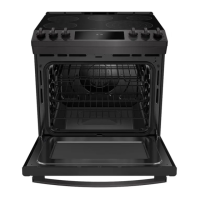
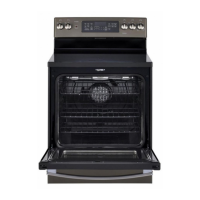
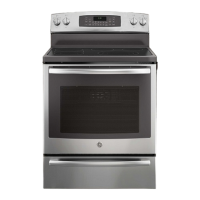
PCS915
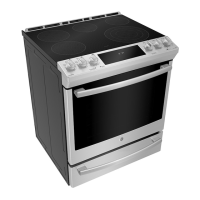
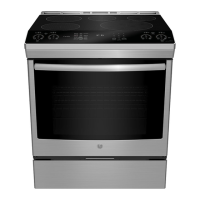
PCS940
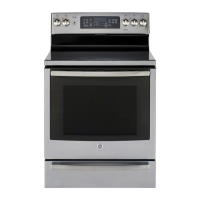
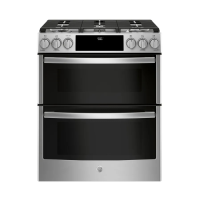
PCS980
GE is a trademark of the General Electric Company. Manufactured under trademark license.


Questions and Answers

  • K
    Kara CooperAug 18, 2025
    Why is my GE PCS940DMWW oven not working?
    • D
      Donna KaiserAug 18, 2025
      Your GE Ranges oven might not be working because the plug on the range isn't completely inserted in the electrical outlet. Ensure the electrical plug is plugged into a live, properly grounded outlet. Also, check if a fuse in your home may be blown or the circuit breaker tripped, and replace the fuse or reset the circuit breaker. The oven controls may be improperly set. Finally, the oven may be in Sabbath Mode.
  • M
    Michelle LutzAug 21, 2025
    What to do if my GE PCS940DMWW Ranges surface units do not work properly?
    • S
      Samantha BlakeAug 21, 2025
      If the surface units on your GE Ranges aren't working right or the power setting is flashing, it could be due to several reasons. You might be using improper cookware; ensure you're using the right size for the element. The pan could be too small, below the minimum size for the element. Make sure the pan is centered in the cooking zone and is flat, making full contact with the glass surface. In some areas, the power (voltage) may be low, so cover the pan with a lid until desired heat is obtained. Check if a fuse in your home may be blown or the circuit breaker tripped and replace the fuse or reset the circuit breaker. Also, check to see that the cooktop controls are set properly by pressing On then + or -.
  • S
    Stephanie ShepardAug 23, 2025
    What to do if my GE PCS940DMWW Ranges oven door will not open after a clean cycle?
    • A
      Alex BuchananAug 23, 2025
      If your GE Ranges oven door won't open after a clean cycle, it's likely because the oven is still too hot. Allow the oven to cool below the locking temperature.
  • D
    David TorresAug 26, 2025
    Why is the DOOR LOCK light on when I want to cook with my GE PCS940DMWW?
    • C
      Chelsea HuntAug 26, 2025
      The DOOR LOCK light might be on because the oven door is locked. This happens because the temperature inside the GE Ranges oven hasn't dropped below the locking temperature. To resolve this, press the Cancel/Off pad and allow the oven to cool.
  • R
    Robert BryantAug 28, 2025
    What to do if my GE PCS940DMWW Ranges display goes blank?
    • K
      katherinerichardsAug 28, 2025
      If the display on your GE Ranges goes blank, check if a fuse in your home may be blown or the circuit breaker tripped. If so, replace the fuse or reset the circuit breaker. The clock may also be turned off.
  • A
    Adam ScottAug 30, 2025
    Why is there excessive smoking during broiling in my GE Ranges?
    • T
      tinaphillipsAug 30, 2025
      Excessive smoking during broiling in your GE Ranges could be happening because the food is too close to the burner element. Try lowering the rack position of the food.
  • J
    Justin KingSep 2, 2025
    What to do if there is excessive smoking during the clean cycle of my GE PCS940DMWW?
    • J
      James RobertsSep 2, 2025
      If you notice excessive smoking during the clean cycle of your GE Ranges, it's likely due to excessive soil or grease. Press the Cancel/Off pad, open the windows to clear the smoke, wait for the LOCKED light to turn off, wipe up the excess soil, and then reset the clean cycle.
  • A
    Angie LewisSep 4, 2025
    What to do if my GE Ranges oven will not self-clean?
    • S
      Susan IbarraSep 5, 2025
      If your GE Ranges oven won't self-clean, it could be due to a few reasons. The temperature might be too high to start a self-clean cycle, so allow the oven to cool and then reset the controls. Also, make sure the probe is not plugged into the outlet in the oven; if it is, remove it.
  • C
    cardenassuzanneSep 7, 2025
    Why is my GE PCS940DMWW oven light not working?
    • L
      lorinealSep 7, 2025
      If the oven light in your GE Ranges isn't working, the light bulb might be loose or defective. Try tightening or replacing the bulb.
  • A
    Allen BennettSep 9, 2025
    What to do if my GE PCS940DMWW Ranges warming drawer will not work?
    • A
      Amanda FreemanSep 9, 2025
      If the warming drawer on your GE Ranges isn't working, check if a fuse in your home may be blown or the circuit breaker tripped, and replace the fuse or reset the circuit breaker.

Summary

Safety Information

Important Safety Instructions

Crucial safety instructions and warnings for appliance operation.

Anti-Tip Device Safety

Critical safety feature to prevent range tipping and injury.

General Safety Instructions

General safety guidelines for using the appliance.

Cooktop Safety Instructions

Safety rules specific to the cooktop surface.

Glass Cooktop Safety Instructions

Safety rules for the glass cooktop.

Oven Safety Instructions

Safety guidelines for operating the oven.

Self-Cleaning Oven Safety Instructions

Safety precautions for self-cleaning oven feature.

Using the Range

Surface Units

Operating instructions for the range's surface units.

Surface Units - Knob Models

Instructions for operating surface units with knob controls.

Surface Units - Knob - Free (PCS980)

Specific instructions for PCS980 model surface units.

Radiant Glass Cooktop

Details on operating the radiant glass cooktop.

Oven Controls

Overview and functions of the oven control panel.

Oven Control Panel Overview

Detailed layout and functions of the oven control panel for specific models.

Cooking Modes

Descriptions of various oven cooking modes.

Bake Mode

Instructions for the standard bake cooking mode.

Broil Modes

Instructions for broiling using high and low settings.

Proper Probe Placement

Correct placement of the temperature probe in food.

Probe Usage

How to use the temperature probe with preheating and without.

WiFi Connect and Remote Enable

Setting up and using the oven's wireless connectivity.

Connecting WiFi Enabled Oven

Steps to connect the oven to a WiFi network.

Connecting via App

Detailed process for connecting the oven via the app.

Care and Cleaning

Cleaning the Glass Cooktop

Steps for cleaning the glass cooktop.

Glass Cooktop Maintenance

Daily cleaning, residue removal, and scratch prevention for the glass cooktop.

Oven Light and Door Care

Procedures for oven light replacement and door handling.

Oven Door Handling

Procedures for removing and replacing the oven door.

Troubleshooting Tips

Surface Unit Issues

Diagnosing and resolving issues with surface units not working or settings.

Warranty Information

GE PCS940DMWW Specifications

General IconGeneral
BrandGE
Model NumberPCS940DMWW
Product TypeRange
ColorWhite
Number of Elements5
Oven Capacity5.3 cu. ft.
ConvectionYes
Self-CleaningYes
Width30 in.
Depth28.25 inches

Related product manuals