EasyManua.ls Logo

GE PCS940YMFS - User Manual

GE PCS940YMFS
64 pages
Print Icon
To Next Page IconTo Next Page
Loading...
Write the model and serial
numbers here:
Model # _________________
Serial # _________________
You can
the rating label on
the front behind the range drawer.
OWNER’S MANUAL
RANGES
Electric Radiant Slide-In
295D3313P010 rev.0 Pub. Num. 29-6374
SAFETY INFORMATION . . . . . . . . . . 3
USING THE RANGE
Surface Units . . . . . . . . . . . . . . . . . . . . . . . . . . . 8
Cookware for Radiant Copoktop . . . . . . . . . .10
Oven Controls . . . . . . . . . . . . . . . . . . . . . . . . . .12
Settings . . . . . . . . . . . . . . . . . . . . . . . . . . . . . . .13
Options . . . . . . . . . . . . . . . . . . . . . . . . . . . . . . .14
Sabbath Mode . . . . . . . . . . . . . . . . . . . . . . . . . .15
Oven Racks . . . . . . . . . . . . . . . . . . . . . . . . . . . .16
Aluminum Foil and Oven Liners . . . . . . . . . . .17
Cookware . . . . . . . . . . . . . . . . . . . . . . . . . . . . . .17
Cooking Modes . . . . . . . . . . . . . . . . . . . . . . . . .18
Probe . . . . . . . . . . . . . . . . . . . . . . . . . . . . . . . . .19
Cooking Guide . . . . . . . . . . . . . . . . . . . . . . . . 20
WiFi Connect and Remote Enable . . . . . . . .21
CARE AND CLEANING
Cleaning the Range Exterior . . . . . . . . . . . 22
Cleaning the Range Interior . . . . . . . . . . . 23
Cleaning the Glass Cooktop . . . . . . . . . . . . . 24
Probe . . . . . . . . . . . . . . . . . . . . . . . . . . . . . . . . 25
Oven Light . . . . . . . . . . . . . . . . . . . . . . . . . . . . 26
Oven Door . . . . . . . . . . . . . . . . . . . . . . . . . . . . 26
TROUBLESHOOTING TIPS. . . . . . . 27
WARRANTY . . . . . . . . . . . . . . . . . . . . . . . 30
ACCESSORIES . . . . . . . . . . . . . . . . . . . . .31
CONSUMER SUPPORT . . . . . . . . . . . 32
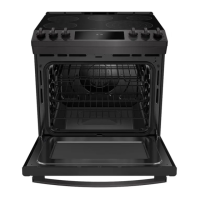
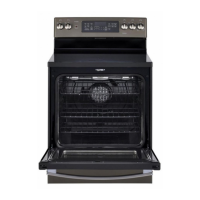
PCS915
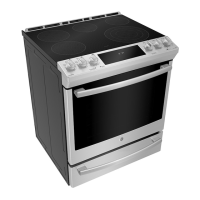
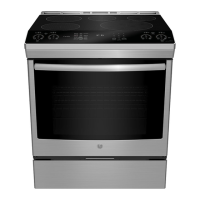
PCS940
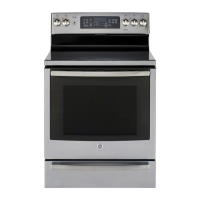
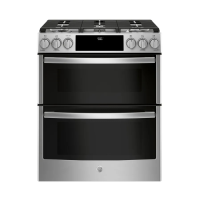
PCS980
GE is a trademark of the General Electric Company. Manufactured under trademark license.


Questions and Answers

  • A
    andrewstimothyAug 18, 2025
    Why is my GE PCS940YMFS oven not working?
    • B
      bsinghAug 18, 2025
      Your GE Ranges oven might not be working because the plug on the range isn't completely inserted in the electrical outlet. Ensure the electrical plug is plugged into a live, properly grounded outlet. Also, check if a fuse in your home may be blown or the circuit breaker tripped, and replace the fuse or reset the circuit breaker. The oven controls may be improperly set. Finally, the oven may be in Sabbath Mode.
  • N
    Nancy LopezAug 21, 2025
    What to do if my GE Ranges surface units do not work properly?
    • P
      Patricia JamesAug 21, 2025
      If the surface units on your GE Ranges aren't working right or the power setting is flashing, it could be due to several reasons. You might be using improper cookware; ensure you're using the right size for the element. The pan could be too small, below the minimum size for the element. Make sure the pan is centered in the cooking zone and is flat, making full contact with the glass surface. In some areas, the power (voltage) may be low, so cover the pan with a lid until desired heat is obtained. Check if a fuse in your home may be blown or the circuit breaker tripped and replace the fuse or reset the circuit breaker. Also, check to see that the cooktop controls are set properly by pressing On then + or -.
  • C
    Christine GonzalezAug 23, 2025
    What to do if my GE PCS940YMFS oven door will not open after a clean cycle?
    • J
      Jason MartinAug 23, 2025
      If your GE Ranges oven door won't open after a clean cycle, it's likely because the oven is still too hot. Allow the oven to cool below the locking temperature.
  • T
    Travis RobertsAug 26, 2025
    Why is the DOOR LOCK light on when I want to cook with my GE PCS940YMFS Ranges?
    • B
      Brian TorresAug 26, 2025
      The DOOR LOCK light might be on because the oven door is locked. This happens because the temperature inside the GE Ranges oven hasn't dropped below the locking temperature. To resolve this, press the Cancel/Off pad and allow the oven to cool.
  • K
    katherinearmstrongAug 28, 2025
    What to do if my GE PCS940YMFS Ranges display goes blank?
    • B
      Brittany BowersAug 28, 2025
      If the display on your GE Ranges goes blank, check if a fuse in your home may be blown or the circuit breaker tripped. If so, replace the fuse or reset the circuit breaker. The clock may also be turned off.
  • A
    amorganAug 30, 2025
    Why is there excessive smoking during broiling in my GE PCS940YMFS Ranges?
    • N
      nathanbrooksAug 31, 2025
      Excessive smoking during broiling in your GE Ranges could be happening because the food is too close to the burner element. Try lowering the rack position of the food.
  • H
    Helen GarciaSep 2, 2025
    What to do if there is excessive smoking during the clean cycle of my GE Ranges?
    • D
      Dylan GravesSep 2, 2025
      If you notice excessive smoking during the clean cycle of your GE Ranges, it's likely due to excessive soil or grease. Press the Cancel/Off pad, open the windows to clear the smoke, wait for the LOCKED light to turn off, wipe up the excess soil, and then reset the clean cycle.
  • A
    annamillerSep 4, 2025
    What to do if my GE PCS940YMFS oven will not self-clean?
    • E
      ethan17Sep 4, 2025
      If your GE Ranges oven won't self-clean, it could be due to a few reasons. The temperature might be too high to start a self-clean cycle, so allow the oven to cool and then reset the controls. Also, make sure the probe is not plugged into the outlet in the oven; if it is, remove it.
  • W
    Willie TaylorSep 7, 2025
    Why is my GE PCS940YMFS Ranges oven light not working?
    • L
      lindseyfieldsSep 7, 2025
      If the oven light in your GE Ranges isn't working, the light bulb might be loose or defective. Try tightening or replacing the bulb.
  • D
    Debra RobersonSep 9, 2025
    What to do if my GE Ranges warming drawer will not work?
    • M
      mcclurekevinSep 10, 2025
      If the warming drawer on your GE Ranges isn't working, check if a fuse in your home may be blown or the circuit breaker tripped, and replace the fuse or reset the circuit breaker.

Summary

Safety Information

Anti-Tip Device Installation

Instructions and warnings regarding the anti-tip device for preventing tip-over hazards.

General Safety Instructions

Essential safety precautions for operating the appliance, including fire prevention and electrical safety.

Cooktop Safety Precautions

Guidelines for safe operation of surface units and glass cooktops, including handling hot surfaces.

Oven Safety Guidelines

Important safety measures for using the oven, including convection, self-cleaning, and door safety.

Warming Drawer Safety

Specific safety instructions for the warming drawer to prevent foodborne illness and fire hazards.

Using the Range

Surface Units Operation

Details on operating surface units, including knob controls and dual/triple ring elements.

Radiant Glass Cooktop Controls

Operating instructions for the radiant glass cooktop, including induction features and power level selection.

Cooking Modes Explained

Descriptions of various oven cooking modes like Bake, Broil, Convection, and specialized modes.

Temperature Probe Usage

How to properly use the temperature probe for accurate internal food temperature monitoring.

Care and Cleaning

Interior Oven Cleaning

Methods for cleaning the oven interior using manual, steam, or self-clean modes.

Troubleshooting Tips

Troubleshooting Common Issues

A guide to diagnosing and resolving common problems with the oven and cooktop.

GE PCS940YMFS Specifications

General IconGeneral
TypeSlide-In
Number of Burners5
Self-CleaningYes
WiFi ConnectivityYes
ColorStainless Steel
Burners5
Weight200 lbs
Width30 in.
Ignition TypeElectronic
Depth28.5 inches

Related product manuals