EasyManua.ls Logo

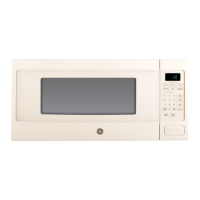
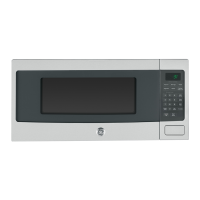
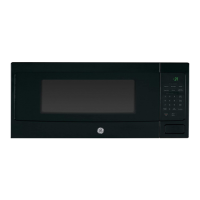
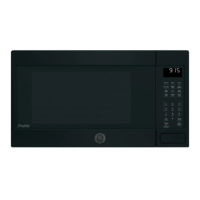
GE PEB9159DJWW - User Manual

GE PEB9159DJWW
48 pages
Print Icon
To Next Page IconTo Next Page
Loading...
Write the model and serial
numbers here:
Model # _________________
Serial # _________________
You can find them on a label when
the door is open.
GE is a trademark of the General Electric Company. Manufactured under trademark license.
ESPAÑOL
Para consultar una version en
español de este manual de
instrucciones, visite nuestro sitio de
internet GEAppliances.com.
OWNER’S MANUAL
MICROWAVE OVEN
49-40760-2 06-17 GEA
PEB9159
CEB1599
SAFETY INFORMATION .......3-5
USING THE MICROWAVE
Features ..............................6
Controls ..............................7
Available Cooking Options ..............8
Basic Features ......................9, 10
Microwave Features ............... 11, 12
Convection Features ...............13, 14
Cookware tips ........................15
Best Method of Cooking ...............16
Microwave Terms .....................17
CARE AND CLEANING ....18, 19
TROUBLESHOOTING .........20, 21
WARRANTY ......................22
ACCESSORIES ...................23
CONSUMER SUPPORT ......... 24

Questions and Answers

  • B
    brandyyuAug 12, 2025
    How to fix a GE PEB9159DJWW that won't start?
    • B
      Barbara BallAug 12, 2025
      If your GE Microwave Oven isn't starting, here are a few things to check: * A fuse in your home may be blown or the circuit breaker tripped. Replace the fuse or reset the circuit breaker. * There may have been a power surge. Unplug the microwave oven, then plug it back in. * The plug may not be fully inserted into the wall outlet. Make sure the 3-prong plug on the oven is fully inserted into the wall outlet. * The door may not be securely closed. Open the door and close it securely.
  • A
    Andrew BrownAug 19, 2025
    How to unlock the control on my GE PEB9159DJWW Microwave Oven?
    • J
      Jamie HendersonAug 19, 2025
      If "CONTROL LOCKED" appears on the display of your GE Microwave Oven, it means the control has been locked. To unlock it, press and hold the OFF/CLEAR button for about 3 seconds.
  • K
    Kathryn NelsonAug 27, 2025
    What to do if my GE PEB9159DJWW Microwave Oven control panel is lighted but it won't start?
    • L
      louis36Aug 27, 2025
      If the control panel of your GE Microwave Oven is lit but the oven won't start, consider the following: * Ensure the door is securely closed by opening it and closing it again. * Make sure you press the START button after entering your cooking selection. * If another selection was already entered, press the OFF/CLEAR button to cancel it. * If you pressed TIME COOK, ensure you've entered the cooking time. * If you accidentally pressed OFF/CLEAR, reset the cooking program and press START. * If you selected AUTO DEFROST, ensure you've entered the food weight. * If you pressed COOK, ensure you've entered a food type.
  • J
    Jeffrey DavisSep 3, 2025
    Why does 'HOT' appear on the display of my GE Microwave Oven?
    • S
      Steven HopkinsSep 3, 2025
      If 'HOT' appears on the display of your GE Microwave Oven, it indicates that the temperature inside the oven is greater than 200°F, which is normal. Also, if one of the sensor cooking pads was pressed when the temperature inside the oven was greater than 200°F, these features will not operate when the oven is hot.

GE PEB9159DJWW Specifications

General IconGeneral
TypeCountertop
Capacity1.5 cu. ft.
Control TypeElectronic Touch
ColorWhite
TurntableYes
Sensor CookingYes
Convection CookingNo
GrillNo
Pre-Programmed SettingsYes
Child LockYes
Warranty1 Year

Related product manuals