EasyManua.ls Logo

GE Profile PHS920 - User Manual

GE Profile PHS920
56 pages
Print Icon
To Next Page IconTo Next Page
Loading...
49-80695-2 10-14 GE
GEAppliances.com
Write the model and serial
numbers here:
Model # __________________
Serial # ___________________
You can find them on a label
behind the door or drawer.
Printed in the United States
Printed on
Recycled Paper
For a Spanish version of this
manual, visit our Website at
GEAppliances.com.
Para consultar una version
en español de este manual
de instrucciones, visite
nuestro sitio de internet
GEAppliances.com.
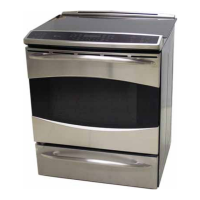
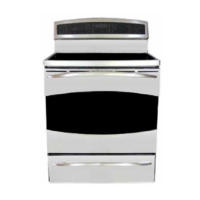
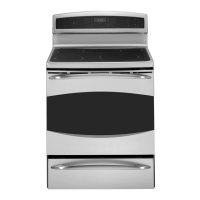
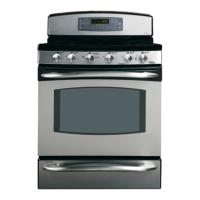
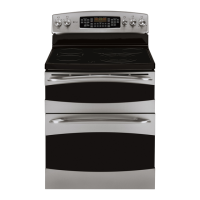
PHB920 - 30" Free-Standing Range
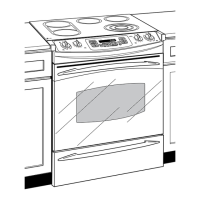
PHS920 - 30" Slide-In range
Owner’s Manual
Ranges
Electric Induction Free-Standing and Slide-In
Safety Information ..............2
Warranty .........................7
Assistance / Accessories .......8
Using The Range
Surface Units .......................9
Cookware for Induction Cooktop ....11
Oven Controls ......................12
Special Features ...................13
Oven Racks ........................14
Aluminum Foil and Oven Liners .....15
Cookware ..........................15
Cooking Modes ....................16
Cooking Guide .....................18
Warming Drawer ...................19
Care and Cleaning
Cleaning the Range – Exterior ......20
Cleaning the Range – Interior .......21
Cleaning the Glass Cooktop .........22
Probe ..............................23
Maintenance .......................24
Troubleshooting Tips ..........26


Questions and Answers

  • J
    Joseph MeyerSep 16, 2025
    Why are the oven racks difficult to slide in my GE Profile PHS920?
    • C
      cmurphySep 16, 2025
      If the oven racks in your GE Ranges are difficult to slide, especially if they are shiny and silver-colored, it could be because they were cleaned during a self-clean cycle. To improve their movement, apply a small amount of vegetable oil to a paper towel and wipe the edges of the oven racks. Avoid using lubricant sprays like Pam®.
  • K
    Kevin GarciaAug 25, 2025
    What to do if my GE Profile PHS920 Ranges oven does not work?
    • K
      Keith GrayAug 25, 2025
      If your GE Ranges oven isn't working, start by ensuring the range is fully plugged into a properly grounded electrical outlet. Check your home's fuse or circuit breaker and replace the fuse or reset the breaker if needed. Make sure the oven controls are correctly set, consulting the 'Using the Oven' section for guidance. Also, verify that the oven isn't accidentally in Sabbath Mode, which disables certain functions. If it is, disable Sabbath Mode via the Special Features section.
  • A
    Ashley SantosAug 25, 2025
    Why won't my GE Ranges oven steam clean?
    • T
      Taylor PerryAug 26, 2025
      If your GE Ranges oven will not steam clean, first check if the display flashes 'HOT,' indicating the oven needs to cool to room temperature before resetting the controls. Ensure the oven controls are set correctly by consulting the Using Steam Clean section. Also, verify that the oven door is fully closed to initiate the steam clean cycle.
  • J
    Jenna DoughertyAug 26, 2025
    Why is my food not baking properly in my GE Ranges oven?
    • M
      Michael JohnsonAug 26, 2025
      If your food isn't baking properly in your GE Ranges oven, several factors could be the cause. First, ensure that the oven controls are set correctly. Incorrect rack position or a rack that isn't level can also affect baking, so consult the Cooking Modes section and Cooking Guide for proper placement. Using the wrong type or size of cookware can also lead to uneven baking, so refer to the Cookware section for recommendations. If needed, adjust the oven temperature following the instructions in the Special Features section. Lastly, remember that ingredient substitutions can alter the outcome of your recipes.
  • H
    Harold DouglasSep 18, 2025
    How to prevent excessive condensation in my GE Ranges warming drawer?
    • K
      Kevin CarpenterSep 18, 2025
      Excessive condensation in the warming drawer of your GE Ranges can occur due to a few reasons. If there's liquid in the drawer, remove it. Uncovered foods can also release moisture, so cover them with a lid or aluminum foil. Finally, if the temperature setting is too high, reduce it to minimize condensation.
  • M
    Michael SmithSep 23, 2025
    Why does "Probe" appear in the display of my GE Profile PHS920 Ranges?
    • A
      Alexis FlemingSep 23, 2025
      If 'Probe' appears in the display of your GE Ranges, it's reminding you to enter a probe temperature after plugging in the probe. Simply enter a probe temperature to proceed.
  • D
    Dorothy NixonSep 8, 2025
    Why does the display on my GE Profile PHS920 Ranges go blank?
    • K
      Kelly HamiltonSep 9, 2025
      If the display on your GE Ranges goes blank, there are a few potential causes to investigate. First, check whether a fuse in your home may be blown, or the circuit breaker tripped, and replace the fuse or reset the circuit breaker. Another possibility is that the clock is turned off; you can find instructions for adjusting the clock in the Special Features section. Finally, ensure that the oven isn't in Sabbath Mode, as this can also cause the display to go blank. Refer to the Special Features section to verify the Sabbath Mode setting.
  • K
    Kendra RoySep 9, 2025
    Why doesn't my new GE Profile PHS920 oven cook like my old one?
    • J
      John AdamsSep 9, 2025
      Your new GE Ranges oven may cook differently from your old one due to a different cooking system. For the first few uses, closely monitor recipe times and temperatures. If you believe the oven is too hot or cold, you can adjust the temperature to match your cooking preferences. Note that this adjustment affects Bake and Convection Bake temperatures, but not Broil or Clean.
  • C
    cherylflemingSep 2, 2025
    Why is the clock flashing on my GE Ranges after a power outage?
    • A
      alyssajacksonSep 3, 2025
      If you've experienced a power outage and the clock on your GE Ranges is now flashing, it indicates that the power was interrupted. To resolve this, reset the clock. If the oven was in use during the outage, you'll also need to reset it by pressing the Cancel/Off pad, setting the clock, and resetting any cooking functions.
  • S
    sriceSep 1, 2025
    Why does "LOCK DOOR" flash on my GE Ranges display?
    • C
      Candice EllisSep 1, 2025
      If 'LOCK DOOR' is flashing in the display of your GE Ranges oven, it means the self-clean cycle has been selected, but the oven door isn't fully closed. Simply close the oven door to resolve this issue.

Summary

IMPORTANT SAFETY INFORMATION. READ ALL INSTRUCTIONS BEFORE USING.

ANTI-TIP DEVICE

Instructions for installing and verifying the anti-tip device for range safety.

STATE OF CALIFORNIA PROPOSITION 65 WARNING

Warning about chemicals in the product and potential exposure during self-clean.

IMPORTANT SAFETY INFORMATION. READ ALL INSTRUCTIONS BEFORE USING.

GENERAL SAFETY INSTRUCTIONS

General safety guidelines for operating the range, including electrical and handling precautions.

IMPORTANT SAFETY INFORMATION. READ ALL INSTRUCTIONS BEFORE USING.

KEEP FLAMMABLE MATERIALS AWAY FROM THE RANGE

Warnings about storing flammable items near the range and wearing loose clothing.

IN THE EVENT OF A FIRE, TAKE THE FOLLOWING STEPS TO PREVENT INJURY AND FIRE SPREADING

Procedures for handling fires involving the range, including grease and oven fires.

COOKTOP SAFETY INSTRUCTIONS

Safety guidelines specific to using the cooktop, including unattended use and oil handling.

IMPORTANT SAFETY INFORMATION. READ ALL INSTRUCTIONS BEFORE USING.

GLASS COOKTOP SAFETY INSTRUCTIONS

Safety precautions for the glass cooktop, including handling hot surfaces and cleaning.

OVEN SAFETY INSTRUCTIONS

Safety guidelines for oven operation, including door opening and heating elements.

IMPORTANT SAFETY INFORMATION. READ ALL INSTRUCTIONS BEFORE USING.

SELF-CLEANING OVEN SAFETY INSTRUCTIONS

Safety precautions for using the self-cleaning feature to prevent burns and damage.

WARMING DRAWER SAFETY INSTRUCTIONS

Safety guidelines for using the warming drawer, including temperature and material storage.

GE Electric Range Warranty

What GE will not cover:

List of services and damages not covered by the warranty.

EXCLUSION OF IMPLIED WARRANTIES

Limitations on implied warranties like merchantability and fitness for purpose.

Have a question or need assistance with your appliance?

Schedule Service

Information on how to schedule professional repair service for the appliance.

Parts and Accessories

How to order replacement parts and accessories for the appliance.

How to Remove Protective Shipping Film and Packaging Tape

Step-by-step guide for removing protective film and adhesive from the appliance.

Surface Units

How Induction Surface Cooking Works

Explanation of how induction coils generate heat through magnetic fields for cooking.

Surface Unit Cook Settings

Description of the cooktop's power levels and how to adjust them.

Single Surface Unit-Cook Settings

Instructions for operating individual surface units, including special functions.

Surface Units (Cont.)

Using the Warming Zone

Instructions and safety warnings for operating the warming zone.

Cookware for Induction Cooktop

What Type of Pans Are Required?

Guidelines on the types of cookware suitable for induction cooktops.

Pan Size and Shape

Importance of pan size and shape for proper induction coil activation.

Oven Controls

Convection Cooking Mode

Explanation of the convection cooking mode and its benefits.

Traditional Cooking Modes

Description of standard cooking modes like Bake and Broil.

Clean

Information on the oven's cleaning modes: Self Clean and Steam Clean.

Cook Time

How to set a specific cooking duration that automatically turns off the oven.

Special Features

Adjust the Oven Temperature

How to adjust the oven temperature up or down by a set amount.

12-hour auto shut-off and Sabbath

Explains auto shut-off and Sabbath mode features for oven operation.

Oven Racks

Extension Racks

Instructions on how to use, remove, and maintain oven extension racks.

Aluminum Foil and Oven Liners

Cookware

Guidelines on how cookware material, finish, and size affect baking performance.

Cooking Modes

Baking and Roasting Modes

How to select modes for baking and roasting, including preheating advice.

Broiling Modes

General advice for broiling, including door position and rack placement.

Cooking Modes (Cont.)

Probe

How to use the temperature probe for monitoring food internal temperature.

Proper Probe Placement Guidelines

Best practices for inserting the temperature probe into various food types.

Cooking Guide

Baked Goods

Recommended modes and rack positions for various baked items.

Beef & Pork

Recommended cooking modes and rack positions for beef and pork.

Poultry

Recommended modes and rack positions for cooking whole chicken, parts, and turkey.

Warming Drawer

When Using the Warming Drawer

Guidelines for using the warming drawer to keep food warm.

Temperature Selection Chart

Chart showing recommended control settings for different food types.

Cleaning the Range - Exterior

Control Panel

Instructions for cleaning the range's control panel.

Range Exterior

How to clean the exterior surfaces of the range.

Stainless Steel Surfaces

How to clean and polish stainless steel surfaces.

Cleaning the Range - Interior

Manual Cleaning

How to clean the oven interior manually without special cycles.

Steam Clean Mode

Instructions for using the Steam Clean feature for minor spills.

Self Clean Mode

Detailed instructions and safety for the self-cleaning oven cycle.

Cleaning the Glass Cooktop

Normal Daily Use Cleaning

Daily cleaning routine for the glass cooktop using recommended cleaner.

Burned-On Residue

Steps for removing burned-on residue from the glass cooktop.

Heavy, Burned-On Residue

Method for removing stubborn, heavy burned-on residue from the cooktop.

Cleaning the Glass Cooktop (Cont.)

Metal Marks and Scratches

How to remove metal marks and address potential scratches on the cooktop.

Damage from Sugary Spills and Melted Plastic

Special care for removing sugary spills and melted plastic to prevent damage.

Maintenance

Oven Light Replacement (on some models)

Step-by-step guide for replacing the oven light bulb.

Maintenance (Cont.)

Lift-Off Oven Door

Instructions for safely removing and replacing the oven door.

Troubleshooting tips... Before you call for service

Oven temperature too hot or too cold.

How to adjust oven temperature settings for accuracy.

Food does not bake properly.

Troubleshooting steps for improper baking results.

Food does not broil properly.

Solutions for issues related to improper broiling performance.

Troubleshooting tips (Cont.)... Before you call for service

Oven does not work or appears not to work.

Common reasons and fixes for the oven not operating.

Oven will not self-clean.

Troubleshooting steps when the self-clean function fails.

F- and a number or letter flash in the display.

Understanding and resolving function error codes displayed on the unit.

Troubleshooting tips (Cont.)... Before you call for service

Warming drawer will not work.

Troubleshooting steps when the warming drawer is not functioning.

Sometimes the oven takes longer to preheat to the same temperature.

Factors affecting oven preheat time and how to reduce it.

Oven racks are difficult to slide.

How to fix oven racks that are difficult to slide.

GE Profile PHS920 Specifications

General IconGeneral
Number of Burners5
Wi-Fi ConnectivityYes
Self-CleaningYes
Convection OvenYes
ColorStainless Steel
TypeSlide-In
Width30 in.
BTU Range5, 000 - 18, 000 BTU
Cooktop MaterialCeramic Glass
Depth28.5 in.

Related product manuals