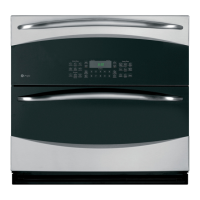
Why is my food not fully cooked or browned in my GE PT7800?
- JJulia GoldenAug 31, 2025
Programmed times may not match the size or amount of food you are cooking. Adjust the cooking time for doneness, or adjust the upper or lower lamps for browning.
Why is my food not fully cooked or browned in my GE PT7800?
Programmed times may not match the size or amount of food you are cooking. Adjust the cooking time for doneness, or adjust the upper or lower lamps for browning.
Why does my GE PT7800 Oven make fan noise?
A cooling fan may automatically turn on in your GE Oven. This is normal. The cooling fan will turn on to cool internal parts and may run for up to 1-1/2 hours after the oven is turned off.
What to do if my GE Oven will not self-clean?
If your GE Oven won't self-clean, the temperature may be too high to start the self-clean operation. Allow the oven to cool and reset the controls.
What does it mean when 'SENSOR ERROR' is displayed on my GE Oven?
If 'SENSOR ERROR' is displayed on your GE oven, along with an oven signal, it could mean that the food amount or type placed in the oven does not match the program that was set. Press the Clear/Off pad and set the oven program to match the food or liquid to be cooked or heated. Alternatively, steam may not have been sensed by the oven because plastic wrap was not vented, a lid was too tight on the dish, or a liquid was covered. Vent plastic wrap, use a looser lid, or uncover liquids when cooking or heating.
What does "OVEN IS COOLING DOOR IS LOCKED" mean on my GE Oven display?
The "OVEN IS COOLING DOOR IS LOCKED" message on your GE Oven display means that the oven door is locked because the temperature inside the oven has not dropped below the unlocking temperature. Press the Clear/Off pad and allow the oven to cool.
What to do if my GE PT7800 control display is lit but the oven will not start?
Several factors can prevent your oven from starting. First, ensure the clock is set. Next, check that the door is securely closed. After selecting your cooking preferences, press the Start/Pause pad or selector dial. Also, make sure you have entered a cooking time. If another selection is already entered, press the Clear/Off pad to cancel it. If the Clear/Off pad was accidentally pressed, reset the cooking program and press the Start/Pause pad.
What should I do if the pads on one side of the control do not function on my GE Oven?
If the pads on one side of the control on your GE oven do not function, the control has likely locked out the use of these pads and needs to be reset. Press and hold the Clear/Off pad on the other side of the display for 30 seconds. If this does not reset the control, it may be necessary to cycle the circuit breaker.
What to do if my GE PT7800 does not work?
If your GE Oven doesn't seem to be working, there are a couple of things to check: * A fuse in your home may be blown or the circuit breaker tripped. Replace the fuse or reset the circuit breaker. * The oven may be in Sabbath Mode. Verify that the oven is not in Sabbath Mode.
Why won't my GE PT7800 Oven start even though the control display is lit?
If your GE oven's control display is lit but the oven won't start, several factors could be at play. First, ensure the clock is set. Next, confirm the door is securely closed. Also, check that you've pressed the Start/Pause pad or selector dial after making your cooking selection. Another possibility is that another selection is already entered; if so, press the Clear/Off pad to cancel it. Finally, make sure you've entered the size, quantity, or cooking time after the final selection, and that you haven't accidentally pressed the Clear/Off pad; if so, reset the cooking program and press Start/Pause.
How to unlock the control on my GE PT7800 when it displays 'Control is LOCKED'?
If 'Control is LOCKED' appears on your GE oven display, it means the control has been locked. To unlock it, press and hold the Settings pad for 3 seconds.
Safety guidelines to prevent harm from microwave energy exposure.
Precautions to mitigate fire risks within the oven cavity.
Safety measures to prevent burns during oven operation.
General operating safety tips for the appliance.
Overview of upper oven, lower oven, and common controls and their functions.
Instructions for using upper oven features like microwave, warming, proofing, and baking.
Details on lower oven specific features like probe and Sabbath mode.
Guidance on cooking modes, rack positions, cookware, and oven accessories.
General tips for keeping the oven clean and fresh.
How to clean the oven's control panel and exterior surfaces safely.
Detailed instructions for cleaning the oven interior, door seal, and turntable.
Resolving common problems related to oven fan operation and cooking results.
Addressing issues with the oven's display screen and unresponsive controls.
Solutions for miscellaneous oven problems like hot surfaces or locked controls.
Information on obtaining warranty service and what is covered or excluded.
Details on implied warranties and their limitations.
Information on purchasing extended warranties for the appliance.
Information on how to order additional accessories for the appliance.
List of available replacement parts for the oven.
List of recommended cleaning supplies for appliance maintenance.
Accessing support, product registration, and service information online.
How to schedule repair service and information on purchasing extended warranties.
Assistance for remote connectivity and contacting customer support.
Loading...