EasyManua.ls Logo

GE PTD7000 - User Manual

GE PTD7000
48 pages
Print Icon
To Next Page IconTo Next Page
Loading...
Write the model and serial
numbers here:
Model # _________________
Serial # _________________
You can find them on a label on
the side trim or on the front of the
(lower) oven behind the oven door.
ESPAÑOL
Para consultar una version en
español de este manual de
instrucciones, visite nuestro sitio de
internet GEAppliances.com.
OWNER’S MANUAL
WALL OVEN
Direct Air Convection Built-In Electric
49-2000375 Rev. 3 02-22 GEA
GE is a trademark of the General Electric Company. Manufactured under trademark license.
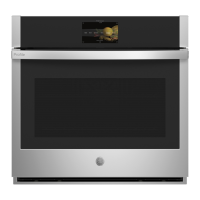
30" Single Wall Oven
PTS7000
PTS700L
PTS700R
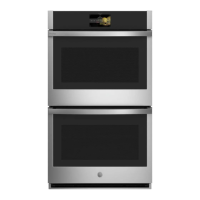
30" Double Wall Oven
PTD7000
PTD700L
PTD700R
SAFETY INFORMATION ..........3
USING THE OVEN
Oven Controls .........................6
Double Oven ..........................7
Settings ..............................7
Sabbath ..............................9
Oven Racks ..........................10
Aluminum Foil and Oven Liners .........12
Cookware ............................12
Cooking Modes .......................12
Probe ...............................14
Cooking Guide .......................15
CARE AND CLEANING
Cleaning The Oven - Exterior ...........17
Cleaning The Oven - Interior ...........18
Probe ...............................18
Oven Light ...........................19
Oven Door ...........................19
TROUBLESHOOTING TIPS ..... 20
LIMITED WARRANTY ...........22
ACCESSORIES ...................23
CONSUMER SUPPORT ......... 24


Questions and Answers

  • R
    Robert AlvarezSep 9, 2025
    Why is my food not baking properly in my GE oven?
    • M
      Mitchell TaylorSep 9, 2025
      If food does not bake properly in your GE oven, it may be due to several reasons. First, ensure that the oven controls are properly set by referring to the Cooking Modes section. Also, check that the rack position is correct and level, consulting the Cooking Modes section and Cooking Guide for assistance. Keep in mind that substituting ingredients can also affect the outcome of the recipe. For cookware guidance, see the Cookware section. If the oven temperature needs adjustment, see the Cooking option under the Settings section.
  • J
    jenniferparkAug 22, 2025
    Why won't my GE oven door open after the clean cycle?
    • T
      Tiffany GlennAug 23, 2025
      If your GE oven door will not open after a clean cycle, it is likely because the oven is still too hot. Allow the oven to cool below the locking temperature before attempting to open the door.
  • A
    Autumn WallaceAug 25, 2025
    Why my GE PTD7000 Oven does not work?
    • G
      Garrett MillsAug 25, 2025
      If your GE oven isn't working or appears not to be working, check if a fuse in your home has blown or if the circuit breaker has tripped; if so, replace the fuse or reset the circuit breaker. Also, ensure that the oven controls are properly set by referring to the Using the Oven section. Finally, verify that the oven is not in Sabbath Mode by checking the Sabbath option under the Settings section.
  • A
    Amber RosarioAug 26, 2025
    How to adjust the temperature on my new GE PTD7000 Oven to match my old one?
    • S
      Sharon JohnsonAug 27, 2025
      If your new GE oven doesn't cook like your old one, it's because it has a different cooking system. Carefully monitor recipe times and temperatures for the first few uses. If you still think your oven is too hot or cold, you can adjust the temperature yourself to match your cooking preferences. Refer to the Special Features Section for instructions on how to adjust the oven temperature.
  • J
    James JimenezAug 27, 2025
    What to do if my GE oven is not clean after running the clean cycle?
    • T
      Timothy GreenAug 27, 2025
      If your GE oven is not clean after running a clean cycle, this may be due to improperly set oven controls. Please refer to the Cleaning the Oven section for guidance. Also, if the oven was heavily soiled, clean up heavy spillovers before starting the clean cycle. For heavily soiled ovens, it may be necessary to run the self-clean cycle again or for a longer period.
  • A
    Angela PaulAug 29, 2025
    How to adjust the temperature on my GE oven?
    • D
      David SmithAug 29, 2025
      If your GE oven temperature is too hot or too cold, it may need adjustment. Refer to the Cooking option under the Settings section for instructions.
  • C
    connie12Sep 18, 2025
    Why is my GE oven making fan noise?
    • W
      William MoralesSep 18, 2025
      It is normal for a cooling fan to automatically turn on in your GE oven. The cooling fan will turn on to cool internal parts and may run for up to 30 minutes after the oven is turned off.
  • P
    Patrick LoweSep 19, 2025
    Why does the glass on my GE oven door look tinted?
    • R
      rhodesbrandySep 22, 2025
      The inner oven glass of your GE oven is coated with a heat barrier to reflect heat back into the oven, prevent heat loss, and keep the outer door cool while baking. This is normal; under certain light or angles, you may see this tint or rainbow color.
  • M
    Maria RodriguezSep 7, 2025
    What to do if food does not broil properly in my GE PTD7000?
    • K
      Kristina CollierSep 8, 2025
      If food does not broil properly in your GE oven, ensure that you have selected the appropriate broil mode. Also, make sure your cookware is cool and suited for broiling; use a pan specifically designed for broiling. If using aluminum foil on the broiling pan and grid, ensure it is fitted properly and slit as recommended. For rack location suggestions, see the Cooking Guide. It is also recommended to preheat the broil element for 10 minutes.
  • E
    Erin RichSep 4, 2025
    Why does my GE PTD7000 Oven sometimes take longer to preheat?
    • S
      Stephanie MartinezSep 4, 2025
      If your GE oven sometimes takes longer to preheat to the same temperature, it could be due to cookware or food in the oven, which will cause the oven to take longer to preheat, so remove items to reduce preheat time. Also, adding more racks to the oven will cause the oven to take longer to preheat, so remove some racks. Different cooking modes use different preheat methods; some modes will take longer than others (i.e., convection bake multi).

Summary

Safety Information

General Safety Instructions

General safety guidelines for appliance operation and use.

Oven Safety Instructions

Specific safety precautions for oven operation.

Self-Cleaning Oven Safety Instructions

Safety guidelines for using the self-cleaning feature.

Proper Disposal of Your Appliance

Instructions for environmentally safe disposal of the appliance.

Using the Oven

Oven Controls

Explanation of the oven's control panel and its features.

Oven Racks

Details on oven rack positions and usage.

Aluminum Foil and Oven Liners

Guidelines on using foil and liners in the oven.

Cookware Guidelines

Factors affecting baking performance based on cookware.

Cooking Modes

Overview of various cooking modes available on the oven.

Probe

Instructions for using the oven's temperature probe.

Cooking Guide

Recommendations for cooking specific foods and settings.

Care and Cleaning

Cleaning the Oven - Exterior

Procedures for cleaning the exterior of the oven.

Cleaning The Oven - Interior

Methods for cleaning the inside of the oven.

Probe

Cleaning and care instructions for the temperature probe.

Oven Light

Steps and safety precautions for replacing the oven light bulb.

Oven Door

Procedures for removing and replacing the oven door.

Troubleshooting Tips

Limited Warranty

GE Appliances Electric Oven Limited Warranty

Specifics of the limited warranty for electric ovens.

What GE Appliances Will Not Cover

Exclusions from the warranty coverage.

Accessories

Parts

List of replacement parts available for the oven.

Cleaning Supplies

Available cleaning products for the appliance.

Consumer Support

GE Appliances Website

Information on the GE Appliances website for support.

Register Your Appliance

Instructions for registering the appliance online.

Schedule Service

How to schedule repair service for the appliance.

Extended Warranties

Information on purchasing extended warranties.

Remote Connectivity

Support for connecting the oven to a wireless network.

Contact Us

How to contact GE Appliances customer relations.

GE PTD7000 Specifications

General IconGeneral
Fuel TypeElectric
Width30 inches
ConvectionYes
Self-CleaningYes
Precision Cooking SystemYes
Temperature ProbeYes
Broil ElementYes
Bake ElementYes
Oven LightYes
Display TypeDigital
Installation TypeBuilt-In
ColorStainless Steel
Capacity5.0 cu ft (Upper) / 5.0 cu ft (Lower)
Control TypeTouchpad

Related product manuals