EasyManua.ls Logo

GE PTD7000 - User Manual

GE PTD7000
48 pages
Print Icon
To Next Page IconTo Next Page
Loading...
Write the model and serial
numbers here:
Model # _________________
Serial # _________________
You can find them on a label on
the side trim or on the front of the
(lower) oven behind the oven door.
ESPAÑOL
Para consultar una version en
español de este manual de
instrucciones, visite nuestro sitio de
internet GEAppliances.com.
OWNER’S MANUAL
WALL OVEN
Direct Air Convection Built-In Electric
49-2000375 Rev. 3 02-22 GEA
GE is a trademark of the General Electric Company. Manufactured under trademark license.
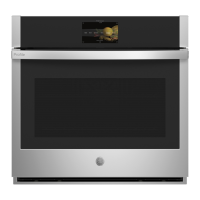
30" Single Wall Oven
PTS7000
PTS700L
PTS700R
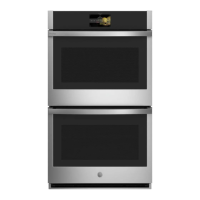
30" Double Wall Oven
PTD7000
PTD700L
PTD700R
SAFETY INFORMATION ..........3
USING THE OVEN
Oven Controls .........................6
Double Oven ..........................7
Settings ..............................7
Sabbath ..............................9
Oven Racks ..........................10
Aluminum Foil and Oven Liners .........12
Cookware ............................12
Cooking Modes .......................12
Probe ...............................14
Cooking Guide .......................15
CARE AND CLEANING
Cleaning The Oven - Exterior ...........17
Cleaning The Oven - Interior ...........18
Probe ...............................18
Oven Light ...........................19
Oven Door ...........................19
TROUBLESHOOTING TIPS ..... 20
LIMITED WARRANTY ...........22
ACCESSORIES ...................23
CONSUMER SUPPORT ......... 24


Questions and Answers

  • C
    campbellchristopherAug 21, 2025
    Why is my GE oven smoking excessively during the clean cycle?
    • K
      kbautistaAug 21, 2025
      Excessive smoking during the clean cycle of your GE oven is likely due to excessive soil or grease. To resolve this, press Cancel to stop the cycle, open windows to clear the smoke, wait for the door to unlock, wipe up the excess soil, and then reset the clean cycle.
  • A
    april41Sep 3, 2025
    What to do if power outage resets clock on my GE oven?
    • J
      Julie HowellSep 3, 2025
      If you experience a power outage and the clock resets on your GE oven, reset the clock. If the oven was in use, you must reset it by pressing Cancel, setting the clock, and resetting any cooking function.
  • C
    Connie HartSep 1, 2025
    Why are the clock and timer not working on my GE oven?
    • L
      Leslie PatelSep 1, 2025
      If the clock and timer on your GE oven do not work, it might be due to a blown fuse or a tripped circuit breaker in your home. Replace the fuse or reset the circuit breaker to resolve this issue.
  • G
    George WeeksAug 31, 2025
    Why won't my GE oven self-clean?
    • P
      potterdanielAug 31, 2025
      If your GE oven will not self-clean, it may be because the temperature is too high. Allow the oven to cool and reset the controls. Also, ensure that the oven controls are properly set by referring to the Cleaning the Oven section.
  • A
    Angela PaulAug 29, 2025
    How to adjust the temperature on my GE oven?
    • D
      David SmithAug 29, 2025
      If your GE oven temperature is too hot or too cold, it may need adjustment. Refer to the Cooking option under the Settings section for instructions.
  • J
    James JimenezAug 27, 2025
    What to do if my GE oven is not clean after running the clean cycle?
    • T
      Timothy GreenAug 27, 2025
      If your GE oven is not clean after running a clean cycle, this may be due to improperly set oven controls. Please refer to the Cleaning the Oven section for guidance. Also, if the oven was heavily soiled, clean up heavy spillovers before starting the clean cycle. For heavily soiled ovens, it may be necessary to run the self-clean cycle again or for a longer period.
  • A
    Amber RosarioAug 26, 2025
    How to adjust the temperature on my new GE PTD7000 Oven to match my old one?
    • S
      Sharon JohnsonAug 27, 2025
      If your new GE oven doesn't cook like your old one, it's because it has a different cooking system. Carefully monitor recipe times and temperatures for the first few uses. If you still think your oven is too hot or cold, you can adjust the temperature yourself to match your cooking preferences. Refer to the Special Features Section for instructions on how to adjust the oven temperature.
  • A
    Autumn WallaceAug 25, 2025
    Why my GE PTD7000 Oven does not work?
    • G
      Garrett MillsAug 25, 2025
      If your GE oven isn't working or appears not to be working, check if a fuse in your home has blown or if the circuit breaker has tripped; if so, replace the fuse or reset the circuit breaker. Also, ensure that the oven controls are properly set by referring to the Using the Oven section. Finally, verify that the oven is not in Sabbath Mode by checking the Sabbath option under the Settings section.
  • J
    jenniferparkAug 22, 2025
    Why won't my GE oven door open after the clean cycle?
    • T
      Tiffany GlennAug 23, 2025
      If your GE oven door will not open after a clean cycle, it is likely because the oven is still too hot. Allow the oven to cool below the locking temperature before attempting to open the door.

Summary

Safety Information

General Safety Instructions

General safety guidelines for appliance operation and use.

Oven Safety Instructions

Specific safety precautions for oven operation.

Self-Cleaning Oven Safety Instructions

Safety guidelines for using the self-cleaning feature.

Proper Disposal of Your Appliance

Instructions for environmentally safe disposal of the appliance.

Using the Oven

Oven Controls

Explanation of the oven's control panel and its features.

Oven Racks

Details on oven rack positions and usage.

Aluminum Foil and Oven Liners

Guidelines on using foil and liners in the oven.

Cookware Guidelines

Factors affecting baking performance based on cookware.

Cooking Modes

Overview of various cooking modes available on the oven.

Probe

Instructions for using the oven's temperature probe.

Cooking Guide

Recommendations for cooking specific foods and settings.

Care and Cleaning

Cleaning the Oven - Exterior

Procedures for cleaning the exterior of the oven.

Cleaning The Oven - Interior

Methods for cleaning the inside of the oven.

Probe

Cleaning and care instructions for the temperature probe.

Oven Light

Steps and safety precautions for replacing the oven light bulb.

Oven Door

Procedures for removing and replacing the oven door.

Troubleshooting Tips

Limited Warranty

GE Appliances Electric Oven Limited Warranty

Specifics of the limited warranty for electric ovens.

What GE Appliances Will Not Cover

Exclusions from the warranty coverage.

Accessories

Parts

List of replacement parts available for the oven.

Cleaning Supplies

Available cleaning products for the appliance.

Consumer Support

GE Appliances Website

Information on the GE Appliances website for support.

Register Your Appliance

Instructions for registering the appliance online.

Schedule Service

How to schedule repair service for the appliance.

Extended Warranties

Information on purchasing extended warranties.

Remote Connectivity

Support for connecting the oven to a wireless network.

Contact Us

How to contact GE Appliances customer relations.

GE PTD7000 Specifications

General IconGeneral
Fuel TypeElectric
Width30 inches
ConvectionYes
Self-CleaningYes
Precision Cooking SystemYes
Temperature ProbeYes
Broil ElementYes
Bake ElementYes
Oven LightYes
Display TypeDigital
Installation TypeBuilt-In
ColorStainless Steel
Capacity5.0 cu ft (Upper) / 5.0 cu ft (Lower)
Control TypeTouchpad

Related product manuals