EasyManua.ls Logo

GE RM24950 - User Manual

GE RM24950
11 pages
Print Icon
To Next Page IconTo Next Page
Loading...
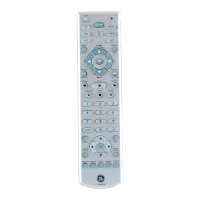
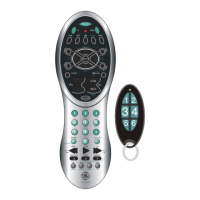
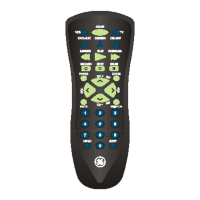
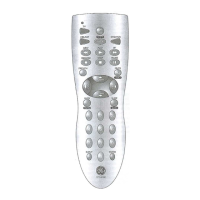
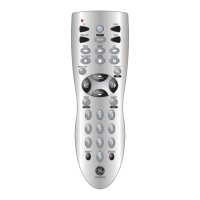
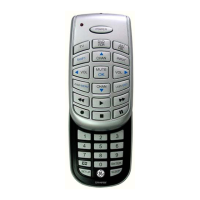
Universal Remote
Instruction Manual
24950
123
TV/VCR
ENTER
0
879
456
INPUT
MENU EXIT
PIP SWAP MOVE
PREV. CHSLEEP
INFO GUIDE
OK
VOLVOL
CH
CH
ON-OFF
SETUP
TV
V
C
R
L

Questions and Answers

  • J
    Joshua JordanJul 31, 2025
    What to do if my GE RM24950 Universal Remote does not operate my product?
    • W
      William WaltersJul 31, 2025
      If your GE Universal Remote isn't operating your product, here are a few things you can try: * First, press the mode button for the device you're trying to control. * Second, try programming the remote with a new code. * Third, replace the batteries (remember that you might need to reprogram the remote after changing them). * Finally, it's possible that the remote isn't compatible with your specific product.
  • A
    Ashley MillerAug 9, 2025
    How to fix a GE RM24950 Universal Remote that doesn't operate some features of my product?
    • J
      Jennifer MeltonAug 9, 2025
      If your GE Universal Remote isn't operating some features of your product, try programming the remote with a new code. Also, the remote might not be able to operate all the features of your product, or the button names might be different.
  • C
    Charles ReedAug 19, 2025
    Why is the red indicator blinking after I program a product code on my GE Universal Remote?
    • K
      Kim WrightAug 19, 2025
      The red indicator light on your GE Universal Remote blinks after programming a product code because the remote didn't accept the code. You should try programming the code again or try a different code.

Summary

Button Functions

ON-OFF

Turns device On or Off.

TV, VCR, DVD, SAT;CBL, AUDIO;AUX

Selects product to be operated.

CHANNEL UP;DOWN

Changes channels and controls DVD/CD track selection.

VOLUME UP;DOWN

Changes the volume level of the product.

INPUT

Selects the video inputs of your TV.

NUMBERS

Enter numbers for direct channel selection.

ENTER

Used after direct channel number entry.

INFO

Displays on-screen channel information.

Setup

Battery Installation

Instructions for inserting batteries into the remote.

Code Setup

How to set up the remote using codes or code search.

Direct Code Entry

Code Search

Code Learning

IR Transmitter Finder Feature

Learning Commands

Clearing Commands

To Clear all Learned Commands under a mode

Steps to clear learned commands for a specific mode.

Master Clear - To Clear all Learned Commands under all modes

Steps to clear all learned commands for all modes.

Troubleshooting

Remote does not operate your product.

Steps to take when the remote fails to operate the product.

GE RM24950 Specifications

General IconGeneral
BrandGE
ModelRM24950
CategoryUniversal Remote
Number of Devices Controlled4
Button ConfigurationStandard
Power Source2 x AAA batteries
Infrared RangeUp to 30 feet
Compatible DevicesTV, DVD
Programming MethodAutomatic code search, manual code entry

Related product manuals