Advantium Quick Start
www.geadvantium.com
Using the
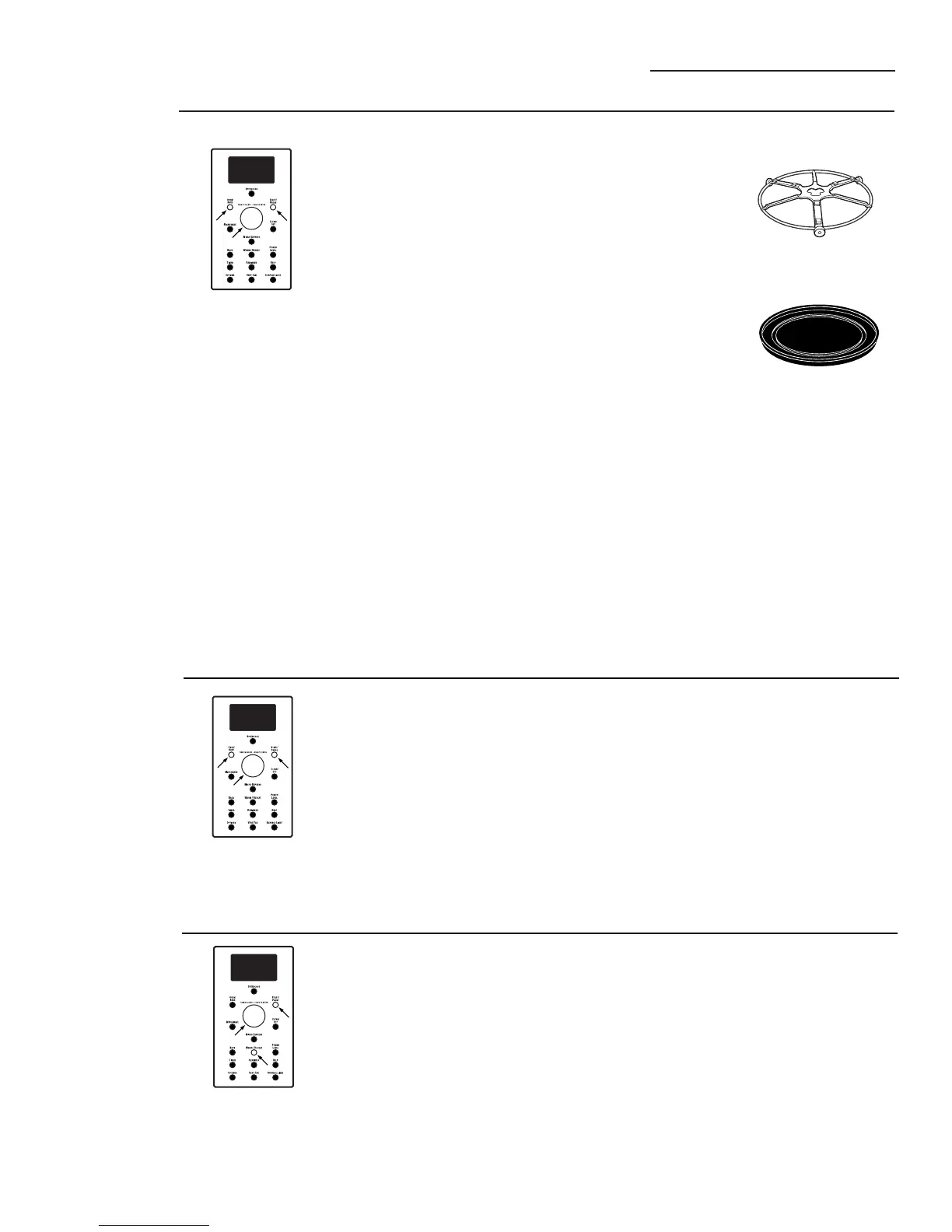
Oven/Bake
feature
With Preheating
Step 1:
Press the OVEN/BAKE button.
Step 2:
Turn the dial to set the oven
temperature and press dial to start
preheating. Do not place the food in the
oven.(You will be prompted to enter the
cook time after the oven is preheated.)
Step 3:
Press the START/PAUSE button to start
preheating.
Step 4:
When the oven is finished preheating,
it will signal. If you do not open the
door within 1 hour, the oven will turn
off automatically. Open the oven door
and, using caution, place the food
in the oven.
Step 5:
Close the oven door. Turn the dial
to set the cook time and press
START/PAUSE to start cooking.
When cooking is complete, the oven
will signal and turn off.
Cook times are shown in minutes and can
be a maximum of 179 minutes. Time can be
changed during cooking by turning the dial.
Without Preheating
Step 1:
If your recipe does not require
preheating, press the OVEN/BAKE
button.
Step 2:
Turn the dial to set the oven
temperature and press to enter.
Step 3:
To bypass preheating, press the dial again.
Step 4:
Turn the dial to set the cook time and
press to enter.
Step 5:
Place the food in the oven, and press
the START/PAUSE button to start the
oven.
Cook times are shown in minutes and can
be a maximum of 179 minutes. Time can be
changed during cooking by turning the dial.
The oven rack (turntable)
must always be in place
when using the oven.
Put food or oven-safe
cookware directly on the
black metal tray to bake.
11
Step 1:
Press the WARM/REHEAT button.
Step 2:
Turn the dial to select WARMING.
Press the dial to enter.
Step 3:
Turn the dial to select the oven
temperature.
LOW............140-160°F
MEDIUM ....160-195°F
HIGH ..........195-230°F
Step 4:
Turn the dial to select the level of
moisture you want. Press the dial
to enter.
Using the
Warming
feature



 To Next Page