Microwaving
www.geadvantium.com
Microwave
recipe—to
adjust or
change
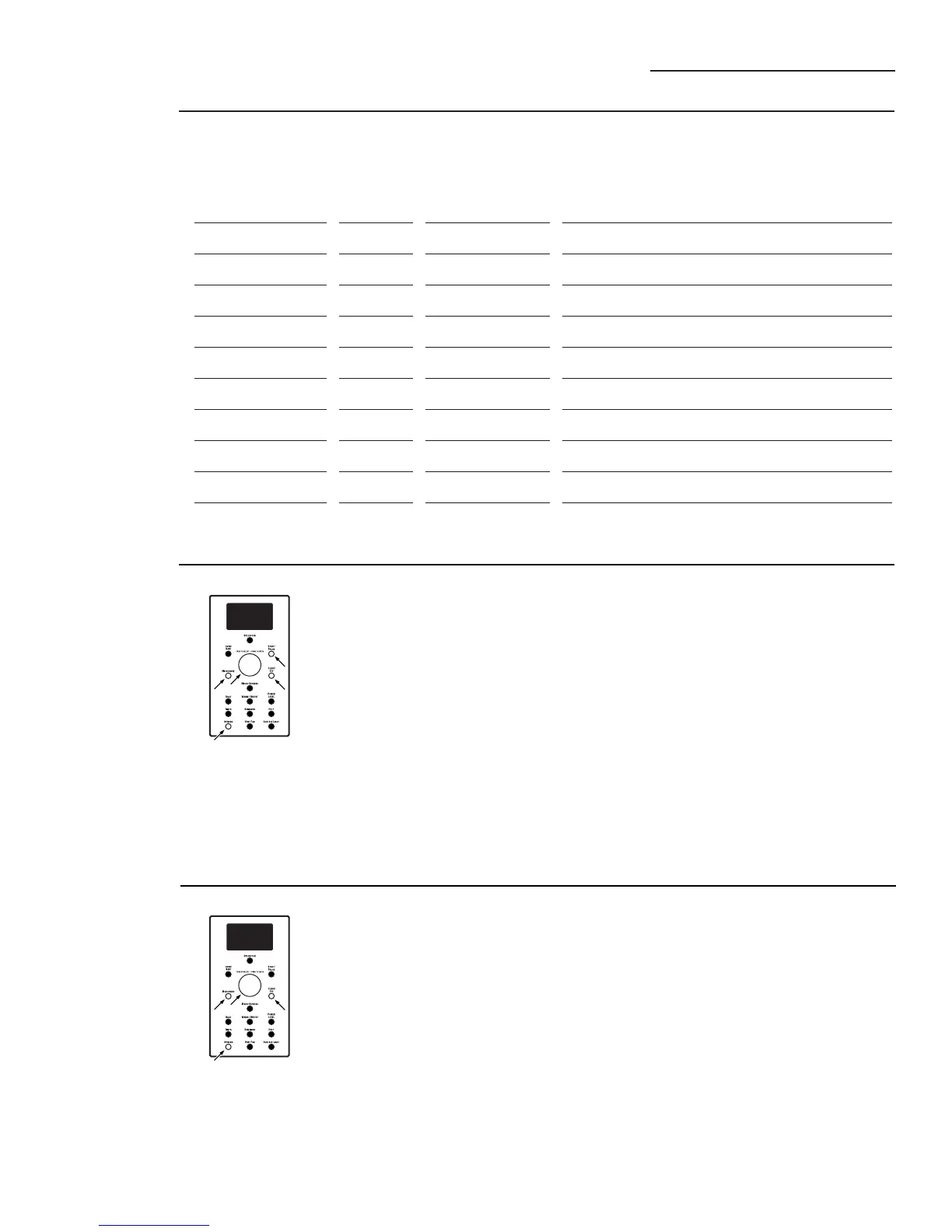
To adjust or change stored custom
microwave recipes:
1. Press the MICROWAVE button.
2. Turn dial to MY RECIPES and
press the dial to enter.
3. Turn the dial to the recipe you
want to change. Press the dial
to enter.
4. Press the OPTIONS button.
5. Turn the dial to select CHANGE
RECIPE. Press the dial to enter.
6. Turn the dial to select the cook
time and press the dial to enter.
7. Turn the dial to select the POWER
LEVEL and press the dial to enter.
8. RECIPE ADDED appears. To begin
cooking, press the START/PAUSE
button or press the CLEAR/OFF
button to store the recipe
without cooking.
Microwave
recipe—to
delete
To delete stored custom microwave
recipes:
1. Press the MICROWAVE button.
2. Turn dial to MY RECIPES and
press the dial to enter.
3. Turn the dial to the recipe you
want to delete. Press the dial
to enter.
4. Press the OPTIONS button.
5. Turn the dial to select DELETE
RECIPE, and press the dial to
enter. This deletes the recipe.
You may now enter and save a
new recipe or press CLEAR/OFF
to return to the clock display.
28
Custom
microwave
recipes



 To Next Page