On-Screen Displays
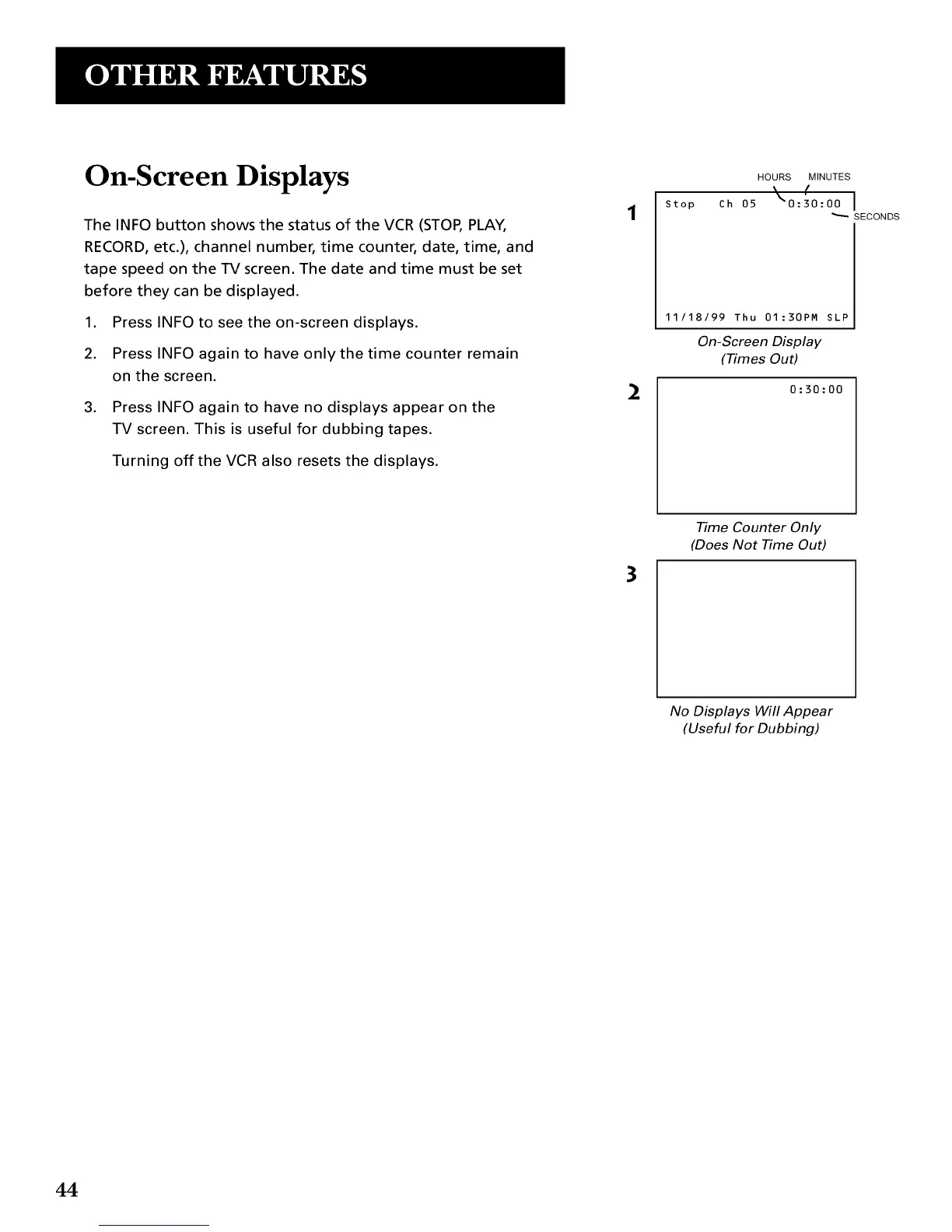
The INFO button shows the status of the VCR (STOP, PLAY,
RECORD, etc.), channel number, time counter, date, time, and
tape speed on the TV screen. The date and time must be set
before they can be displayed.
1. Press INFO to see the on-screen displays.
2. Press INFO again to have only the time counter remain
on the screen.
,
Press INFO again to have no displays appear on the
TV screen. This is useful for dubbing tapes.
Turning off the VCR also resets the displays.
2
Stop
HOURS MINUTES
(
Ch 05 _"0:30:00 I
SECONDS
11/18/99 Thu 01:30PM SLP
On-ScreenDNplay
(_mes OuO
0:30:00
3
Time Counter Only
(Does Not Time Out)
No Displays Will Appear
(Useful for Dubbing)
44


 To Next Page