GE HEALTHCARE - KRETZTECHNIK VOLUSON® 730EXPERT (BT03)
D
IRECTION 105899, REVISION 3 DRAFT (APRIL 29, 2008) SERVICE MANUAL
4-2 Section 4-3 - General Procedure
Section 4-3
General Procedure
4-3-1 Power On / Boot Up
NOTE: After turning off a system, wait at least ten seconds before turning it on again.
The system may not be able to boot if power is recycled too quickly.
4-3-1-1 Scanner Power On
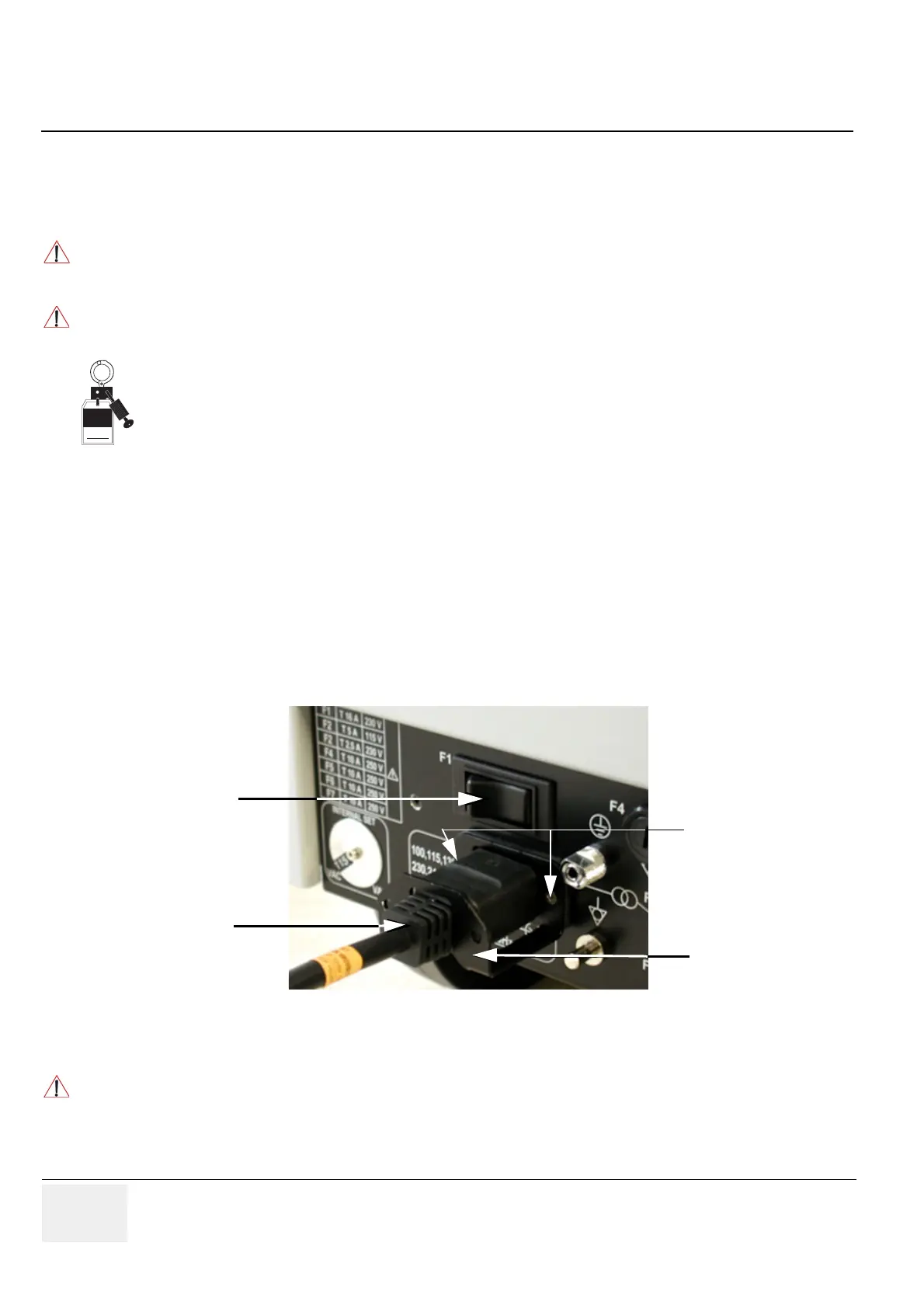
1.) Connect the Power cable to the back of the system.
2.) Screw on the pull-out protection of the mains power cable with the 2 screws.
3.) Connect the Power cable to an appropriate mains power outlet.
4.) Switch ON the Circuit Breaker at the rear of the system.
CAUTION
!! CAUTION:
SYSTEM REQUIRES ALL COVERS
Operate this unit only when all board covers and frame panels are securely in place.
The covers are required for safe operation, good system performance and cooling purposes.
NOTICE
!! NOTICE:
Lockout/Tagout Requirements (For USA only)
Follow OSHA Lockout/Tagout requirements by ensuring you are in total control of the Power Cable
on the system.
Figure 4-1 Circuit Breaker, Protection and Power Cable on back of Voluson® 730Expert
NOTICE
!! NOTICE:
When AC power is applied to the scanner, the ON/OFF switch on the Control panel illuminates amber,
indicating the System (including the Back-end Processor) is in standby mode.
Signed
Date
TA G
&
LOCKOUT
Circuit Breaker
Mains Power Cable
pull-out Protection
2 screws


 To Next Page