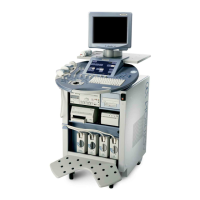
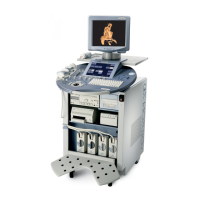
GE HEALTHCARE - KRETZTECHNIK VOLUSON® 730EXPERT (BT03)
D
IRECTION 105899, REVISION 3 DRAFT (APRIL 29, 2008) SERVICE MANUAL
Chapter 2 - Site Preparation 2-9
2-3-4 Networking Pre-installation Requirements
2-3-4-1 Purpose of the DICOM Network Function
DICOM (Digital Imaging and Communications in Medicine) services provide the operator with clinically
useful features for moving images and patient information over a hospital network.
Examples of DICOM services include the transfer of images to workstations for viewing or transferring
images to remote printers. As an added benefit, transferring images in this manner frees up the on-
board monitor and peripherals, enabling viewing to be done while scanning continues.
With DICOM, images can be archived, stored, and retrieved faster, easier, and at a lower cost.
2-3-4-2 DICOM Option Pre-installation Requirements
To configure the Voluson® 730Expert to work with other network connections, the site’s network
administrator must provide some necessary information.
To configure the Voluson® 730Expert ultrasound unit to work with other network connections, the
network administrator must provide some necessary information.
Use the Connectivity Setup Worksheet on page 3-50 to record required information that must include:
Installation see: Section 3-11 "Network IP Address Configuration" on page 3-48.
• Voluson® 730Expert Details: DICOM network details for the Voluson® 730Expert unit,
incl. the host name, local port, IP address, AE title and net mask.
• Routing Information: IP addresses for the default gateway and other routers in use at
the site.
• DICOM Application Information: Details of DICOM devices in use at the site, including the DICOM
host name, AE title, DICOM port number and IP addresses.


 To Next Page