EasyManua.ls Logo

GE X400 Power Pro Series - User Manual

GE X400 Power Pro Series
89 pages
Print Icon
To Next Page IconTo Next Page
Loading...
EN
GE
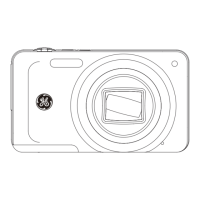
Digital Camera
Power Pro Series : X400
Appendix
Camera Connectivity
Using the Menus
Playback
Camera Function Controls
Basic Operation
Getting Started
User Manual
imagination at work

Table of Contents

Questions and Answers

  • T
    Tina BraunAug 14, 2025
    How to fix GE Digital Camera that does not turn on?
    • W
      William StricklandAug 14, 2025
      If your GE Digital Camera isn't turning on, it's likely due to depleted batteries. Replace the dead batteries with new ones. Also, ensure that the batteries are inserted correctly.
  • G
    Gene BrownAug 17, 2025
    What to do if GE X400 Power Pro images cannot print from the connected printer?
    • T
      tim20Aug 17, 2025
      If images cannot print from the connected printer, check the connection between the camera and printer. Ensure you are using a PictBridge compatible printer. Also, make sure the printer has paper and ink, and that the paper isn't jammed. Reload more paper in the printer or remove the jammed paper.
  • M
    mannjamesAug 20, 2025
    What to do if GE Digital Camera won't take a picture?
    • C
      clarkrobertAug 20, 2025
      If your GE Digital Camera isn't taking pictures when you press the shutter button, it might be due to several reasons. The SD memory card could be full, so try replacing it or formatting it. Another reason could be that there is no available space to store the files, so delete unwanted images. Also, check if the mode dial is in Playback mode or if the SD memory card is locked.
  • J
    jesusdennisAug 25, 2025
    What to do if GE X400 Power Pro Digital Camera images and video files cannot be saved?
    • K
      Kerry HutchinsonAug 25, 2025
      If your GE Digital Camera images and video files aren't saving, it's possible that the SD memory card is full. Try replacing the SD memory card with a new one. Also, you can delete unwanted images or unlock the memory card.
  • H
    Heather MullinsAug 27, 2025
    Why does my GE X400 Power Pro Digital Camera turn off suddenly?
    • W
      william18Aug 27, 2025
      If your GE Digital Camera is turning off suddenly during operation, it's likely due to depleted batteries. Replace the dead batteries with new ones.
  • B
    Barbara SotoAug 31, 2025
    How to fix blurred picture on GE Digital Camera?
    • L
      Leroy ShawAug 31, 2025
      If your GE Digital Camera pictures are blurred, it could be because the lens is dirty. Use a soft cloth to clean the lens. You can also use the Image Stabilization mode.
  • F
    Fred HendersonSep 3, 2025
    Why is write to memory card slow on GE X400 Power Pro?
    • D
      Denise GraySep 3, 2025
      To resolve the issue of slow writing to the memory card on your GE Digital Camera, it's important to note that using a memory card below Class 4 may result in slower recording times.
  • A
    Adam RyanSep 6, 2025
    What to do if GE Digital Camera cannot write to the memory card?
    • W
      whitepatrickSep 6, 2025
      To fix the issue where you cannot write to the memory card on your GE Digital Camera, remove the SD memory card and unlock it. The camera may experience trouble recording HD movies to SD cards.
  • T
    Timothy WattsSep 9, 2025
    What does 'too many movies to process' mean on GE Digital Camera?
    • L
      lambericaSep 9, 2025
      If your GE Digital Camera indicates too many movies to process, it's because the number of pictures or binders on the SD memory card exceeds the specifications. Delete unwanted files, or transfer the files on the SD memory card to another area.

Summary

WARNING

SAFETY PRECAUTIONS

Camera and Component Safety

Guidelines for safe camera handling, storage, and component care.

GETTING READY

BASIC OPERATION

Shooting Modes and Functions

Auto mode, zoom, flash, self-timer, macro, exposure.

USING THE MODES

USING THE MENUS

Error Messages

Understanding Error Codes

Explanations for common camera error messages.

Troubleshooting

Resolving Operational Issues

Solutions for common camera problems and malfunctions.

GE X400 Power Pro Series Specifications

General IconGeneral
Sensor TypeCCD
Screen Size2.7 inches
Battery TypeAA
Image Sensor1/2.3 inch
Storage MediaSD/SDHC

Related product manuals