Grasso
Refri
eration Division
GRASSO SYSTEM CONTROL
01.2004/1 638660E_chapter1.doc Chap. 1 - 3
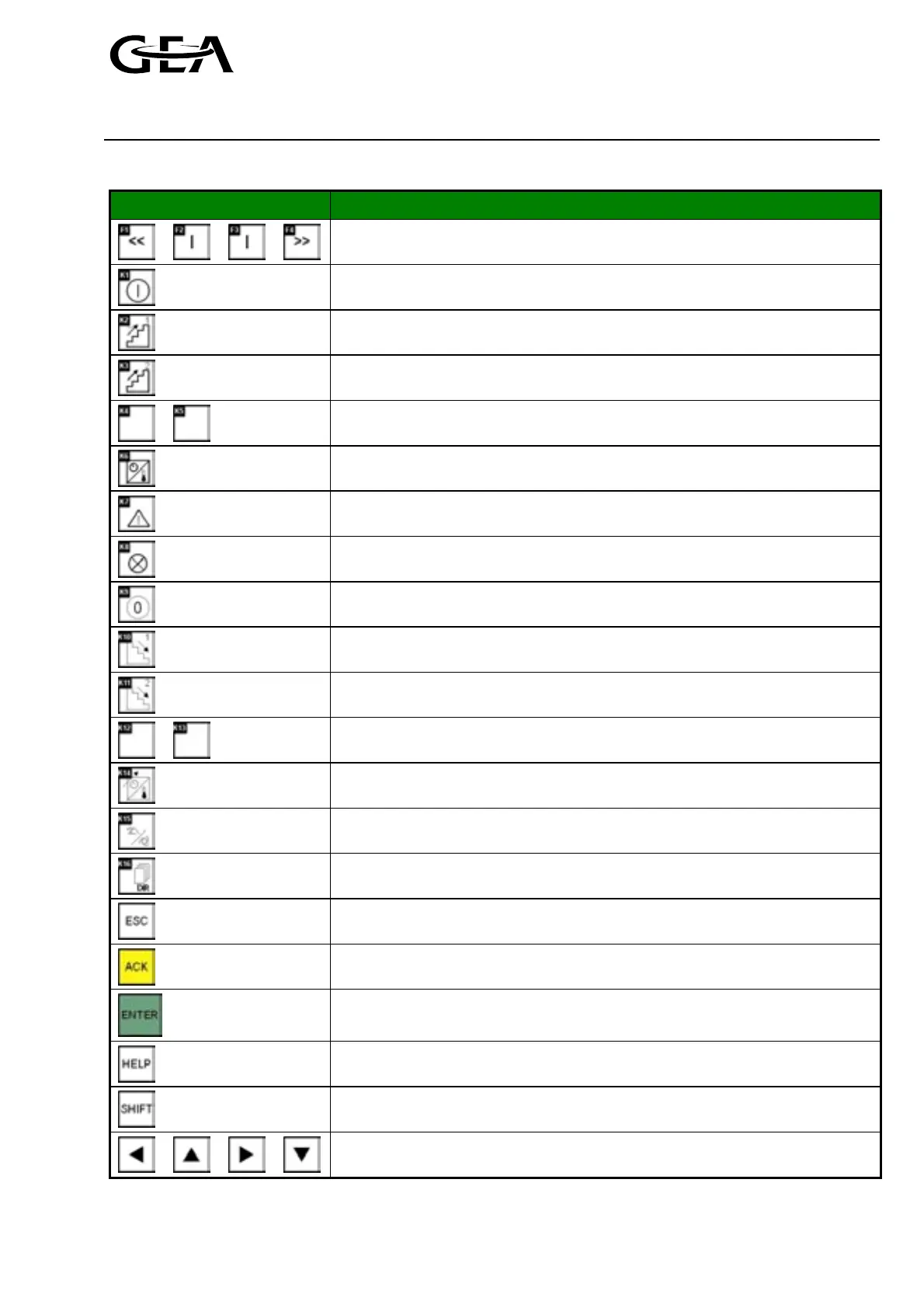
1.2.1 Key assignment
Key Function
Change to the next display window
F2, F3 Go to the menu item described in the text display directly above
Switch on the compressor unit, start enabled
Start 1
st
compressor (Press key for 5 sec. in operation mode “Manual”).
Increase capacity of 1
st
compressor (In case of manual capacity control only)
Start 2
nd
compressor (Press key for 5 sec. in operation mode “Manual”).
Increase capacity of 2
nd
compressor (In case of manual capacity control only)
No function
Call up display of actual values
Call up alarm signals
Lamp test
Switch off the compressor unit, start disabled
Stop 1
st
compressor (Press key for 5 sec. in operation mode “Manual”).
Reduce capacity of 1
st
compressor (In case of manual capacity control only)
Stop 2
nd
compressor (Press key for 5 sec. in operation mode “Manual”).
Reduce capacity of 2
nd
compressor (In case of manual capacity control only)
No function
Call up controls — settings
Call up operating mode setting
Call up the menu overview
Return or cancel input
Acknowledge, reset failure and warning
Confirm input
Press the button once for display of a help text. In some screens two levels of
help are available by pressing the button twice.
Switch over to the 2
nd
keyboard level
Cursor keys



 To Next Page