Grasso
Refri
eration Division
GRASSO SYSTEM CONTROL
Chap. 1 - 4 638660E_chapter1.doc 01.2004/1
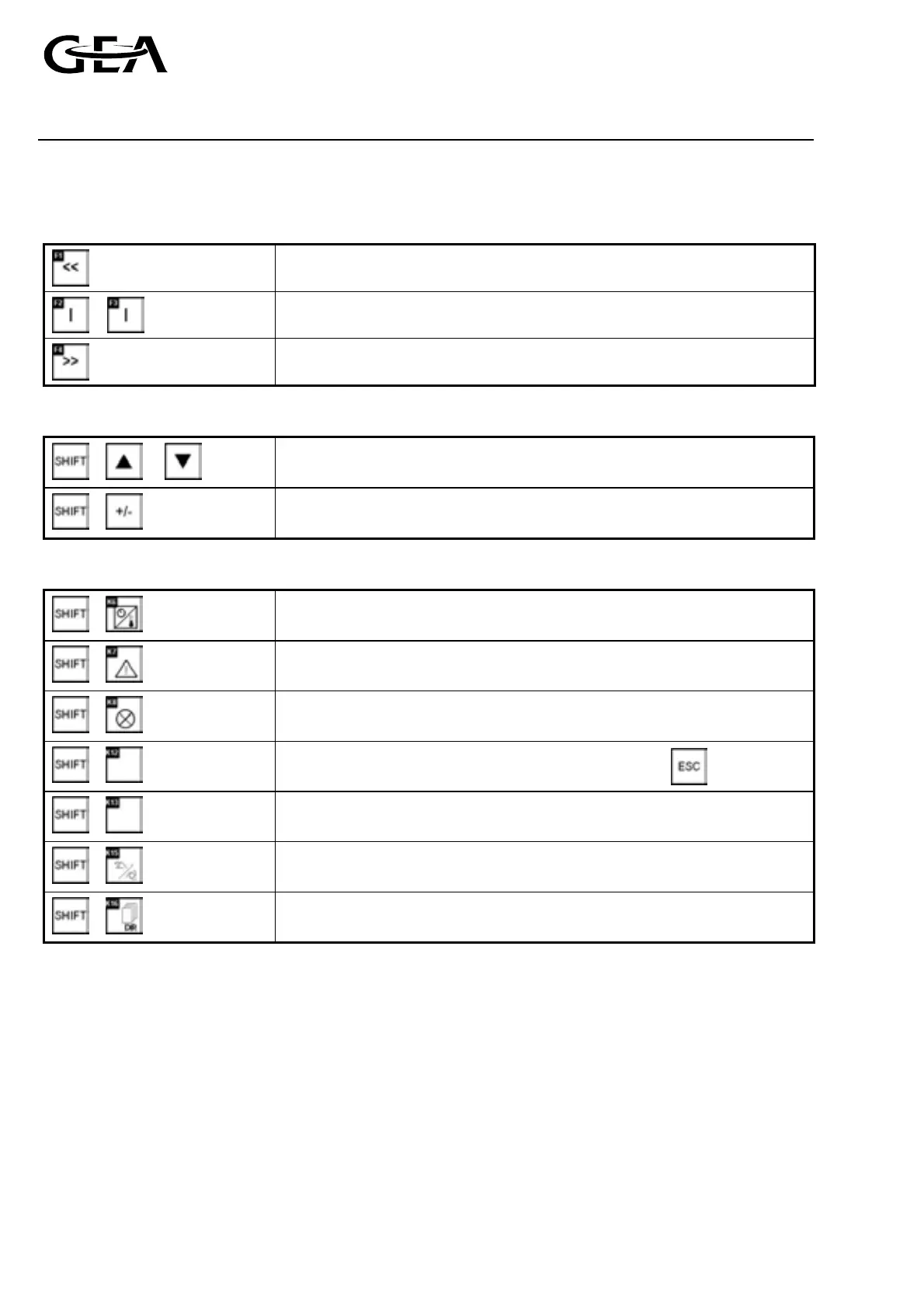
) Functions for F1…F4 keys
These functions are only available if the symbols can be seen in the display.
Back to previous display
Go to the menu item described
Move to next display
) Standard function of the shift keys
+ or
Change between the possible selections
+
Alter the display contrast
) Special function of the shift key
+
Change to the “Status display”
+
Change to the “freeze Display“ menu
+
Change to the “Language selection” or “Contrast menu”
+
Change to the “Transfer“ menu. Attention: stop with
+
Change to the “Digital inputs / outputs display“
+
Change to the “Password“ menu
+
Change to the “Date, Time“ menu
1.2.2 Menu structure
1.2.2.1 Password level
The access rights within the menu structure are protected by different passwords.
The operator is asked to enter a password when they try to enter a command.
The password consists of a 4-figure number.
Each password level has a different number allocated to it.
The passwords for Levels 1 to 8 can be freely allocated by the user.
The password for the highest password level 9 is specified by Grasso on delivery and cannot be subsequently
changed.
If a password is entered and then no key is used for a longer period (approx. 10 mins), the operator panel
automatically logs out from the password level.



 To Next Page