Grasso
Refri
eration Division
GRASSO SYSTEM CONTROL
01.2004/1 638660E_chapter1.doc Chap. 1 - 5
) The following password levels have been allocated:
Password level 1
Operator level Change to the set point values possible.
Password level 2
Only for authorised persons Changes to all limiting values/timers possible —
in addition to Level 1
Password level 8
Service level Changes in the configuration menu possible —
in addition to level 2
Password level 9
Grasso only Changes in the system menu possible —
in addition to level 8
1.2.2.2 General image format
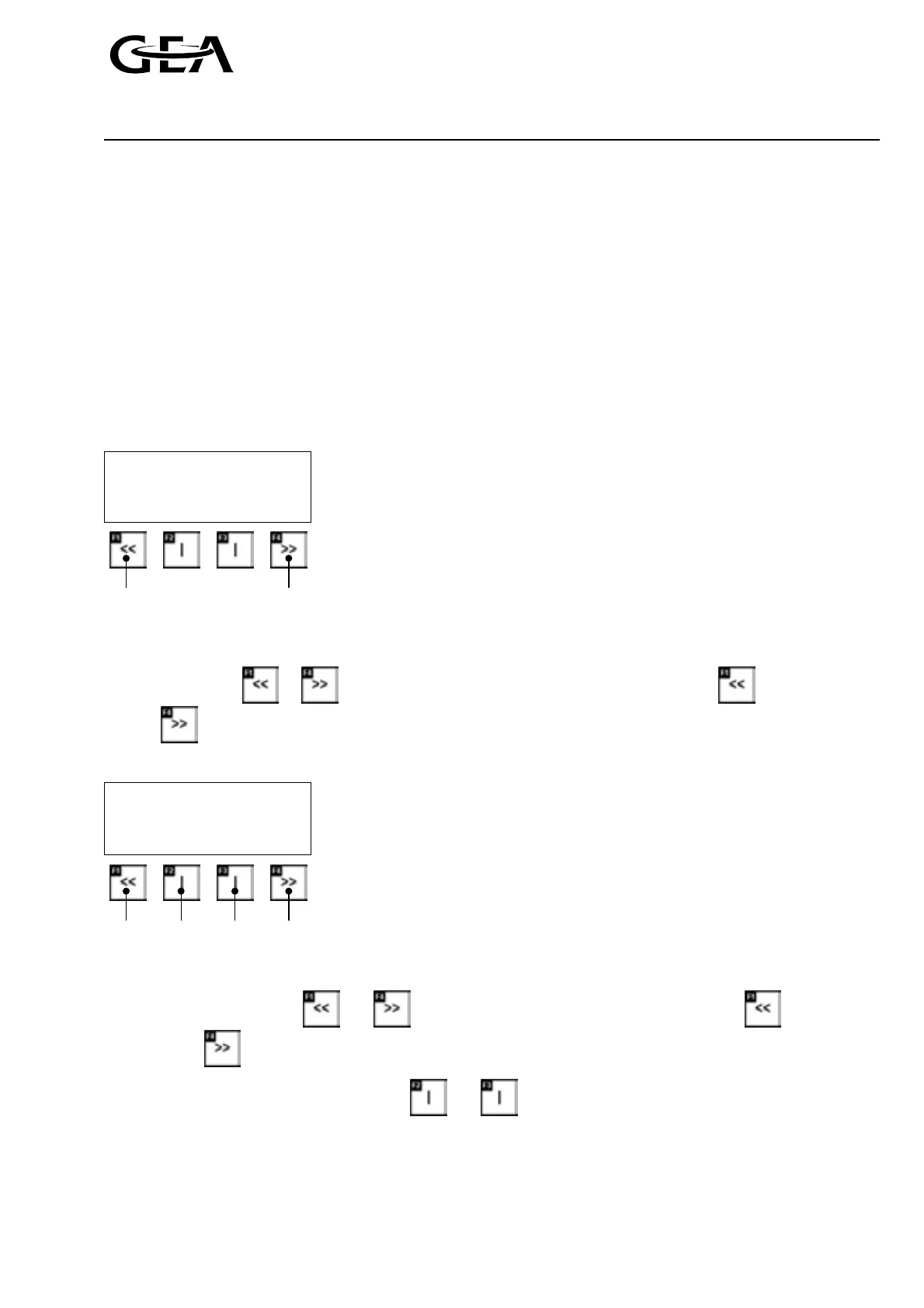
The image format is identical in all the images.
parameter text 1
parameter text 2
parameter text 3
Menu title 01 >>
Back next
Depending on the menu, the actual or set point values are displayed in the 3 top rows.
The name of the selected menu is displayed again in the lowest row.
The double arrows or mean that you can move to the previous menu display or the next menu
display
by pressing the key under this symbol.
If a menu is selected in which further branches are possible, the image format is as follows:
Menu title
Select 1 select 2
<<
>>
back accept accept next
select 1 select 2
The current image name is displayed in the top row.
The keys under the symbols and are used to return to the previous menu display or to the next
menu display
, and thus to further possible selections.
The described function is selected using the and keys under the symbols.



 To Next Page