Grasso
Refri
eration Division
GRASSO SYSTEM CONTROL
01.2002/ 0 638660E_chapter4.doc Chap. 4 - 5
Step Procedure
5
Use the “key” in order to reset the memory
The next step is to reset the PLC memory, so that the new
program will be uploaded from the memory card.
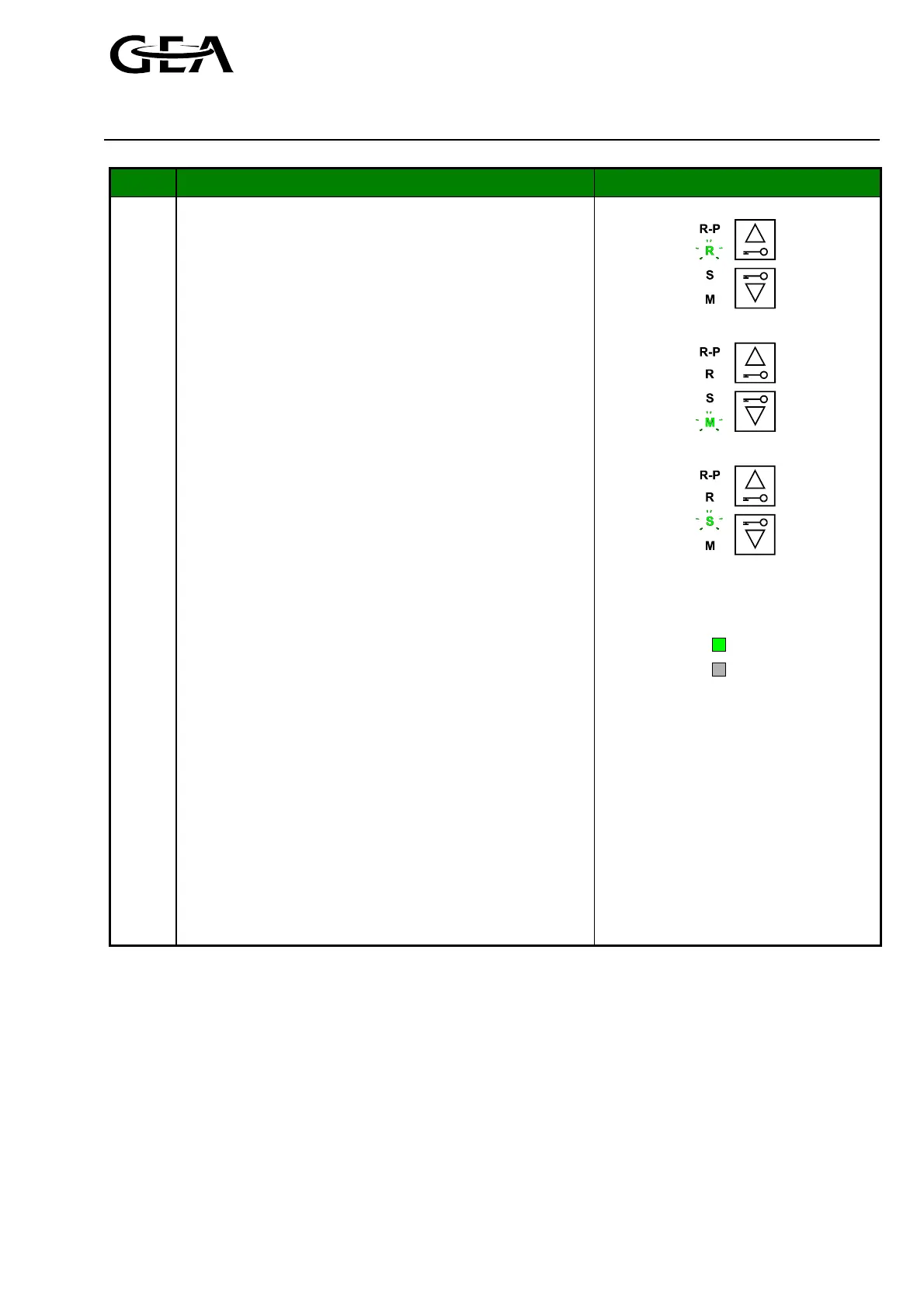
In order to reset the memory, the PLC operation mode
key state must be changed from “R” to “M”. This can be
done by pressing the lower “key”-button until the green
LED of the “M” lights.
After releasing the “key”-button, the green LED of the “S”
will light indicating that the current PLC operation mode
key state is STOP
Furthermore, for a few seconds the STOP-indicator will
blink yellow (0.5Hz). Subsequently this indicator will light
yellow continuously (Figure 4.4.). Now the PLC operation
mode key state “S” equals the actual PLC mode indicated
by the STOP-indicator.
Figure 4.5: Sequence of operation mode key
state indication
6
Change the operation mode to “R-P"
By using the upper “key”-button twice, the PLC operation
mode can be changed into R-P (RUN-P) (Figure 4.5).
) The PLC must be returned into the R-P mode, to
ensure the working of the save function in the
configuration menu.
For a few seconds the RUN-indicator will blink green
(0,5Hz). Subsequently this indicator will light green
continuously (Figure 4.6).
RUN
STOP
(RUN = Operation)
Figure 4.6 RUN indicator
seeFigure 1.3
7
Remove the Author. connection
In order to disable the PLC operation mode key, the
bridge between A+ and AE of connector X1 should be
removed. If not removed, unauthorised personal could
stop the PLC or even reset the memory of the PLC.



 To Next Page