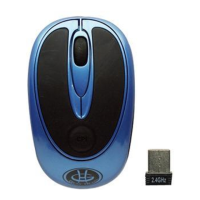
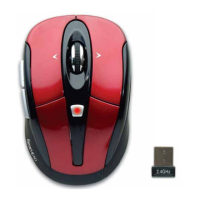
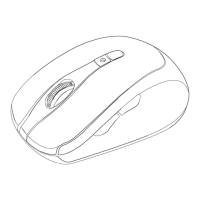
This document describes the Optical 2.4GHz Wireless Nano Mouse, a wireless computer mouse designed for general use. It is available in several models: MP2120BLK, MP2120RED, MP2120WHT, MP2120BLU, and CM-163.
Function Description:
The Optical 2.4GHz Wireless Nano Mouse is a peripheral device that connects wirelessly to a computer via a 2.4GHz nano receiver. It is designed to provide users with a convenient and cable-free way to interact with their computer's graphical user interface. The mouse features an optical sensor for tracking movement and standard mouse buttons for clicking and scrolling.
Important Technical Specifications:
- Connectivity: 2.4GHz Wireless
- Receiver: Nano Receiver (USB)
- Power Source: 2 AAA Batteries
- Compatibility:
- Windows® XP, Windows® Vista, Windows® 7, and Windows® 8 operating systems
- Mac OS X® 10.3 and Above
- Requires an available USB Port
- Optical Sensor: The mouse utilizes an optical sensor for precise tracking of movement on various surfaces.
Usage Features:
- Wireless Operation: The 2.4GHz wireless technology provides a reliable connection without the need for cables, offering greater flexibility and a clutter-free workspace.
- Nano Receiver: The compact nano receiver can be plugged into a USB port and is small enough to be left in the port, making it convenient for laptops and travel. The receiver is stowed in the bottom of the mouse when not in use.
- Battery Installation: The mouse requires two AAA batteries. Installation involves pressing a release latch on the bottom of the mouse, removing the cover, inserting the batteries according to the orientation guide, and then replacing the cover until it securely locks.
- Easy Installation: After installing batteries and plugging the nano receiver into an available USB port on the computer, the mouse is ready for use by turning on the bottom switch. No additional drivers or complex setup procedures are mentioned, suggesting a plug-and-play experience.
- Adjustable Pointer Speed: Users can customize the cursor speed and scroll button features through their computer's operating system settings.
- For Windows® operating systems: Access "Control Panel," then "Mouse," and navigate to "Pointer Options" to adjust settings like pointer speed and enhance pointer precision. Options also include "Snap To" (automatically move pointer to default button), "Display pointer trails," "Hide pointer while typing," and "Show location of pointer when I press the CTRL key."
- For Mac OS X® 10.3 and Above: Access "System Preferences," then "Keyboard & Mouse," and select the "Mouse" tab to make adjustments. Settings include "Tracking Speed," "Double-Click Speed," "Scrolling Speed," and "Primary mouse button" (left/right). There's also an option for "Zoom using scroll wheel while holding ^ Control."
- Compact Design: The "Nano Mouse" designation implies a small, portable form factor, ideal for users who travel or prefer a less bulky mouse.
Maintenance Features:
- Battery Replacement: The mouse requires periodic battery replacement, indicated by the need to install two AAA batteries.
- Troubleshooting (FCC Radiation Norm): The manual includes standard FCC statements regarding potential interference. If interference occurs, users are advised to:
- Reorient or relocate the receiving antenna.
- Increase the separation between the equipment and receiver.
- Connect the equipment into an outlet on a different circuit.
- Consult the dealer or an experienced radio/TV technician.
- FCC Compliance: The device complies with FCC radiation exposure limits and Part 15 of the FCC Rules, meaning it should not cause harmful interference and must accept any interference received.
- Caution on Modifications: Users are warned that any changes or modifications not expressly approved by the party responsible for compliance could void their authority to operate the equipment.
- Warranty Information: Gear Head provides a LIFETIME Limited Warranty. This warranty covers defects in materials and workmanship for the reasonable lifetime of the product. It is a sole obligation to repair or replace any parts deemed defective. The warranty is exclusive of all other warranties, express or implied, including MERCHANTABILITY AND FITNESS FOR A PARTICULAR PURPOSE. Exclusions apply, such as liability for incidental, consequential, punitive, or exemplary damages, and economic loss. The warranty does not apply to any product exterior which has been damaged or defaced, or to misuse, improper physical environment, improper repair, acts of God, war or terror, commercial use, and improper service, operation or handling.
- Technical Support: Users can access technical support by contacting Gear Head via phone (866-890-7115, Monday - Friday 9:00 am - 5:30 pm Eastern Time) or email (info@pcgearhead.com). The website www.pcgearhead.com is also provided for information.
- Return Merchandise for Service: To return merchandise for service, users must obtain a copy of the warranty document, a receipt or copy of their invoice marked with the date of purchase, and the original packaging. Contact Gear Head via email or website to receive service or request a return service authorization.
- User's Record: The manual suggests keeping purchase information (Date of Purchase, Model Number, Product Rev Number) and the store receipt for customer service and technical support.

 Need help?

 To Next Page
 General