5
INSTALLING BATTERIES:
To properly install batteries into your Mouse, please follow the instructions below:
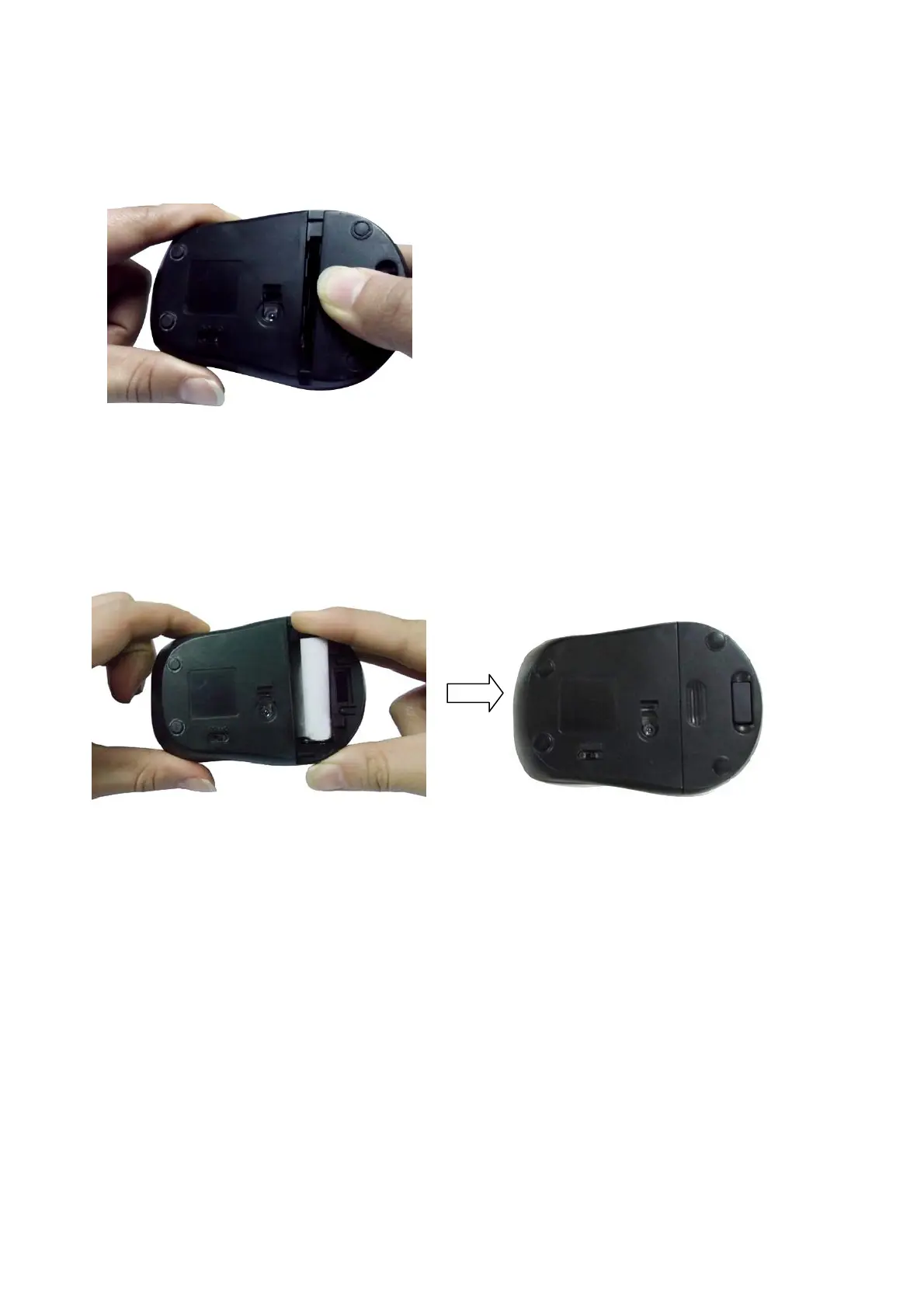
1. Press the Battery Compartment Cover Release Latch at the bottom of your Mouse and
remove the Battery Compartment Cover from your Mouse.
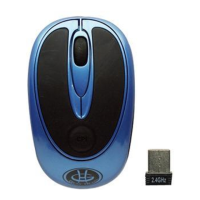
2. Install two AAA Batteries into your Mouse following the battery orientation guide in the
battery bay and then replace the Battery Compartment Cover back onto your Mouse until it
securely locks.


 To Next Page