Need help?
Do you have a question about the Gear4music DD40 and is the answer not in the manual?
Essential safety advice for operating and placing the DD40 drum pads.
Critical instructions for battery installation, use, and disposal to prevent hazards.
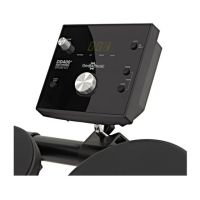
Detailed explanation of the controls located on the front panel of the DD40.
Information on headphone output, power input, and the main power switch.
Instructions for connecting the AC power adapter to the DD40 unit.
Guidance on installing and using batteries for the DD40.
How to connect headphones for practice and external sound systems.
Steps to set the primary volume level using the master volume control.
How to activate and stop the built-in demonstration song.
How to select and play from the 50 built-in rhythms.
Controlling the balance of the accompaniment volume.
Adjusting the beat per minute (bpm) for rhythms.
Setting rhythm tempo by tapping.
Switching the accompaniment feature on or off.
How to assign different sounds (voices) to the four drum pads.
Learn rhythms by following moving bars on the display.
How to start, play, and stop the rhythm learning game.
Interpreting scores and voice comments after completing a game.
How to enter coaching mode and choose from 20 solos.
Instructions for playing coaching solos and understanding scores.
How to stop the current solo and exit the coaching mode.
 General
| Brand | Gear4music |
|---|---|
| Model | DD40 |
| Category | Drums |
| Language | English |

 To Next Page