Need help?
Do you have a question about the Gear4music DD70 and is the answer not in the manual?
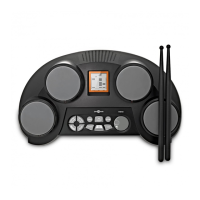
Official user manual for the digital drum pads.
Important safety instructions for operating the device, including handling batteries and ventilation.
List of items included in the product packaging.
Highlights key features and capabilities of the digital drum pads.
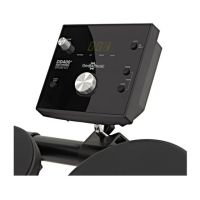
Detailed description of each button and indicator on the control panel.
Explanation of the inputs and outputs located on the rear panel of the device.
Instructions on connecting the power supply and using batteries.
Details on the automatic power-off function and how to disable it.
Guide on how to adjust the master volume level of the device.
How to connect the supplied foot pedals to the unit.
Connecting headphones for practice and external sound systems.
Using the USB port for MIDI data transfer to computers or interfaces.
Connecting external audio sources via the Aux Input.
How to choose and cycle through different drum kit sounds.
Assigning specific instrument sounds to individual drum pads.
Adjusting the individual volume level for each drum pad.
Adjusting the stereo panning of sounds for each pad.
Configuring the MIDI note number for each drum pad.
Creating and saving personalized drum kit configurations.
How to select and play the 100 included songs.
Adjusting the volume of the song accompaniment tracks.
Muting the drums within built-in songs for practice.
Changing the tempo for built-in songs and resetting to default.
Configuring the metronome for click or voice count.
Enabling and using the hand percussion playing mode.
Starting, stopping, and playing the built-in demo song.
Adding and adjusting the reverb effect level for sounds.
Instructions on how to record, stop, and manage recordings.
How to listen back to recorded performances.
List of available kick drum sounds and their numbers.
List of available snare drum sounds and their numbers.
List of available tom sounds and their numbers.
List of available hi-hat sounds and their numbers.
List of percussion instruments and ride cymbal sounds.
List of vibraphone sounds and their numbers.
List of orchestral timpani sounds and their numbers.
List of all preset drum kits and their corresponding numbers.
List of all 100 built-in songs with their styles.
Technical chart detailing MIDI functions, transmitted, and recognized data.
Overview of the product's technical specifications, including pads, pedals, and dimensions.
 General
| Brand | Gear4music |
|---|---|
| Model | DD70 |
| Category | Drums |
| Language | English |

 To Next Page