Å
1
1
¯
¯
Play the music files on the storage
according to the following steps:
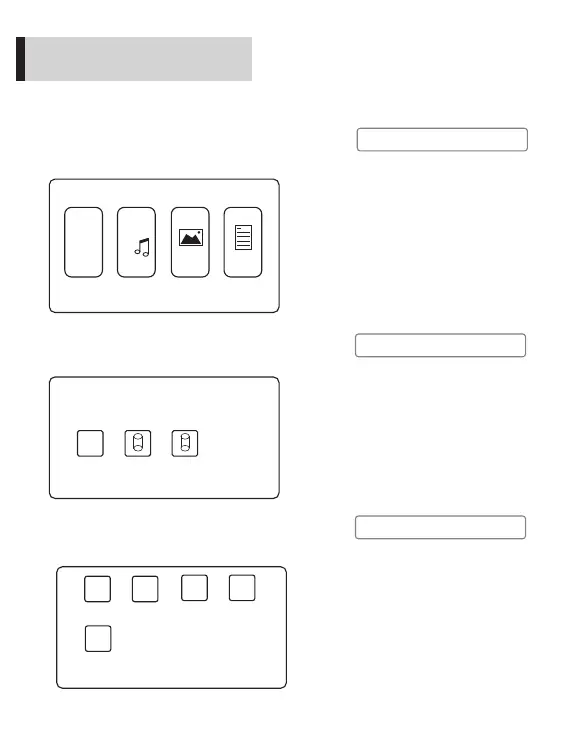
1. To play a music file, firstly select “Music” on the
home screen, and press the “OK” button on the
projector panel or remote control.
2. Press “ ”“ ”on the projector panel or remote
control, choose the device that store the music
file, and press “OK” to the next step.
◄ ►
Video Music
Images
Texts
¯
¸
Return
◄
C
D
►
Å
Play music
Start to use
3. Press “ ”“ ”on the projector panel or remote
control, choose the music file (or folder to the
next level of directory), and press “ ” to play.
◄ ►
►‖
Press the selected music file for
more than 3 seconds to preview
its contents.
Pressing “6” on the projector
panel during music equals to
“Return”.
Return
Folder 1
Folder 2 music 1
music 2
!
Note
!
Note
The picture on the left is only a
sketch for operation instructions.
Due to the continuous optimization
of human- computer interaction,
the software interface of this
product will be maintained and
updated from time to time. If
there are any changes, it is not
subject to prior notice. Please
refer to the actual product and
thanks for your kind support.
Different storage devices are in
the form of disks, such as C and
D shown in the figure on the ,
which represent SD card and
USB respectively.
left
!
Note
11


 To Next Page