EasyManua.ls Logo

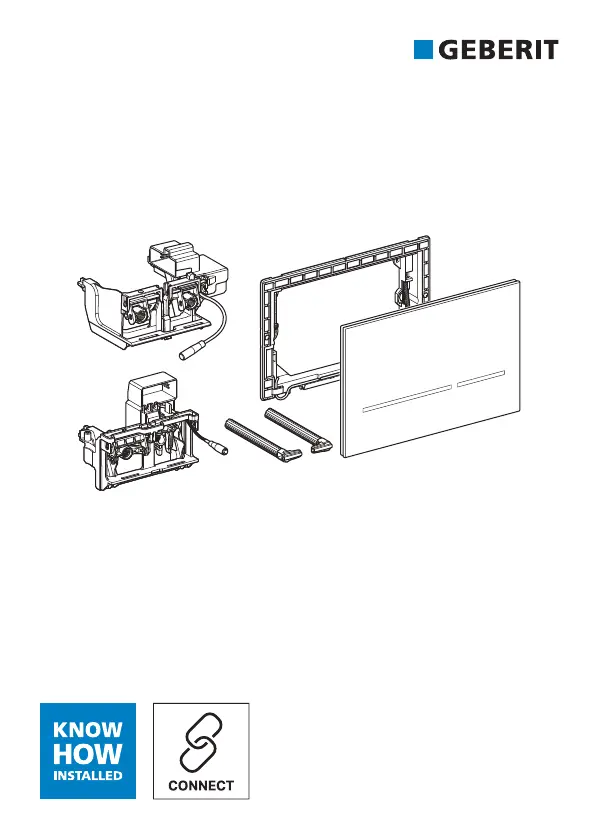
Geberit Sigma80 - User Manual

Geberit Sigma80
412 pages
Print Icon
To Next Page IconTo Next Page
Loading...







Table of Contents

Questions and Answers

  • C
    Cassandra JacksonAug 15, 2025
    Why are the buttons flashing red on my Geberit Sigma80?
    • O
      oyatesAug 15, 2025
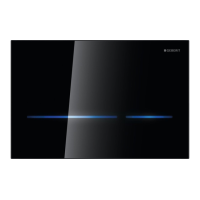
      If the buttons on your Geberit Plumbing Product are flashing red, it means the flush control is waiting for all objects to be outside the user detection range (approximately 1 meter in front of the actuator plate) before re-evaluating the environment. To resolve this, remove any objects from the user detection range.
  • M
    Marvin Brown MDAug 18, 2025
    What to do if button illumination does not switch on when approached, and flushing cannot be triggered on Geberit Plumbing Product?
    • S
      sandovalbarbaraAug 18, 2025
      If the button illumination on your Geberit Plumbing Product does not switch on when approached, and flushing cannot be triggered, first check the power supply (mains fuse). If the power supply is working, there may be a technical fault and you should contact a skilled person.
  • K
    Kayla FreemanAug 21, 2025
    Why is water running continuously into the ceramic pan of my Geberit Plumbing Product?
    • G
      Glenn AguilarAug 21, 2025
      If water is continuously running into the ceramic pan of your Geberit Plumbing Product, it could be due to a software fault or a technical fault. Try interrupting the power supply (mains fuse) for 10 minutes. If the problem persists, contact a skilled person.
  • B
    Brian MoonAug 25, 2025
    How to fix button illumination that does not switch off on Geberit Sigma80 Plumbing Product?
    • C
      Christopher WallsAug 26, 2025
      If the button illumination on your Geberit Plumbing Product does not switch off after stepping away (after more than 15 minutes), it could be because the button illumination is always active, an object is within the user detection range (approximately 1 m in front of the actuator plate), or a new object is within the proximity detection range (approximately 1.5 m around the actuator plate). Deactivate button illumination with the Geberit app, remove objects from the user detection range, or wait 15 minutes for the environment to be re-evaluated.
  • K
    Kristy TaylorAug 28, 2025
    Why is my Geberit Plumbing Product flushing automatically?
    • W
      wvelasquezAug 28, 2025
      If a flush is triggered when you step back from the WC without manual actuation on your Geberit Plumbing Product, it means the automatic flush actuation is activated. Deactivate automatic flush actuation using the Geberit app.
  • B
    bguerraSep 1, 2025
    What to do if the ceramic pan is not being flushed out properly on Geberit Plumbing Product?
    • P
      pwalterSep 1, 2025
      If the ceramic pan is not being flushed out properly on your Geberit Plumbing Product, it could be due to incorrectly set flush volumes or the ceramic pan being blocked with limescale. Contact a skilled person to check flush volumes or descale the ceramic pan.
  • J
    Jenna CharlesSep 4, 2025
    Why does my Geberit Sigma80 have incorrect flushes?
    • P
      Paul MillerSep 4, 2025
      If you're experiencing incorrect flushes (too soon, too late, or unwanted) with your Geberit Plumbing Product, the actuator plate might be dirty, wet, or scratched. Try cleaning or drying the actuator plate. If the plate is scratched, contact a skilled person.
  • G
    Gregory WashingtonSep 7, 2025
    What to do if button illumination switches on but flushing cannot be triggered on Geberit Sigma80 Plumbing Product?
    • H
      Heather TaylorSep 7, 2025
      If the button illumination switches on when approached, but flushing cannot be triggered on your Geberit Plumbing Product, it could be due to a software fault or a technical fault. Try interrupting the power supply (mains fuse) for 10 minutes. If the issue persists, contact a skilled person.
  • T
    Troy MoralesSep 12, 2025
    How to turn on button illumination on Geberit Sigma80 Plumbing Product?
    • U
      uzamoraSep 12, 2025
      If the button illumination does not switch on when approached, but a flush can be triggered on your Geberit Plumbing Product, it means the button illumination is deactivated. Activate the button illumination with the Geberit app.

Summary

Safety

Safety notes

Crucial guidelines for safe operation, care, and maintenance.

Overview of alert levels and symbols

Explains warning symbols and their meanings in the manual.

Product Description

Technical data

Detailed specifications including voltage, frequency, power, and protection degree.

Operation

Geberit Apps

Information about Geberit mobile applications for device control.

Establish connection with device

Steps to connect the device via Bluetooth using QR codes.

Actuate manual flush

How to trigger a flush by hand proximity.

Actuate automatic flush

How automatic flush is triggered after leaving the WC.

Make settings with Geberit App

Customizing button light color, illumination, and auto flush function.

Troubleshooting

Malfunctions and Causes

Table listing common issues, their causes, and rectifications.

Maintenance

Care and cleaning

Guidelines for cleaning the actuator plate and surfaces.

Disposal

Disposal of waste electrical and electronic equipment

Proper disposal methods for the device and its components.

Geberit Sigma80 Specifications

General IconGeneral
ActivationTouchless
MaterialGlass
Flush OptionsDual flush
Protection DegreeIP45
Installation typeWall-mounted
Power SupplyBattery or mains
CompatibilityGeberit Sigma concealed cisterns
Application PurposesFor use with Geberit Sigma concealed cisterns 12 cm
Actuation ForceTouchless (sensor-based)
Flush Volume - Factory setting6 and 3 L
Flush Volume - Large flush volume setting range4.5 / 6 / 7.5 liters
Flush volume full6 liters
Flush volume reduced3 liters
Operating pressure0.1–10 bar

Related product manuals