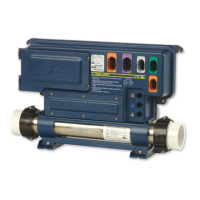
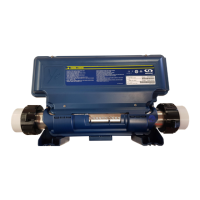
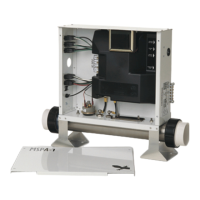
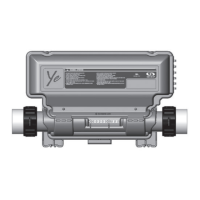
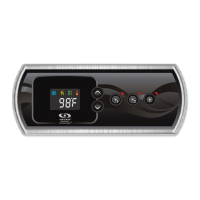
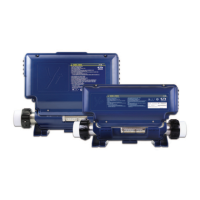
This document describes the Aeware by Gecko spa pack system, which includes the in.ye spa pack, in.k450 keypad, in.clear water sanitation system, and in.stream sound system.
in.ye Spa Pack General Operation
The in.ye spa pack is a central control unit for your spa, designed to manage various components. It features industry-standard AMP connectors for outputs, a watertight strain relief system, and enough outputs for all your spa needs, including one direct and one switched light output. It also has a main keypad connector and a communications link for in.touch or in.stik. The system includes a heat.wav heater with in.flo technology and accessible bonding lugs.
Warnings and Safety:
- For multi-family dwellings, a clearly labeled emergency switch must be provided, readily accessible, at least 5 feet (1.52 m) away, adjacent to, and within sight of the unit.
- Damaged cables must be replaced immediately.
- Turn off power before servicing or modifying any cable connections.
- Unused receptacles must have a dummy plug to prevent electric shock and water damage.
- Do not install near highly flammable materials.
- Low voltage or improper wiring can damage the control system; follow all wiring instructions.
- The pack contains no serviceable parts; contact an authorized service center.
- All connections must be made by a qualified electrician in accordance with national, state, provincial, or local electrical codes.
Electrical Wiring (North American Model):
The system is designed for 240 VAC (4 wires). Correct wiring of the electrical service box, GFCI, and pack terminal block is essential.
Power-up Sequence:
Upon boot-up, the system displays a sequence of parameters for 2 seconds each:
- Lamp test: All segments and LEDs light up.
- Software number: Displays the software part number.
- Software revision: Displays the revision of the software.
- Low level selection: Shows the low level selected from the low menu. Press the Light key or wait a few seconds to confirm the selection. Default is Low Level 1.
Error Codes:
Error codes indicate a failure or problem that needs correction for proper system functioning. Both the error code and water temperature are displayed alternatively on the keypad.
- Hr: Internal hardware error detected.
- Prr: Problem with regulation probe; system verifies temperature probe reading is within normal limits.
- HL: Water temperature at the heater reached 119°F (48.3°C). Do not enter spa water.
- FLO: System did not detect water flow while the main pump was running.
- UPL: No low level configuration software downloaded into the system.
- AOH: Temperature inside the spa skirt is too high, causing internal temperature in the in.ye™ to increase above normal limits.
- OH: Water temperature in the spa reached 108°F (42.2°C). Do not enter spa water.
in.k450 Keypad Operation
The in.k450 keypad provides user interface for controlling the spa.
Function Description:
- Pumps icon: Numbers light up and animate fast for high speed, slower for low speed.
- Service icon: Indicates a problem; do not enter water; spa service required.
- Light icon: Lights up when the light is on; rays proportional to intensity.
- Time, temperature & message digits: Displays current time, temperature, and messages.
- AM/PM (°F/°C): Indicates AM/PM and temperature unit.
- Filter Cycle icon: Lights up when filter cycle is on.
- Progress bar: Visual indication of time remaining before equipment turns off or standby mode ends.
- Heater icon: Lights up when heater is on. Flashes when: 1) call for heat, heater not started; 2) heater just turned off, element cooling; 3) not enough current for heater.
- Smart Winter Mode icon (SWM): Automatically turns on when freeze protection is active; flashes during spa plumbing purge.
- Set Point icon: Automatically turns on when set point setting menu is activated (SP message).
Key Functions:
- On/Off key: Depending on manufacturer, can be On/Off, Standby mode, or quick Economy mode enable. Default is always on. Press and hold for 5 seconds (or Pump 1 key for 5 seconds) to shut down for 30 minutes. Display toggles between "OFF" and water temperature. Press On/Off to restart before 30 minutes.
- Pump 1 key: Turns Pump 1 on at low speed, second press for high speed (dual-speed pump), third press turns off. Built-in timer turns off pumps and blower after 20 minutes unless manually deactivated.
- Pump 2 key: Turns Pump 2 on, second press turns off. Built-in timer turns off pump after 20 minutes unless manually deactivated.
- Pump 3 Key (Blower): First press: Pump 3 ON, Blower OFF. Second press: Pump 3 ON, Blower ON. Third press: Pump 3 OFF, Blower ON. Fourth press: Pump 3 OFF, Blower OFF. Built-in timer turns off blower after 20 minutes unless manually deactivated.
- Light key: Turns light on, subsequent presses change colors. Built-in timer turns off light after 2 hours unless manually deactivated.
- Up/Down keys: Sets desired water temperature. Setting displayed for 5 seconds to confirm. "Set Point" icon indicates display shows desired temperature, not current.
- Setting the time: Enter Programming mode by holding Prog. key for 3 seconds. Display shows current time. Use Up/Down to change hour (AM/PM). Press Prog. key again to set minutes.
- Setting filter cycle start time: Enter start time and frequency. During filter cycle, pumps run for 1 minute to purge plumbing, then Pump 1 runs for programmed hours. Display shows FSxx ("xx" is starting hour). Use Up/Down to change.
- Filter cycle frequency: Press Prog. key again. Display shows FFxx ("xx" is number of filter cycles per day, up to 4). Use Up/Down to change.
- Setting temperature unit: Press Prog. key again. Display shows °F or °C. Use Up/Down to change. Press Prog. key to return to normal mode. "F" displayed in in.ye Spa Packs.
Smart Winter Mode:
Protects system from cold by turning pumps on several times a day to prevent freezing. Activates when temperatures around pack drop to near freezing, cycling all pumps on high for 1 minute.
Water Temperature Regulation:
System generates water flow through heater housing and plumbing to ensure accurate temperature readings and avoid dry heater activation. After verifying pump activation and temperature reading, heater turns on to reach and maintain Set Point.
Cooldown:
After heating, heater turns off, but associated pump (Pump 1 Low-speed or CP) remains on for a predetermined period to cool heating element, prolonging its life. Heater icon flashes during this time.
in.clear Water Sanitation System Operation
The in.clear system is a bromine-based water sanitation system designed to maintain stable bromine levels in spas.
How in.clear™ Works:
When Sodium Bromide (e.g., BromiCharge™) is added to water, it separates into sodium and bromide ions. As water passes through the in.clear™ bromine generator, a low-voltage current electrolytically reduces bromide ions into bromine, which reacts with water to form free bromine. Bromine is a highly effective bactericide and algaecide. This process continuously recycles bromide ions until the spa is emptied. The amount of bromine needed varies directly with bather load.
Effects of Bromine:
- Destroys waterborne bacteria.
- Destroys algae (Black, Green, Mustard).
- Eliminates organic matter (oil, sweat, dead skin cells).
- Does not contain calcium, so it can sanitize hard water without increasing calcium hardness.
Bromine in a Spa:
Rapid elimination of bacteria is key to spa water maintenance. In.clear™ oxidizes odors, reduces eye irritation, and enhances water clarity and quality, providing a more enjoyable warm water therapy experience.
Operating Modes:
The in.clear™ system operates in two modes: Maintenance Mode and Boost Mode.
Maintenance Mode:
- Primary function is to keep bromine bank levels stable and acceptable when the spa is not in use.
- "Everyday" mode, automatically ON when activated.
- User sets Maintenance Level to maintain residual bromine (3-5 PPM). Higher value generates more bromine.
- Goal is to maintain bromine at a constant level within the recommended range when the spa is not being used. Once determined, keep the setting unless spa usage changes.
- Finding the right generation level is crucial for system stability; refer to section "6 - Determining the proper bromine generation Maintenance Level for my spa."
Boost Mode:
- Activate every time you use your spa.
- Increases bromine generation rate to attack pollutants and rebuild residual bromine.
- Pollutants decrease bromine levels; activating Boost Mode prevents inadequate bromine levels and regenerates bromine.
- Finding the right Boost level is crucial; refer to section "7 - Determining the boost mode level for my spa."
- If water quality is poor after use, only adjust Boost level, not Maintenance level.
Start-up Procedure:
- Draining and cleaning the spa: Completely drain and clean the spa to remove solid residues. Use only spa cleaning products; household cleaners with phosphates can affect bromine production. Rinse thoroughly. Clean or replace filter cartridges. Flush plumbing with a product like Spa System Flush to remove biofilms.
- Refilling the spa: After in.clear™ installation, check TDS (Total Dissolved Solids) of refill water (50-400 PPM). If TDS is >500 PPM, consult spa dealer. Do NOT use salt water softener system. Ensure adequate flow and no airlocks; start pump and loosen union nuts to release trapped air, then retighten.
- Adjusting water chemistry: Maintain water chemistry for health of bathers and system life.
- Total hardness (TH): 150-200 PPM
- Alkalinity: 100-120 PPM
- pH: 7.2-7.8
- Balance water chemistry before adding Sodium Bromide. High Calcium Hardness can lead to faster calcification on electrolytic plates.
- Adding Sodium Bromide (BromiCharge™): Water temperature 32-38°C (90-100°F) helps dissolve Sodium Bromide. Start pump, slowly add BromiCharge™ uniformly. Add BromiCharge™ with at least 98% active ingredient concentration at 0.143 Kg/100 liters (1.2 lb/100 US gallons). Example: 1200 liters spa needs 1.72 Kg; 300 US gallons spa needs 3.6 lbs. Spa manufacturer can provide water volume.
- Activating the system: Power up spa and activate system by pressing the Boost key.
Determining Maintenance Level (Section 6):
- Crucial step; using spa during establishment slows process.
- Factory default maintenance value is 25.
- Allow at least 24 hours for bromine bank to stabilize. Check bromine level (3-5 PPM).
- If >5 PPM, decrease maintenance level. If <3 PPM, increase maintenance level. Allow 24 hours for stabilization.
- Do NOT increase/decrease maintenance level in steps greater than 2.
- Too high a maintenance level can damage equipment.
- Always check bromine level and test water before entering spa.
- If bromine level >5 PPM, lower maintenance level and turn off system until <5 PPM. Restart and monitor.
- To lower bromine level, expose spa water to sun and activate all pumps for a few cycles.
- Use FAS-DPD drop count method for testing (more accurate than test strips). Bromine FAS-DPD available at www.geckodepot.com (0699-300008).
Determining Boost Mode Level (Section 7):
- Activate Boost Mode every time you use spa via Boost Key on keypad.
- Boost level may correspond to number of bathers (e.g., 2 indicators for 2 bathers).
- After Boost period, verify bromine level returned to 3-5 PPM. Adjust Boost level if too low or high for next use.
- Boost levels depend on number of bathers; validate after each use.
Other Tips:
- For Canada, in.clear™ must use Sodium Bromide (BromiCharge™) scheduled/registered under Pest Control Product Act. For USA, registered under EPA.
- Warranty void if another product is used as substitute.
- Do not breathe or get into eyes; First Aid instructions on Sodium Bromide container.
- Do not use other sanitation chemicals (including shock).
- When adding fresh water, start a Boost to build residual bromine bank.
Keypad Functions (in.clear):
- Bromine generator ON indicator: Lights up when cell produces bromine, OFF when not. Blinks if system cannot generate bromine due to low/no water flow.
- BromiCharge™ gauge: In Diagnostic mode, LEDs indicate approximate BromiCharge™ level. Gradually shifts right when adding BromiCharge™, left when adding clean water. Target green zone (center) and 12.0 value for optimal performance.
- On/Off & Boost key: First press turns in.clear™ ON and into maintenance mode. ON appears on display. Press and hold for 2 seconds to turn OFF.
- Maintenance key: With system in Maintenance Mode, press to activate Boost Mode.
- Up/Down keys: Selects numeric value for Boost level (8 possible levels). Corresponds to number of bathers.
- Confirm selection: Press Boost key again or wait 5 seconds.
- Cancel Boost cycle: Press Boost key during a Boost cycle.
Maintenance Adjustment (+/- Keys):
- Changes bromine generation rate (1-50).
- Changing water temperature setpoint or using economy mode may require maintenance level change. Lower temperatures may require lower maintenance level. Check bromine level when changing settings.
- Never adjust maintenance level without allowing at least 24 hours after Boost period. Boost cycles stabilize residual bromine. Levels outside 3-5 PPM can result from pollutants.
Diagnostic Mode:
- Indicates approximate BromiCharge™ level. Useful for adding BromiCharge™.
- Press and hold Prog Key for 2 seconds, then press a second time. Animation displayed, then numerical value. BromiCharge™ Gauge indicates sodium bromide level.
- Can be used to periodically adjust BromiCharge™ level or check keypad warnings/errors.
- Press Prog key to exit or system auto-exits after 15 minutes.
- Diagnostic mode and BromiCharge™ Level Monitoring help spa owners maintain proper BromiCharge™ levels but do not replace need for periodic water TDS checks by spa dealer.
Troubleshooting:
- Low BromiCharge™ Error (Err): BromiCharge™ level too low. Lo LED blinks. System won't generate bromine. To clear, add BromiCharge™ to spa, circulate 5 minutes, activate diagnostic mode, add more until gauge is in green zone.
- Low BromiCharge™ Warning (Lo): Need to add BromiCharge™. In Diagnostic Mode, add BromiCharge™ until gauge reaches green zone.
- Persistent Low BromiCharge™ (Err/Lo): Could be due to calcification of electrolytic plates, airlocks/insufficient flow, or internal pressure switch problem.
- High BromiCharge™ Warning (Hi): Too much BromiCharge™ or high TDS level (hardness, alkalinity, organic compounds). To clear, readjust BromiCharge™ content in Diagnostic Mode into green zone by draining some water and adding fresh water.
- Blinking "AC": Problem with power input, usually 120 VAC instead of 240 VAC. Ensure power cord connected properly to 240 VAC source.
- Bromine Generation indicator blinking: System unable to generate bromine, usually no water flow. Normal if no pump running. If water circulating, ensure in.clear™ installed on pressure side of pump and water is flowing.
- Bromine Generation indicator is off: No need for bromine generation. Normal, especially with low maintenance level.
- In.clear is turned off: "OFF" message displayed. Press Boost key to reactivate.
Low or No Bromine Reading:
- Ensure maintenance level is set correctly (section 6).
- Ensure no error/warning messages, cell activated, water circulating.
- Ensure water chemistry is balanced (section 3).
- Test for phosphate (should not exceed 100 ppb).
- Change/clean filter thoroughly.
- Ensure in.clear™ cell is not damaged, no calcium/lime deposits. Clean cell regularly (at least once a year).
Long Recovery Time After Usage:
- Activate Boost Mode every time (section 7).
- Heavy bather loads require longer boost periods. If bromine level <3 PPM after boost, reactivate Boost Mode.
- Bromine bank should regenerate after boost period. If high Boost level doesn't regenerate, increase daily filtration time.
- If bromine production is still inadequate, biofilm deposits could be cause. Use flushing products like Sea Klear Spa System Flush.
Frequently Asked Questions (in.clear):
- Q1: Cloudy/oily spa water? A1: Perform additional Boost, wait 24 hours. If problem persists, consult spa/pool dealer for water balance.
- Q2: Does Sodium Bromide evaporate? A2: No, only lost through splash out, leaks, or draining.
- Q3: What to use to clean spa? A3: Non-sudsing cleaner from spa store.
- Q4: Does Sodium Bromide continue sanitizing if generator is off? A4: No, system does not sanitize if inactive. If residual bromine bank exists, bromine continues to sanitize. System may be OFF at times and spa will be fine. Sodium Bromide converts to bromine as it passes through electrodes when pump is running.
Glossary (in.clear):
- Calcium Hardness (CH): Concentration of calcium in spa water.
- Total Hardness (TH): Concentration of calcium and magnesium in spa water.
- Organic Matter: Substances left by spa users (oil, sweat, dead skin cells) that serve as "food" for bacteria.
- Bather Load: Number of bathers, combined with length and frequency of usage. Higher load requires more chemicals.
- T.D.S (Total Dissolved Solids): Expression for combined content of inorganic and organic substances in a liquid (molecular, ionized, micro-granular, suspended).
- pH (potential hydrogen): Measure of acidity or basicity of a solution.
- P.P.M (Parts-per million): Notation for relative proportions. 1 PPM means one part per million parts examined.
- Total Alkalinity: Measure of solution's ability to neutralize acids to equivalence point of carbonate or bicarbonate.
Cell Cleaning (in.clear):
In.clear™ has a self-cleaning feature, but deposits may form from hard water. Clean with acidic solution.
Steps to Clean the in.clear™ Cell:
- Disconnect all power, communication cable, and power cable from in.clear™ unit.
- Refer to acid manufacturer's instructions.
- Wear eye protection and rubber gloves.
- Work in a well-ventilated area.
- Always add acid to water, never water to acid.
- Do not pour acid outside unit where connectors are located.
- Never use Acetic acid (damages cell, voids warranty).
- Recommend Phosphoric acid (non-diluted) for scale removal.
- Close spa Flow Shut Off Valves. Unscrew both unions, remove cell from spa equipment compartment.
- Install rubber washer and plastic nut on threaded end of cell. Tighten firmly.
- Place cell vertically (cap end down) into a plastic 19-liter (5 US gallon) bucket. Carefully pour acid solution into cell until 4 plates covered (do not overflow). Acid solution will produce bubbles to clean electrodes (foaming indicates scale dissolving). If no rigorous foaming, cell doesn't need cleaning. Rinse and reinstall.
- Allow electrodes to remain in solution until foaming stops (DO NOT leave in acid for >15 minutes; excessive acid cleaning damages electrolytic cell).
- Pour acid solution back into bucket, rinse cell thoroughly with clean tap water. Repeat if deposits still visible (max 15 minutes).
- Remove plastic nut and washer, keep for future cleaning.
- Rinse in.clear™ with fresh water.
- Re-install in.clear™ unit into spa system plumbing, tighten all connections. Open spa flow Shut Off Valves.
- Reconnect keypad and power cable.
- Turn power on, start pump. Check bromine generation LED is on, resume normal operation.
User Guide for BromiCharge™:
- Purpose: In.clear™ water sanitation system (with BROMITRON™ BROMINE GENERATOR technology) reliably and automatically maintains halogen presence.
- Installation: Install before filling spa. If aftermarket, drain water and install in return line after heater circulation pump.
- BromiCharge™ Dosage: Upon dumping spa water (every 60 days), add 1.2 pounds BromiCharge™ per 100 US gallons to establish sufficient bromide reserve. Repeat every 60 days upon draining/refilling.
- Maintenance: In.clear™ produces bromine as designed until bromide reserve drops. Add BromiCharge™ if bromide level drops below 10-30% of initial charge. Dilution, splash out, leaks are primary reasons for drop. If generator doesn't produce enough bromine, ensure 1440 PPM level is present (test with TDS meter or spa/pool store). If BromiCharge™ added repeatedly, check spa for leaks. Test bromine level before entering spa. Maintain bromine level between 2-5 PPM (test with DPD test kit or bromine test strips). Generator produces bromine only when spa is circulating.
Adding BromiCharge™:
- BromiCharge™ increases TDS by ~1150 PPM per 100 US gallons per pound added. Normal operating range for BromiCharge™ is 1400-1500 PPM.
- Adding 1.2 pounds BromiCharge™ per 100 US gallons increases total TDS by 1440 PPM. Example: 300 US gallon spa needs 3.5 lbs BromiCharge™.
- Maintain total TDS of 1600-1900 PPM for best performance.
- Ideal Water Chemistry: BromiCharge™: 1.2 lbs/100 US gallons (1440 PPM). Calcium Hardness (CaCo): 125-200 (adjust if necessary). Alkalinity: 80-90 (adjust if necessary). pH: 7.0-7.8 (adjust if necessary). Adjust factors to meet optimum range.
- Directions for Use: For spas ONLY (not swimming pools). Violation of Federal Law to use inconsistently with labeling.
- BromiCharge™ is designed for use with in.clear™ water sanitation system (BROMITRON™ BROMINE GENERATOR).
- It is important to empty the spa every sixty days.
- In.clear™ is for spa use only, not swimming pools. Know spa water capacity (listed in spa information book or from dealer).
- Low-voltage current electrolytically reduces bromide ions to bromine, which reacts with water to form free bromine. Bromine is effective bactericide and algaecide. Process releases bromide ions back into water for continuous recycling until BromiCharge™ is emptied.
- When BromiCharge™ is added, it separates into sodium ions and bromide ions. Can be added anywhere by dumping from container.
- Do not breathe or get into eyes. First Aid instructions on container.
- Initial filling: Allow water to circulate 1 minute before adding BromiCharge™. Refill with "new" tap water.
- In.clear™ is designed for use with BROMITRON™ BROMINE GENERATOR; warranty void if another product used. Add 1440 PPM BromiCharge™ (1.2 lbs/100 US gallons). Example: 300 US gallon spa needs 3.6 lbs.
- After adding, turn in.clear™ on to build bromine bank (2-5 PPM). Recommended bromine level is 2-5 PPM.
Most Frequently Asked Questions (BromiCharge™):
- Q1: Does BromiCharge™ evaporate? A1: Only lost through splash out, leaks, or emptying spa.
- Q2: What to use to clean spa? A2: Non-sudsing cleaner from spa store.
- Q3: Does BromiCharge™ continue disinfecting if generator is off? A3: No! BromiCharge™ does not disinfect; it's the compound used to make bromine as it passes through electrodes. Bromine disinfects.
in.stream™ Sound System Operation
The in.stream™ is a wireless music system using Bluetooth® technology for spas.
Basic Operation (in.k175):
- Bluetooth (Disconnect): Disconnects Bluetooth device.
- Play/Pause (Power): Starts/pauses audio, or turns unit on/off.
- AUX (Unpair): Unpairs Bluetooth device.
- AUX: Selects auxiliary cable input.
- Volume Up/Down: Adjusts volume.
- Last Track (Mute): Skips to previous track, or mutes audio.
- Next Track (Fader): Skips to next track, or adjusts fader settings.
Usage Features:
- Bluetooth connection: Device must be connected for functions to work. Play/Pause and Change Track functions apply only to Bluetooth devices, not AUX.
- Turning power on/off: Unit automatically ON when connected to power. Press and hold Play/Pause to turn off. Press any button to turn back on.
- Selecting the source: Press Bluetooth button for Bluetooth device. Press AUX button for auxiliary cable. If no source selected, system uses last selected source.
- Play/Pause audio: Press Play/Pause button to start or pause.
- Adjusting the volume: Press Volume Up/Down keys.
- Mute: Hold Last Track key to mute, and again to unmute.
- Changing tracks: Press Last Track or Next Track keys.
- Erase pairing: Press and hold AUX key for 10 seconds to erase all pairings.
- Disconnect current device: Press and hold Bluetooth key for 10 seconds. Does not erase pairing from memory.
- Fader: Press and hold Next Track key to adjust fader settings (Rear, Front, All).
Wireless Setup:
- Pairing with a Bluetooth technology enabled device: System is ready to pair when not connected. Ensure device is close and turned on.
- Open Bluetooth settings on device.
- Turn Bluetooth on.
- Choose "Gecko in.stream" from available devices.
- Enter 5555 as password when prompted.
- Device is now paired and ready to use.
- System stores up to 8 devices. If a paired device is in range and Bluetooth is on, it will automatically pair. If >8 devices used, first device in memory erased. Can be re-added.
- Erase all pairing info by holding AUX button or single switch for 10 seconds.
- If multiple devices try to connect, priority goes to first available device during search.
- Connecting to a Bluetooth technology enabled device: Once paired and connected, in.stream is ready to play selected audio. If device moves out of range and loses connection, it should automatically reconnect when close enough.

 Need help?
 General

 To Next Page