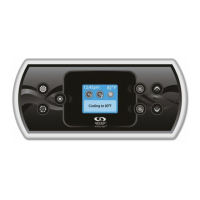
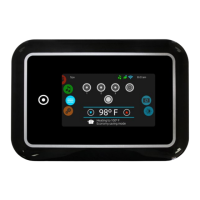
in.k500 TechBook
1
5
1
Warnings .................................................................................................................................. 2
Introduction ............................................................................................................................ 3
Overview ................................................................................................................................. 4
- in.k500 keypad layout ............................................................................................. 4
- in.k500 dimensions ................................................................................................. 4
Installation ............................................................................................................................... 5
- Installation of in.k500 .............................................................................................. 5
- Drilling template ...................................................................................................... 6
- Installation notes ...................................................................................................... 7
- Connecting in.k500 keypad to the spa pack ........................................................ 7
- Installation errors ...................................................................................................... 8
- Power-up message ................................................................................................... 8
Connecting the in.stream and in.tune to the spa pack ...................................................... 9
- in.stream .................................................................................................................... 9
- in.tune ........................................................................................................................ 9
Keypad functions .................................................................................................................. 10
- Power ....................................................................................................................... 10
- Main screen ............................................................................................................ 10
- Start or stop accessories ........................................................................................ 10
- Water temperature ................................................................................................. 11
- Settings ...................................................................................................................... 11
- Water care ................................................................................................................ 12
- Water care modes ..............................................................................................12
- Modifying schedules ..........................................................................................13
- Audio ........................................................................................................................ 13
- Maintenance
(version 7.00 and higher)
................................................................ 14
- Maintenance reminders
(version 7.00 and higher)
............................................. 14
- Standby (
version 6.00 and higher)
........................................................................ 14
- Date and time .......................................................................................................... 15
- Keypad settings ........................................................................................................ 15
- WiFi
(version 7.00 and higher)
.............................................................................. 16
- Config ....................................................................................................................... 17
- Restore/Audio configuration ............................................................................... 18
- About ....................................................................................................................... 18
- in.tune operation ................................................................................................... 19
- in.stream operation ................................................................................................ 20
Error messages ....................................................................................................................... 21
Specifications ........................................................................................................................ 22
Table of contents


 To Next Page
 Loading...