CHECK THE DOOR’S DIMENSIONS
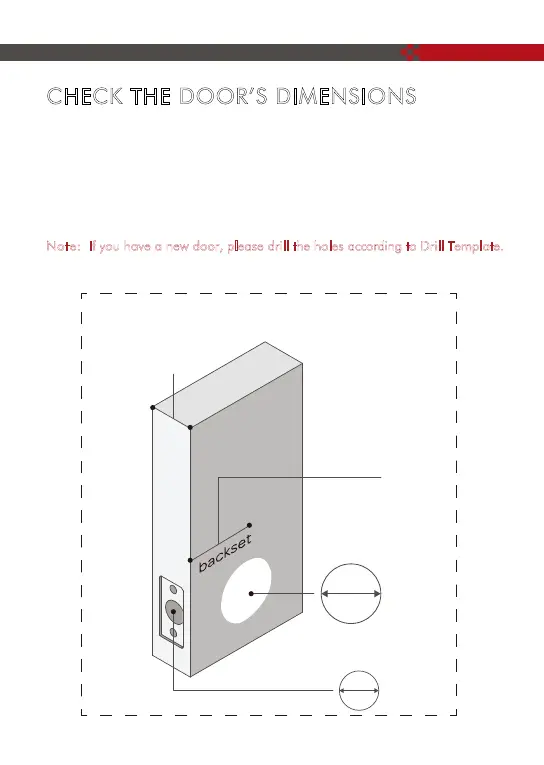
Step 1: Measure to confirm that the door is between ( 35mm
~54mm) thick.
Step 2 : Measure to confirm that the hole in the door is (54mm).
Step 3 : Measure to confirm that the backset is either - (60-70mm).
Step 4 : Measure to confirm that the hole in the door edge is 1" (25 mm).
Note
: If you have a new door, please drill the holes according to Drill Template.
1 "~
3
8
/
2 "
1
8
/
2 "
3
8
/
2 "
3
4
/
2 "
1
8
/
1 " ~
3
8
/
2 "
1
8
/
(35~54mm)
2 "
3
4
/
(70mm)
2 "
3
8
/
(60mm)
2 "
1
8
/
(54mm)
"
1
(25mm)
or
5



 To Next Page