8
DESCRIPTION
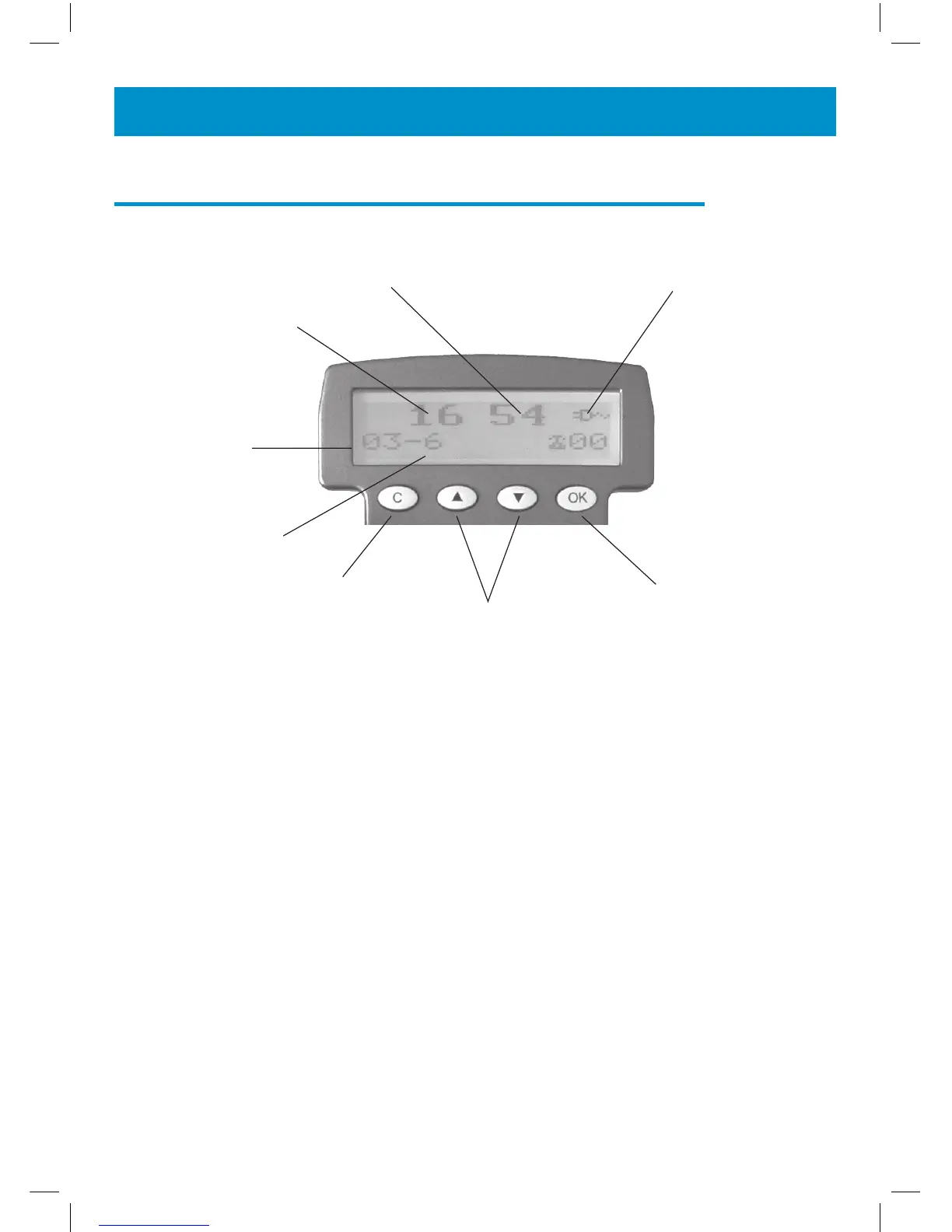
Hours
Minutes Power network icon
Day
Month
Cancel key
Up/down keys
Validation key
Screen example (On hook position)
OK button is used to confirm action or a choice on the
screen.
▲ ▼ “UP / DOWN arrow” buttons are used to high-
light or scroll through the menu.
C button is used to cancel or confirm an action/entry
or clear a stored Caller ID call.



 To Next Page