23
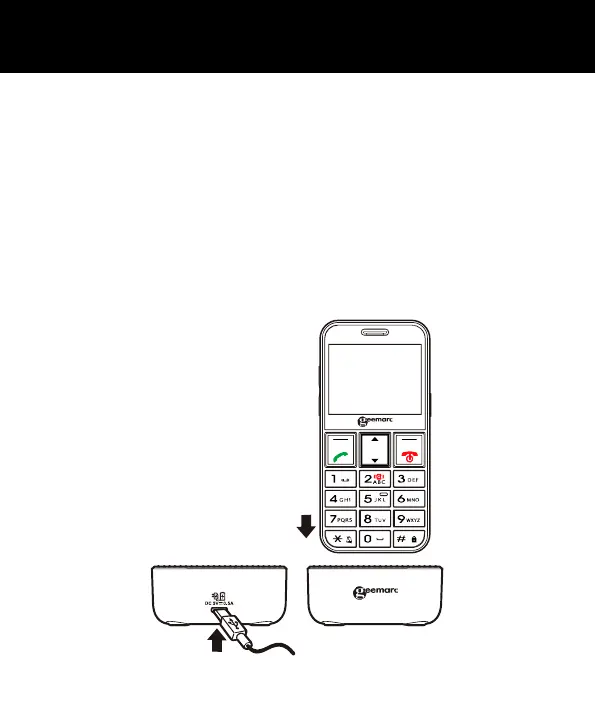
Charging via the Charging Unit
Plug the charger into a wall socket.
Connect the lead from the power adapter into the
Micro USB port on the charging cradle.
Place the mobile telephone in the charging cradle with
the power lead facing backwards and the phone
display screen and keypad facing you. If you place the
phone in the cradle facing the wrong way, it will not
charge.
SETTING UP



 To Next Page