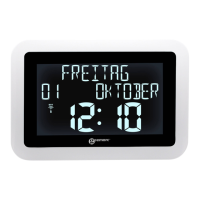
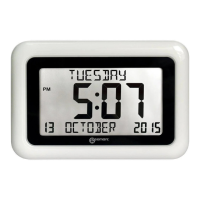
2
[“+” and “–“marks]. There is “click” sound
when insert batteries to remind user the
batterieswasinsertedcorrectly.
z Replacebatterycompartmentcover
z Place the unit onto flat surface; the unit is
readyforusenow.
4.Timesetting
4.1ManualTimeSetting:
z In time display, hold“MODE/ ” button
(B1) for 3 seconds to enter Clock/Calendar
settingMode.
z Press“▼”(B2)or“▲”(B4)buttontoadjust
the setting and press “MODE” button (B1)
toconfirmeachsetting.
z (By keeping the “▼ ” (B2) or “▲” (B4)
button pressed, could accelerate the
process and reach the desired value more
quickly)
z The setting sequence is shown as follow:,
Weekday& Month Language, 12/24 Hr, RCC
(Radio Clock) ON/OFF, Time Zone, Hour,
Minute,Year,Month,Day.
z There are 8 languages, English, German,
French, Spanish, Italian, Dutch, Polish and
Swedish,forday‐of‐week&Month.
4.2RadioControlledTime:
z After the start‐up of the unit, the clock
automatically starts to scan the MSF time
signal.Radio Control Icon “
” (A2)
flashesonLCD.
(A2)
flashes,
Indicating
nowis
receiving
MSFsignal
(A2)
turnson,
Indicating
signal
received
successfully
(A2)
disappears,
Indicatingsignal
receptionfailed
z The clock automatically synchronizes with
theMSFradiosignaleverydayat2.00amto
maintain accurate time keeping. If
synchronization with the MSF radio signal
fails, “
” on LCD disappears and the clock


 To Next Page
 Loading...