10
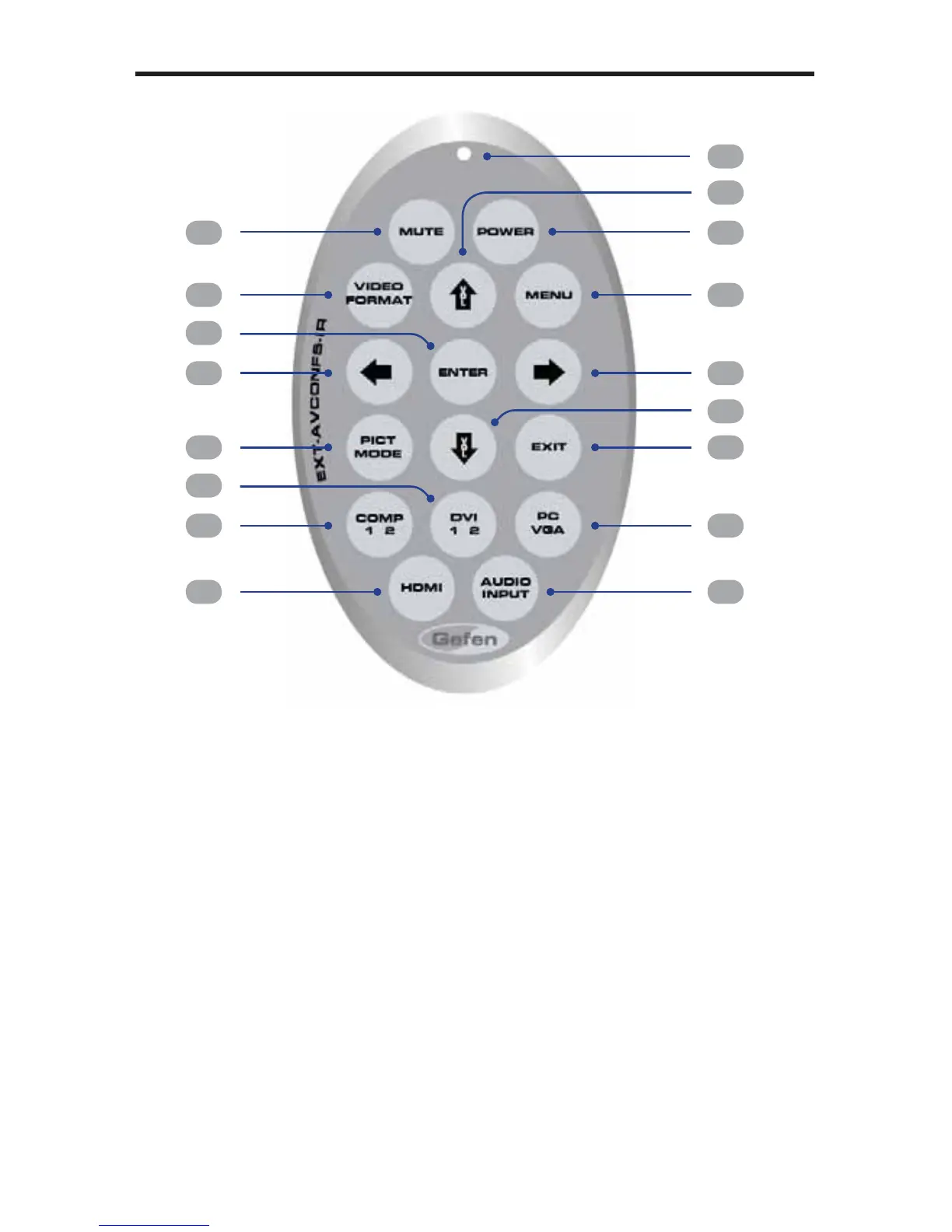
IR REMOTE CONTROL LAYOUT
3
2
1
4
5
6
15
17
11
10
14
13
9
8
7
12
16
1 Mute Button
Enables / disables muting of the audio output signal.
2 Video Format Button
Cycles through the available output resolutions. See page 22 for a list of
the available Output Resolutions.
3 Pict Mode Button
Cycles through the different picture modes (Standard, Movie, Vivid, and
User). See page 19 for details.
4 DVI 1 2 Button
Toggles between the DVI 1 and DVI 2 A/V inputs.
5 Comp 1 2 Button
Toggles between the COMP 1 and COMP 2 A/V inputs.
6 HDMI Button
Selects the HDMI video input.



 To Next Page