8
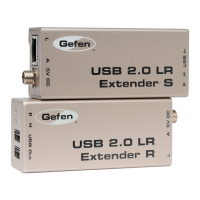
How to Connect the Mini USB-2 Extender
1. Connect the USB host device to the USB Type B port on the Mini USB-2
Extender Sender unit using a user supplied USB Type A-B cable.
2. Connect the sender and receiver units together using a CAT-5 UTP cable.
NOTE: Maximum distance of CAT-5 cable should not exceed 150 feet. If fi eld
terminating CAT-5 cabling, please adhere to the TIA/EIA-568-B scheduling.
Please see page 9 for more information.
3. Connect up to two USB peripherals to the USB Type A ports on the Mini
USB-2 Extender Receiver unit using user/device supplied USB cables.
How to Operate the Mini USB-2 Extender
No user confi guration or additional operations are necessary to operate the Mini
USB-2 Extender.
CONNECTING AND OPERATING THE MINI USB-2 EXTENDER



 To Next Page