Need help?
Do you have a question about the GEISMAR Amber and is the answer not in the manual?
Details specifications for metric standard gauge measurements, including accuracy and settings.
Details specifications for imperial standard gauge measurements, including accuracy and settings.
Details specifications for metric narrow gauge measurements, including accuracy and settings.
Details specifications for imperial narrow gauge measurements, including accuracy and settings.
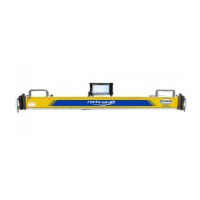
Describes the components of the Amber unit's folding design with itemized parts.
Describes the components of the Amber unit's fixed length design with itemized parts.
Explains the function of the Amber unit's control buttons (A, B, C) for operation.
Details the programmable 3-button event marker for recording pre-selected events and comments.
Guides on navigating and operating the hand-held PC software's menu and scrolling functions.
Explains how to use the virtual QUERTY keyboard for inputting data and characters.
Describes how to operate the Amber software in both offline and online modes.
Provides instructions on setting up and carrying the Amber unit for track operations.
Details the procedure for setting up the Amber unit and hand-held PC for track recording.
Explains system security levels, passwords, and operator IDs for accessing software functions.
Details the steps for creating new tolerance profiles, including naming and setting parameters.
Explains methods for editing existing tolerance profiles, including copying or direct editing.
Addresses how the system handles conflicts when job files use different versions of tolerance profiles.
Describes methods for updating and circulating tolerance profiles to other users.
Explains how to receive and apply updated tolerance profiles to the Amber software.
Provides an example of typical measurement data recorded by the Amber unit.
Shows an example of exceedance data, highlighting faults in color.
Outlines routine inspection steps for the Amber unit, including cleaning and checking parts.
Details quarterly inspection procedures for the tacho wheel and calibration checks.
 General
| Category | Measuring Instruments |
|---|---|
| Manufacturer | GEISMAR |
| Type | Amber |
| Gauge measurement accuracy | ±0.5 mm |
| Cant measurement accuracy | ±0.5 mm |
| Distance between measuring points | 1.5 m |
| Operating temperature | -10°C to +50°C |
| Weight | 13 kg |
| Accuracy | ±0.5 mm |
| Resolution | 0.1 mm |
| Power Supply | Rechargeable battery |
| Dimensions | 300 mm x 200 mm |


 To Next Page