
 Need help?
Do you have a question about the GEISMAR rectirail-dl2 and is the answer not in the manual?
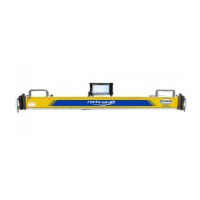
Provides a general overview of the RectiRail DL2 hardware components.
Describes the four indexed positions of the mechanical side stops and their usage.
Explains the function of magnets and electric stops for holding the rule and ensuring contact.
Details the functions of the Validation button, Escape button, and Joystick.
Outlines the procedure for charging the internal battery and battery maintenance.
Illustrates the overall menu structure and organization of the RectiRail software.
Guides the user on how to change the software language via the PDA settings.
Describes the key elements and indicators displayed on the RectiRail software's main screen.
Explains how to check and interpret the Bluetooth connection status between the rule and the PDA.
Provides steps for reconnecting the RectiRail to the PDA if the Bluetooth connection is lost.
Outlines the general principles of backing up and managing measurement data using DA5 files.
Details the process and rules for naming measurement files (DA5) when saving data.
Lists the specific information that is saved with each measurement, such as rule number and calibration date.
Describes how to access and configure general software settings, including display and measurement modes.
Explains how to activate or deactivate the display of minimum and maximum values on the screen.
Explains how to access and manage password protection for advanced settings and calibration.
Guides on accessing the RectiRail calibration mode, which requires a password.
Details the two available measurement modes: Normal (1 curve) and Grouped.
Covers advanced configuration options, including curvature compensation and unit selection.
Explains how to compensate measurements based on the rail's radius of curvature.
Explains how to configure and display measurement thresholds on the graph.
Describes the setting for automatic rule switch-off to save battery power.
Explains the rectification option for presenting measurements relative to a reference line.
Details how to select the measurement units (mm or inch/mil).
Guides the user through setting parameters for measurements in normal mode, including position choice.
Describes how to initiate a measurement and the acquisition status indicator.
Explains the process of saving measurement data after acquisition.
Details the steps to create a new DA5 file for saving measurements when none exists.
Explains how to save measurements to an existing DA5 file on the PDA.
Guides on how to select and display previously saved measurements from DA5 files.
Explains how to modify the display zoom factor to analyze measurement curves.
Details the rectified zoom modes (x1, x5, x10) and their application.
Describes the non-rectified XX zoom mode for identifying measurement issues.
Explains how to use the scan mode to precisely measure coordinates on a graph using cursors.
Guides on setting parameters for grouped measurements, including file generation options.
Details how to start taking measurements in grouped mode and select positions.
Explains how to name and save measurement groups in grouped mode.
Describes how to reset the measurement screen, particularly when starting a new group.
Guides on how to read and display grouped measurements stored in DA5 files.
Explains how to activate and use scan mode to visualize individual curves from grouped measurements.
Details the configuration for grouped mode where each measurement is saved as a separate file.
Describes how to read and compare multiple individual curves within grouped measurements.
Provides solutions for issues related to poor contact between the rule and the rail.
Offers troubleshooting steps for noisy measurement readings, possibly due to sensor damage.
Addresses issues with incorrect date and time readings by resynchronizing with the PDA.
Explains that the "Grouped" mode must be selected to display multiple curves.
Instructs on troubleshooting when the Bluetooth connection icon turns red.
Lists essential precautions to ensure the proper functioning and longevity of the RectiRail DL2.
Provides the return form and instructions for sending the material back for service or quotation.
An empty section for user notes and annotations.
 General
| Brand | GEISMAR |
|---|---|
| Model | rectirail-dl2 |
| Category | Measuring Instruments |
| Language | English |

 To Next Page

