MU-A-RectiRail DL2-rev01a-Gb 28 / 44
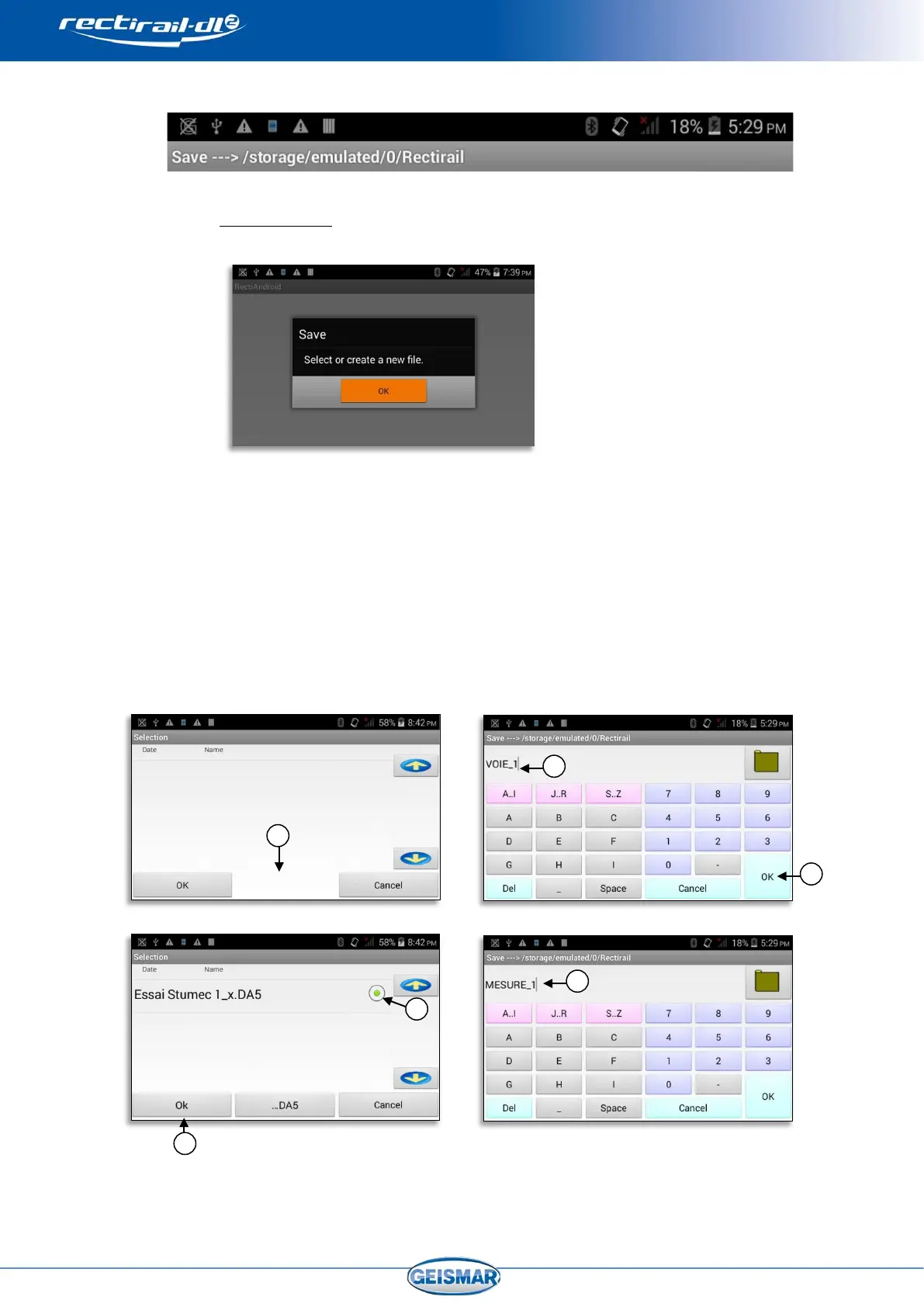
The folder in which the save will be made is recalled in the title bar.
6.3.1 There is no DA5
- The following screen is displayed.
- Click on OK and follow the steps described below to create a DA5
and save the measurement
- Click on DA5
Ref.⑥
- Name the DA5 Ref ⑦ and validate by OK Ref ⑧
- Once the DA5 has been named, select the Ref.⑨ and validate Ref.⑩
- Name the measurement Ref ⑪
Refer to
“§0. 4.4 ” for more details on management of DA5 files and file naming “§0”


 To Next Page