MU-A-RectiRail DL2-rev01a-Gb 37 / 44
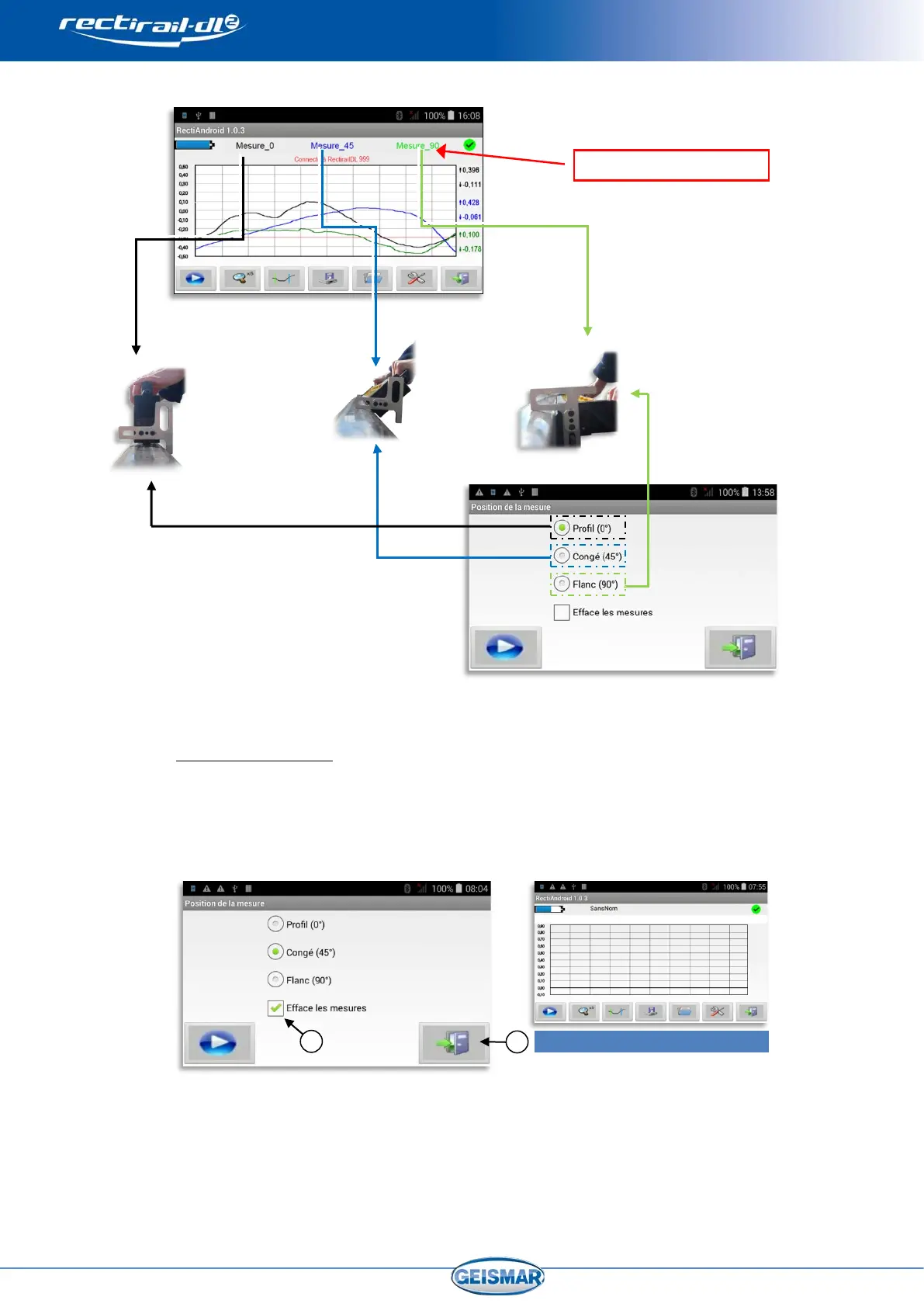
The measurements are then saved:
7.4 Resetting the screen
When new measurements need to be taken, it may prove useful to reset the screen.
To do so, follow the steps below:
In the main screen, select “measurement”, and in screen for choosing the position, click
on the “Delete measurements” box
Ref ④ and validate with the “exit” key Ref ⑤.
You can tick this box when a new group is measured for the first time.


 To Next Page