MU-A-RectiRail DL2-rev01a-Gb 26 / 44
6 Taking a measurement in normal mode
6.1 Parameter setting
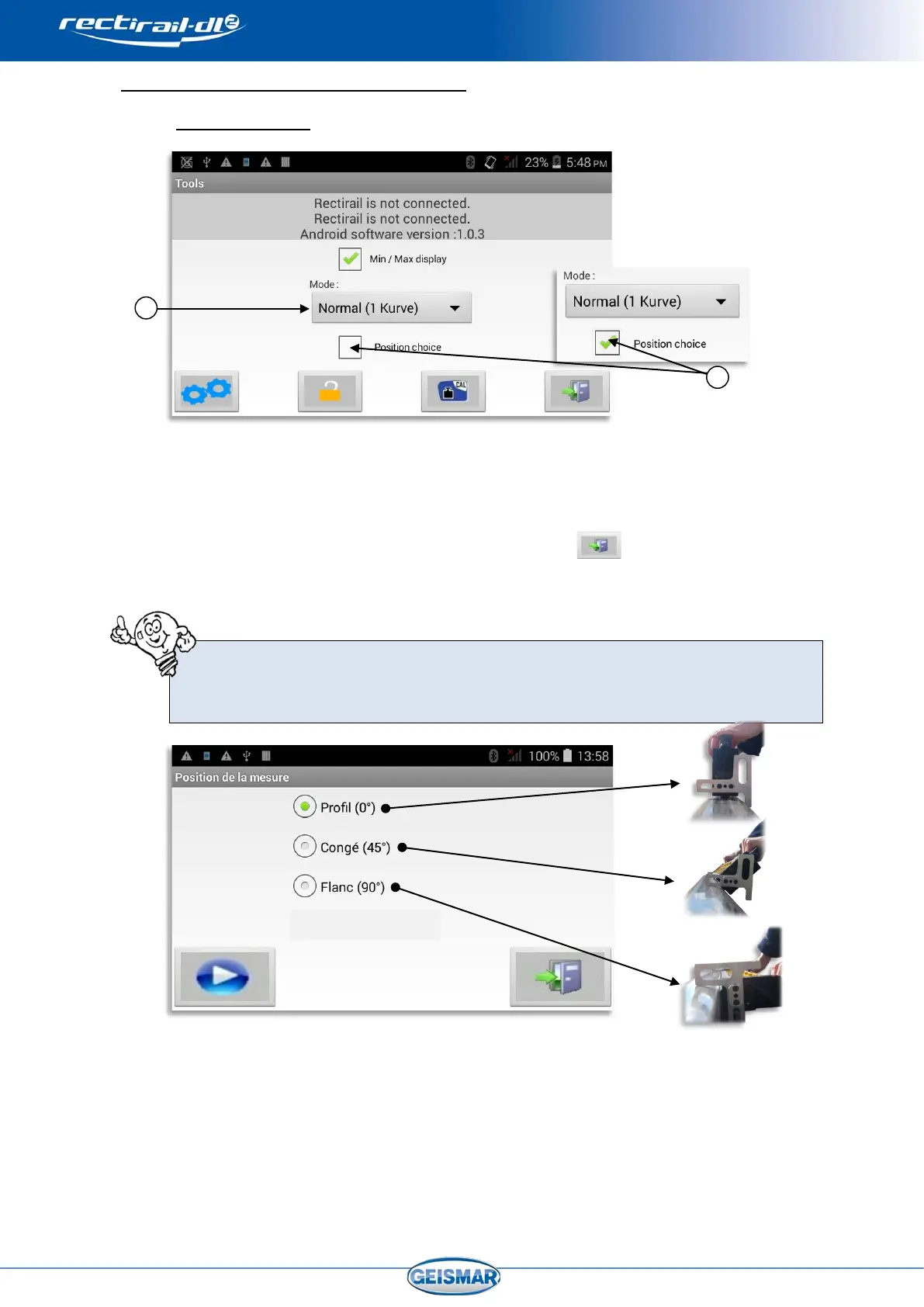
- If the “choose position” box
Ref.② is ticked in the “Settings” menu, then when the
measurement is started, a screen will ask you for rule position before each
measurement is taken:
- To validate the settings, exit the menu by clicking on
.
This screen lets the user define the position of the rule used for the measurement
(see §0). Rule position is saved on measurement backup, and can be visualised in
the RectiPC software.
This choice has no effect on the measurement taken, and no information
concerning this position will be displayed in RectiAndroid.
When you select the “Normal (1 curve)” measurement mode Ref.①,
you can choose whether the position must be requested prior to each
measurement


 To Next Page