MU-A-RectiRail DL2-rev01a-Gb 35 / 44
7.2 Starting to measure
- Back in the main screen, the measurement is started by validating the "measurement”
choice in the main menu.
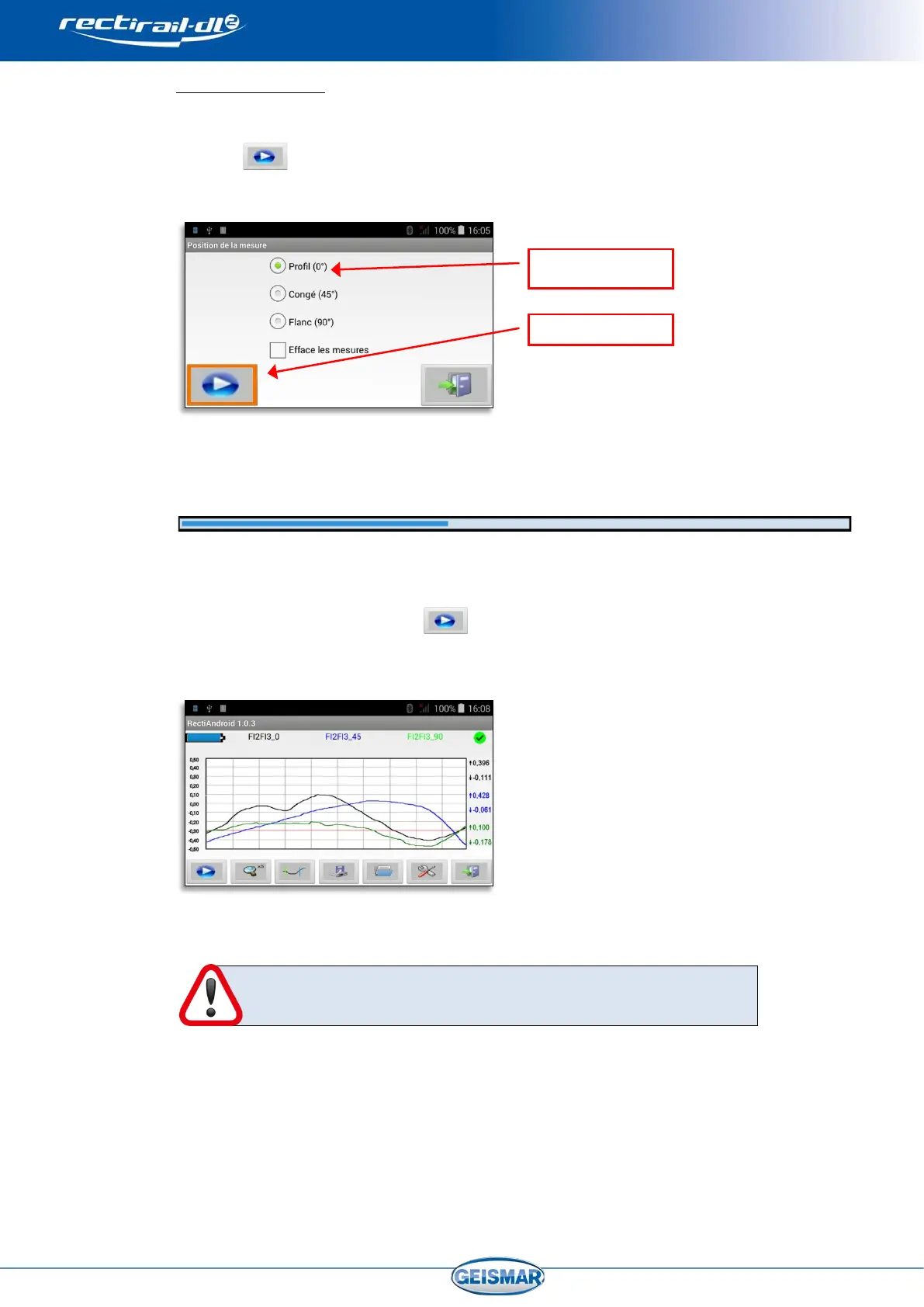
- The screen for choosing the position is displayed:
- A progress bar then indicates acquisition status:
- After a few seconds, acquisition is complete and the measurement is displayed on the
screen.
- Click again on “measurement” to choose a different position, and validate. The
second measurement is displayed on the screen. Repeat the operation to obtain 3
measurements on the screen:
If the selected position already has a measurement, the latter
will be deleted automatically.


 To Next Page