MU-A-RectiRail DL2-rev01a-Gb 27 / 44
6.2 Starting to measure
- Back in the main screen, the measurement is started by validating the "measurement”
choice in the main menu. If the screen for choosing the position is displayed
(see §0) click on the current position of the rule and start to measure.
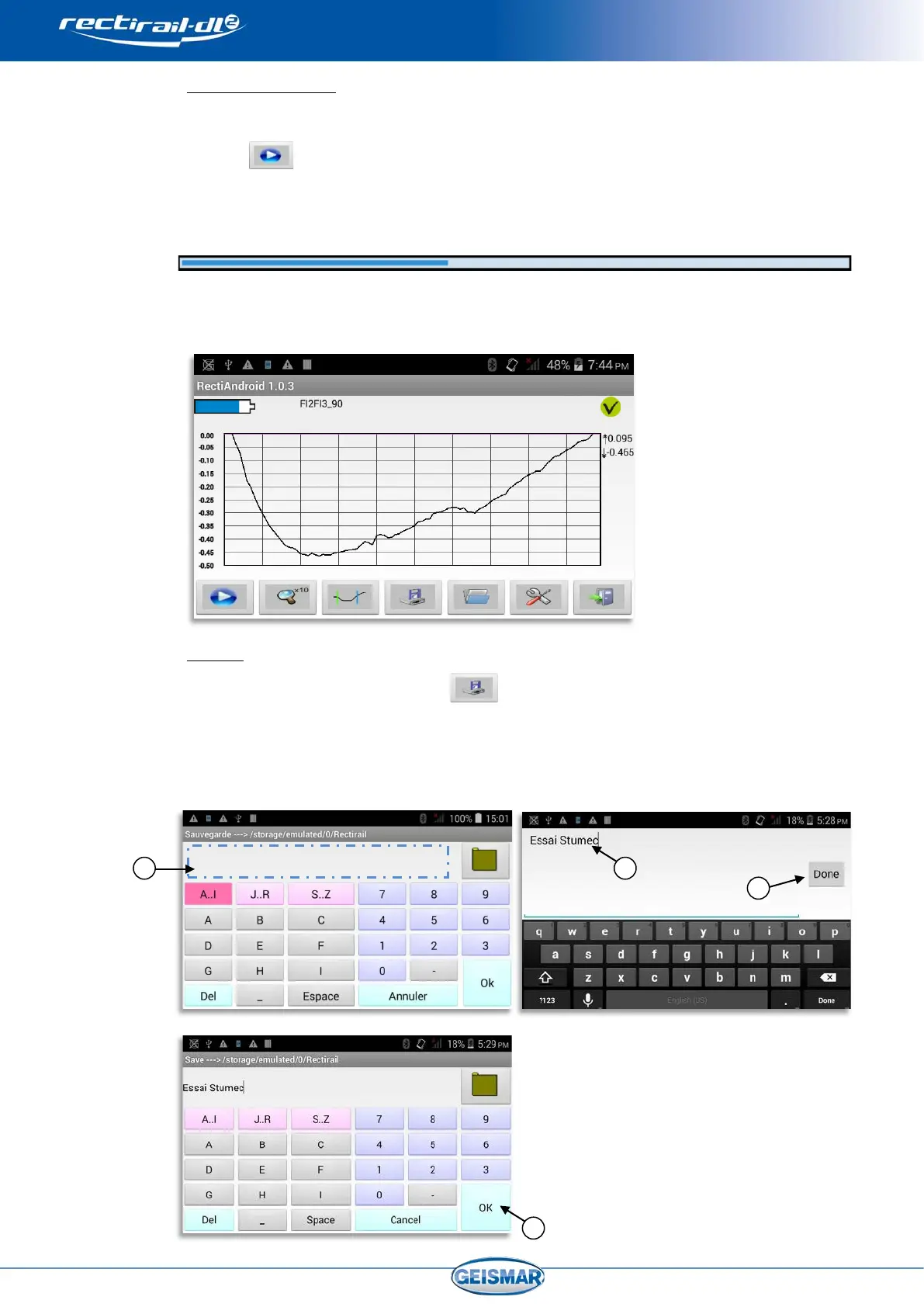
- A progress bar then indicates acquisition status:
- After a few seconds, acquisition is complete and the measurement is displayed on the
screen:
6.3 Backup
- Backup takes place by selecting
- Click in the input area
Ref.③
- Enter the name of the measurement taken Ref.④ and click on OK Ref.⑤
- Validate by OK Ref.⑥
Refer to §0. 4.4 for more details on
management of DA5 files and file
naming (§0).


 To Next Page