MU-A-RectiRail DL2-rev01a-Gb 36 / 44
7.3 Backup
In this measurement mode (grouped measurement, 1 file per group), the user only
chooses the name that will identify this measurement group. This name will be that of
the DA5.
For example, if the chosen name is “my measurement” then:
- The DA5 will be: “my measurement_x.DA5”
- The measurements contained will be automatically named:
my measurement _0 ;
my measurement _45
my measurement _90
Once the 2 or 3 measurements have been taken, validation of the “Backup” choice
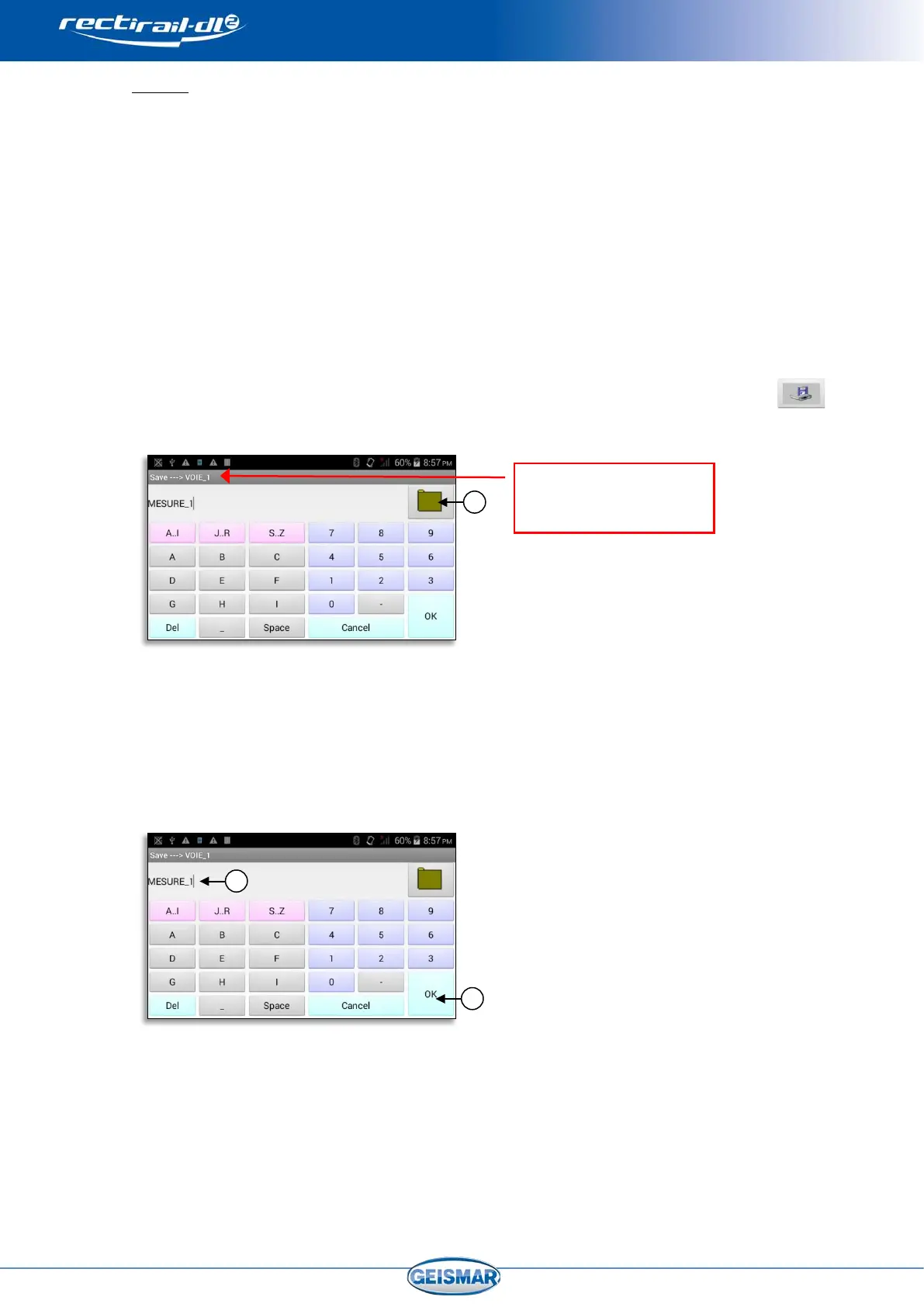
on the main screen will bring up the following input screen:
In the screen below, enter the name required for the measurement group in question
Ref ②
and validate by OK.
Ref ③
Reminder of the folder in
which the save will be
made


 To Next Page