MU-A-RectiRail DL2-rev01a-Gb 41 / 44
7.8.3 Reading and comparing measurements
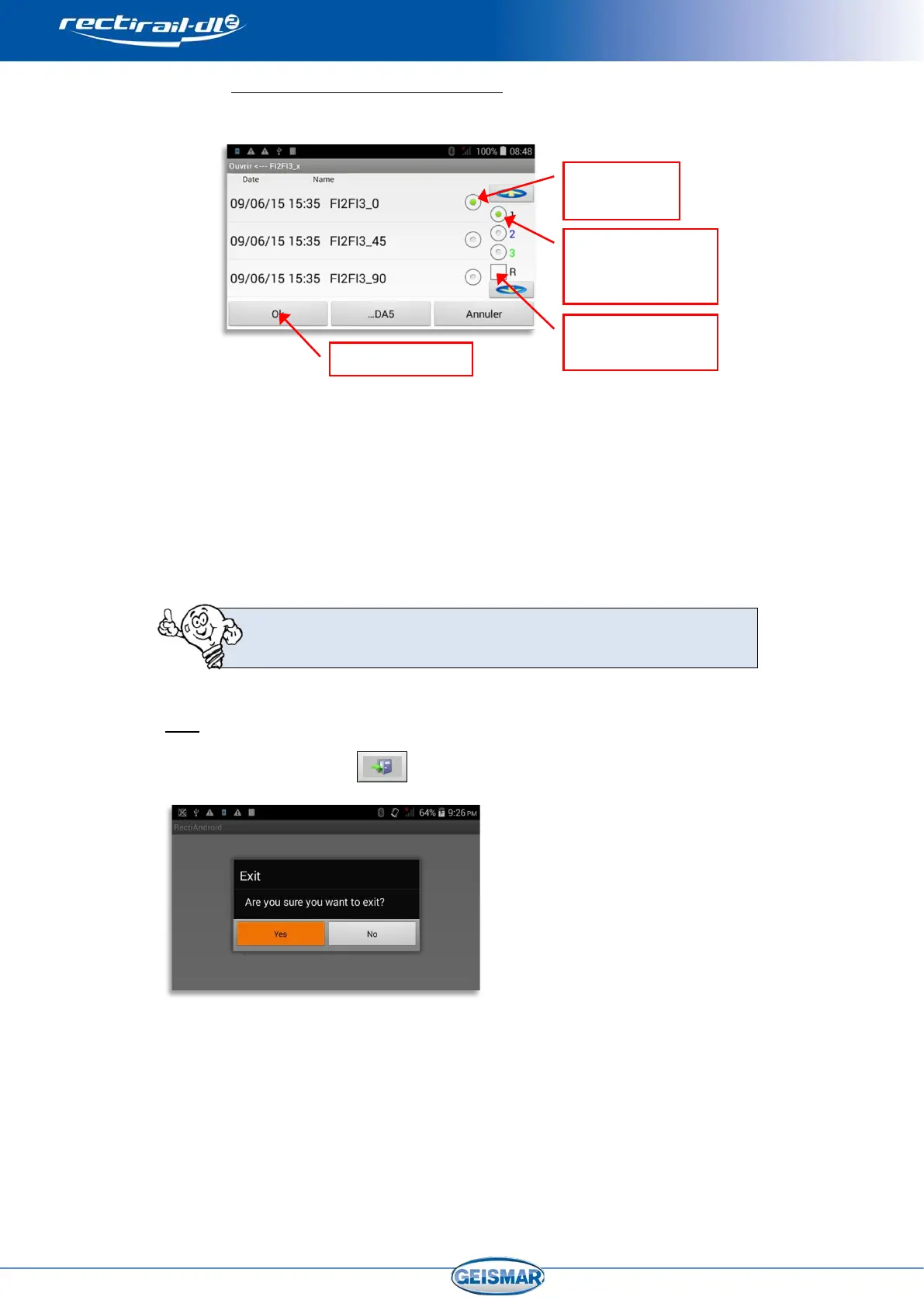
When reading a measurement, the following screen is displayed:
Once the choice has been validated by OK, you can request reading of a
second measurement. To do this, select “open”, then
- Highlight the required curve
- Select a different position
Validate by OK: both curves are now displayed. Proceed likewise to visualise a
3rd curve.
If ticked, the “R” box lets you reset the display (deletion of the
curves on the screen)
8 Exit
Click on the “Exit” button to exit the software.
Confirmation is required to exit the application.
Exiting the application will automatically switch off the RectiRail.
measurement
Select the required
position for this
measurement
measurements


 To Next Page