Need help?
Do you have a question about the GEM gk300 and is the answer not in the manual?
Explains symbols indicating potential hazards or warnings for user safety.
Details the function of each button and control on the keyboard's panel.
Explains the various indicators and information shown on the LCD display.
Guidelines for maintaining the keyboard and protecting it from damage or environmental factors.
Instructions on using the AC power adapter and installing batteries.
How to connect headphones and use the phone jack as an audio output.
How to select, play, and control demo songs on the keyboard.
How to change the tempo for songs and other musical modes.
How to choose from 129 different instrument sounds using the number buttons.
How to select from 96 preset auto-styles to provide a beat for music.
How to adjust the volume level for the auto-accompaniment feature.
How to synchronize auto-style start with music playback using the SYNC feature.
How to insert musical variations into auto-styles using the FILL-IN function.
Instructions on how to record and play back sequences of notes up to 37 notes.
How to automatically set a voice to match a selected auto-style.
Storing and recalling setup parameters like voice, style, and tempo.
How to change the keyboard's key by semitones using the XPOSE function.
How to select and adjust the beat for the metronome.
Explanation of MIDI interface for connecting to external devices.
How to enable or disable the keyboard's internal effects.
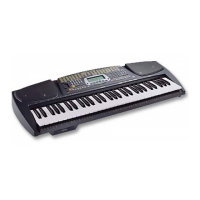
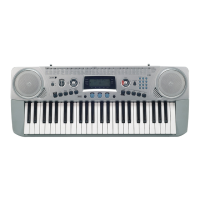
The GEM gk300 is a digital keyboard designed for both beginners and experienced players, offering a wide range of features for learning, playing, and creating music. Its compact and portable design makes it suitable for various environments, from home practice to casual performances.
The gk300 serves as a versatile musical instrument, providing a comprehensive set of functions for playing melodies, creating accompaniments, and exploring different musical styles. It features a 49-key standard size keyboard with 32-note maximum polyphony, allowing for complex musical arrangements. The instrument includes 129 preset voices, enabling users to emulate various musical instruments, from pianos and organs to guitars, basses, strings, and wind instruments. It also boasts 96 auto-styles, which provide steady rhythmic and harmonic accompaniments for different genres like pop, rock, jazz, Latin, traditional, and dance music.
A key feature of the gk300 is its learning system, which helps beginners learn prerecorded tunes through three distinct modes:
The keyboard also includes a real-time recorder, allowing users to record sequences of up to 37 notes and play them back. This feature is useful for practicing and composing short musical phrases. For enhanced performance, the gk300 offers a One-Touch Setting (OTS) feature, which automatically selects a preset voice to match a chosen auto-style. There are four different OTS settings per style, which can be recalled instantly during performance. Additionally, four memory banks allow users to store complete parameter setups (voice, style, tempo, volume) for quick recall.
The gk300 is designed for intuitive use, with a clear control panel and an LCD display that provides visual feedback on current settings, music notation, and keyboard guide.
The manual provides essential guidelines for maintaining the gk300 and ensuring its longevity:
The GEM gk300 is a comprehensive and user-friendly digital keyboard, suitable for a wide range of musical activities, from learning and practice to creative expression and performance.
 General
| Brand | GEM |
|---|---|
| Model | gk300 |
| Category | Electronic Keyboard |
| Language | English |

 To Next Page