EasyManua.ls Logo

GEM rp800 - User Manual

GEM rp800
24 pages
Print Icon
To Next Page IconTo Next Page
Loading...
D I G I T A L K E Y B O A R D S
•English
owner’s manual
rp800
Question and Answer IconNeed help?

Do you have a question about the GEM rp800 and is the answer not in the manual?

Summary

Instrument Safety and Messages

General Safety Warnings and Symbols

Important safety warnings, symbols, and notes for the instrument.

Important Usage Notes and Instructions

Essential precautions for safe operation, installation, and usage.

Control Panel Layout and Functions

Sequencer and Playback Controls

Key controls for recording, playback, and tempo settings.

Core Function Buttons

Buttons for metronome, playback, stopping, library access, and display.

Parameter and Preset Controls

Buttons for adjusting parameters, selecting presets, effects, and modes.

Initial Setup and Operation

Starting the RP800

Initial steps to power on and prepare the instrument for use.

Volume and Headphone Setup

Adjusting the instrument's primary volume level and connecting headphones.

Using the Demo Listening Mode

Activating and listening to the instrument's built-in demo songs.

Sound Preset Management

Selecting and Applying Presets

How to select and activate the Rp 800's various sound presets.

Utilizing Preset Variations

Accessing and using the alternative variations for each preset.

Creating Layered Sounds

Combining two or more presets simultaneously to create layered sounds.

Keyboard Operation Modes

Splitting the Keyboard

Dividing the keyboard into two sections for different sounds.

Layering Presets and Variations

Combining presets and their variations for complex sound layering.

Balancing Layered Sound Volumes

Adjusting the volume ratio between sounds in a layer.

Audio Effects: Reverb

Selecting Reverb Types

Selecting and applying different reverb sound effects to presets.

Adjusting Reverb Send Levels

Customizing the reverb level sent to layer or split sections.

Audio Effects: EFX

Selecting EFX Types

Selecting and applying different EFX sound effects to presets.

Adjusting EFX Send Levels

Customizing the EFX level sent to layer or split sections.

Keyboard Response and Pitch Control

Touch Sensitivity Settings

Adjusting the keyboard's response to playing touch and dynamics.

Instrument Transposition

Shifting the instrument's overall pitch up or down.

Programming Fixed Dynamics

Setting a constant dynamic value for the keyboard output.

Metronome Functionality

Using the Metronome Guide

Activating and using the metronome for practice timing.

Metronome Parameter Customization

Customizing time signature, accent, and volume for the metronome.

Song Sequencer: Recording and Playback

Recording a New Song

Step-by-step guide to recording performances on the sequencer.

Playback Modes Explained

Different modes for playing back recorded tracks and songs.

Recording on Track 2

Adding a second track to an existing recording for layered performance.

Song Sequencer Management

Erasing Recorded Tracks and Songs

Procedures for deleting individual tracks or the entire song memory.

Recording Modes: Overdub vs. Replace

Understanding and setting overdub vs. replace modes for recording.

Recording with Metronome Assistance

Utilizing the metronome feature during song recording.

Internal Piano Song Library

Song Selection Methods

Various ways to select songs from the internal library.

Muting Parts in Library Songs

Disabling left or right hand parts in library songs for study.

Tempo and Loop Playback Features

Adjusting song tempo and setting loop points for practice.

Rp 800 Functions Menu

Function Overview and Parameters

An overview of the instrument's adjustable functions and their parameter ranges.

F1: Temperament Settings

Selecting different tuning temperaments for the instrument.

F2: Global Pitch Tuning

Fine-tuning the overall pitch of the instrument.

F3: MIDI Input Configuration

Configuring the instrument's MIDI input channels and modes.

Rp 800 Functions Menu

F4: MIDI Output Configuration

Configuring the instrument's MIDI output channels and sections.

F5: MIDI Local Control Settings

Managing local control settings for MIDI network connection.

F6: MIDI Transpose Functionality

Transmitting or receiving transposed MIDI notes.

Rp 800 Functions Menu

F7: MIDI Filter Options

Filtering Control and Program change messages for MIDI transmission.

F8: Startup Mode Selection

Selecting between factory or user default startup configurations.

F9: MIDI Data Dump

Saving programming data to an external MIDI sequencer.

F10: PC Port Mode Settings

Setting the PC port mode for computer connections.

Rp 800 Functions Menu

F11: Reverb Parameter Editing

Editing parameters for different reverb types.

F12: EFX Parameter Editing

Editing parameters for different EFX types.

F13: Equalizer Enable;Disable

Enabling or disabling the internal equalizer.

F14: Damper Physical Model Control

Enabling or disabling the Damper Physical Modeling.

Rear Panel Connections

Overview of Rear Panel Ports

Diagram and explanation of all rear panel audio and MIDI connections.

Technical Specifications

Instrument Performance Specifications

Detailed technical specifications including keyboard, polyphony, sounds, and dimensions.

Preset and Variation Sound List

A comprehensive list of all available presets, variations, and split sounds.

Appendix

Internal Library Songs List

An alphabetical list of all 50 songs available in the internal piano library.

Underlying Technology

DRAKE DSP Engine

Overview of the DRAKE DSP engine and its capabilities.

Physical Modeling Synthesis

Explanation of physical modeling for sound generation.

Natural String Resonance (NSR)

Patented technology simulating piano soundboard harmonics.

Damper Physical Model (DPM)

Simulating sympathetic resonance via the damper pedal.

Advanced Release Technology (ART)

Replicating piano string damping and harmonic decay.

FADE Dynamic Emulation

Dynamic emulation of piano sound changes with velocity.

MIDI Communication

MIDI Implementation Chart

A detailed chart outlining MIDI message transmission and recognition.

Summary

Instrument Safety and Messages

General Safety Warnings and Symbols

Important safety warnings, symbols, and notes for the instrument.

Important Usage Notes and Instructions

Essential precautions for safe operation, installation, and usage.

Control Panel Layout and Functions

Sequencer and Playback Controls

Key controls for recording, playback, and tempo settings.

Core Function Buttons

Buttons for metronome, playback, stopping, library access, and display.

Parameter and Preset Controls

Buttons for adjusting parameters, selecting presets, effects, and modes.

Initial Setup and Operation

Starting the RP800

Initial steps to power on and prepare the instrument for use.

Volume and Headphone Setup

Adjusting the instrument's primary volume level and connecting headphones.

Using the Demo Listening Mode

Activating and listening to the instrument's built-in demo songs.

Sound Preset Management

Selecting and Applying Presets

How to select and activate the Rp 800's various sound presets.

Utilizing Preset Variations

Accessing and using the alternative variations for each preset.

Creating Layered Sounds

Combining two or more presets simultaneously to create layered sounds.

Keyboard Operation Modes

Splitting the Keyboard

Dividing the keyboard into two sections for different sounds.

Layering Presets and Variations

Combining presets and their variations for complex sound layering.

Balancing Layered Sound Volumes

Adjusting the volume ratio between sounds in a layer.

Audio Effects: Reverb

Selecting Reverb Types

Selecting and applying different reverb sound effects to presets.

Adjusting Reverb Send Levels

Customizing the reverb level sent to layer or split sections.

Audio Effects: EFX

Selecting EFX Types

Selecting and applying different EFX sound effects to presets.

Adjusting EFX Send Levels

Customizing the EFX level sent to layer or split sections.

Keyboard Response and Pitch Control

Touch Sensitivity Settings

Adjusting the keyboard's response to playing touch and dynamics.

Instrument Transposition

Shifting the instrument's overall pitch up or down.

Programming Fixed Dynamics

Setting a constant dynamic value for the keyboard output.

Metronome Functionality

Using the Metronome Guide

Activating and using the metronome for practice timing.

Metronome Parameter Customization

Customizing time signature, accent, and volume for the metronome.

Song Sequencer: Recording and Playback

Recording a New Song

Step-by-step guide to recording performances on the sequencer.

Playback Modes Explained

Different modes for playing back recorded tracks and songs.

Recording on Track 2

Adding a second track to an existing recording for layered performance.

Song Sequencer Management

Erasing Recorded Tracks and Songs

Procedures for deleting individual tracks or the entire song memory.

Recording Modes: Overdub vs. Replace

Understanding and setting overdub vs. replace modes for recording.

Recording with Metronome Assistance

Utilizing the metronome feature during song recording.

Internal Piano Song Library

Song Selection Methods

Various ways to select songs from the internal library.

Muting Parts in Library Songs

Disabling left or right hand parts in library songs for study.

Tempo and Loop Playback Features

Adjusting song tempo and setting loop points for practice.

Rp 800 Functions Menu

Function Overview and Parameters

An overview of the instrument's adjustable functions and their parameter ranges.

F1: Temperament Settings

Selecting different tuning temperaments for the instrument.

F2: Global Pitch Tuning

Fine-tuning the overall pitch of the instrument.

F3: MIDI Input Configuration

Configuring the instrument's MIDI input channels and modes.

Rp 800 Functions Menu

F4: MIDI Output Configuration

Configuring the instrument's MIDI output channels and sections.

F5: MIDI Local Control Settings

Managing local control settings for MIDI network connection.

F6: MIDI Transpose Functionality

Transmitting or receiving transposed MIDI notes.

Rp 800 Functions Menu

F7: MIDI Filter Options

Filtering Control and Program change messages for MIDI transmission.

F8: Startup Mode Selection

Selecting between factory or user default startup configurations.

F9: MIDI Data Dump

Saving programming data to an external MIDI sequencer.

F10: PC Port Mode Settings

Setting the PC port mode for computer connections.

Rp 800 Functions Menu

F11: Reverb Parameter Editing

Editing parameters for different reverb types.

F12: EFX Parameter Editing

Editing parameters for different EFX types.

F13: Equalizer Enable;Disable

Enabling or disabling the internal equalizer.

F14: Damper Physical Model Control

Enabling or disabling the Damper Physical Modeling.

Rear Panel Connections

Overview of Rear Panel Ports

Diagram and explanation of all rear panel audio and MIDI connections.

Technical Specifications

Instrument Performance Specifications

Detailed technical specifications including keyboard, polyphony, sounds, and dimensions.

Preset and Variation Sound List

A comprehensive list of all available presets, variations, and split sounds.

Appendix

Internal Library Songs List

An alphabetical list of all 50 songs available in the internal piano library.

Underlying Technology

DRAKE DSP Engine

Overview of the DRAKE DSP engine and its capabilities.

Physical Modeling Synthesis

Explanation of physical modeling for sound generation.

Natural String Resonance (NSR)

Patented technology simulating piano soundboard harmonics.

Damper Physical Model (DPM)

Simulating sympathetic resonance via the damper pedal.

Advanced Release Technology (ART)

Replicating piano string damping and harmonic decay.

FADE Dynamic Emulation

Dynamic emulation of piano sound changes with velocity.

MIDI Communication

MIDI Implementation Chart

A detailed chart outlining MIDI message transmission and recognition.

Overview

The GEM RP800 is a digital keyboard designed for both learning and performance, leveraging Generalmusic's proprietary DRAKE technology. This instrument offers a comprehensive set of features for sound generation, recording, and musical education.

Function Description

The RP800 serves as a digital piano, providing a wide range of sound presets, effects, and recording capabilities. Its core function is to replicate the experience of playing an acoustic piano while offering the versatility of a digital instrument. It includes an internal sequencer for recording and playback, a song library for learning, and various customization options for sound and performance.

Important Technical Specifications

  • Keyboard: 88 keys, featuring Enhanced Real Hammer Action, designed to provide a realistic piano feel.
  • Polyphony: 80 notes max., allowing for complex musical passages without note drop-out.
  • Sounds: 32 presets, utilizing stereo/mono PCM samples and physical modeling sounds, offering a diverse palette of instrument voices.
  • Modes: Supports Single, Split (programmable), and Layer modes for flexible keyboard configurations.
  • Controls: Includes dedicated controls for Volume, Demo, Metronome, Play, Stop, Track 1, Track 2, Rec, Library, Select/Tempo, Balance/Data, Functions, Transpose, Preset selection, Reverb, EFX, Touch, and Tune.
  • Physical Modeling: Incorporates advanced technologies such as Stereo Damper Physical Model, Natural String Resonance, Advanced Release Technology, FFT Merge, and Filter Algorithm Dynamic Emulation (FADE) to enhance realism.
  • Effects: Features 4 reverbs and 4 effects, which are associated with the presets and can be customized.
  • Sequencer: A 2-track sequencer with 20,000 events capacity, metronome, and a piano song library of 50 songs, complete with a music score book.
  • Display: LED 3-digit display for showing parameters and values.
  • Connections: Stereo In/Out, MIDI In/Out, 2 headphone jacks, and a computer host port.
  • Pedals: 3 pedals are included: damper (graded), soft, and sostenuto.
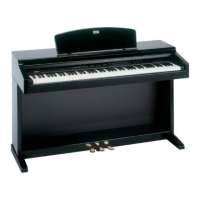
  • Cabinet: Features a sliding cover and is available in black high gloss or rosewood finishes.
  • Amplification: 40W + 40W, 2-way system with 4 speakers.
  • Dimensions (L x H x D): 1385 x 825 x 510 mm (54.5 x 32.5 x 20.1").
  • Weight: 62 kg (136.7 lbs).

Usage Features

The RP800 offers a user-friendly control panel for easy access to its functions.

  • Starting the Instrument: Connect to AC power and press the ON/OFF button. The default preset, PIANO1, is automatically selected.
  • Volume Control: A dedicated slider adjusts the overall volume for both internal speakers and headphones.
  • Headphone Connectivity: Two headphone inputs are available, disabling internal speakers when in use, allowing for private practice.
  • Demo Listening: Features 16 demo songs, accessible via the DEMO button, showcasing the instrument's musical variety. Users can select specific demos by pressing preset buttons or let the instrument play through the entire sequence.
  • Presets Selection and Variation: Easily recall 32 internal sound presets by pressing their respective buttons. Each preset also has a variation, accessible via the VARIATION button, offering extended tonal options.
  • Layering Presets: Combine two presets simultaneously (e.g., piano + strings) by pressing their buttons together.
  • Split Keyboard: Divide the keyboard into two parts using the SPLIT button, automatically assigning a bass sound to the left part.
  • Balance Adjustment: In Layer mode, the BALANCE/DATA buttons allow users to adjust the volume ratio between the layered sounds.
  • Reverb and Effect (EFX) Selection and Editing: Each preset includes a reverb and an EFX. Users can change the type of reverb or effect and customize their send levels for main, layer, and split sections by holding the REVERB or EFX button for two seconds and using the SELECT/TEMPO and BALANCE/DATA buttons.
  • Transpose Function: Globally transpose the instrument's pitch by +/- 12 semitones, accessible by holding the TRANSPOSE button.
  • Touch Dynamic Curves: Select from HARD, NORMAL, SOFT, or FIX dynamic curves to adjust the keyboard's response to playing intensity. A FIX dynamic value can be programmed for a consistent velocity output.
  • Metronome: Enable a metronome guide with adjustable tempo (20-240 BPM), time signature, accent, and volume, useful for practice and recording.
  • Sequencer (SONG PLAYER/REC):
    • Recording: Record performances on two tracks. Press RECORD, then PLAY to start. The instrument captures keyboard events, pedal movements, and preset changes.
    • Playback: Two playback modes: "Continue mode" (starts from where it was stopped) and "Go to Start mode" (starts from the beginning).
    • Track Management: Record on Track 2 with a different preset, and enable/disable individual tracks during playback.
    • Erase Tracks/Songs: Delete individual recorded tracks or the entire song memory.
    • Recording Modes: Choose between "Overdub" (adds new data) and "Replace" (substitutes existing data) for each track.
    • Metronome Integration: Record with a metronome guide, with parameters automatically memorized.
  • Piano Song Library: Access 50 internal piano songs for learning. Songs can be selected by number using BALANCE/DATA buttons or directly from the piano keyboard.
  • Muting Music Parts: For library songs, left and right-hand parts are separated, allowing users to mute one part to practice the other.
  • Tempo Speed Editing for Library Songs: Adjust the tempo of library songs and enable the metronome during playback for detailed study.
  • Marker Loop Play Mode: Set "on-the-fly" marker points (A and B) within a song to loop a specific section for focused practice. This feature also works with user-recorded songs.
  • Functions Menu: Access advanced settings for fine-tuning the instrument:
    • F1-Temperaments: Select various temperaments (Equal, Piano 1, Piano 2, Meantone, Kirnberger, Tartini Vallotti).
    • F2-Global Tune: Adjust the Rp 800's global pitch (427 to 452 Hz).
    • F3-MIDI In & F4-MIDI Out: Configure MIDI input and output channels (1-16, common, or off) for different sections (Main, Layer, Split, Sequencer Tracks).
    • F5-MIDI Local Control: Enable/disable local control for connecting to a computer MIDI network.
    • F6-MIDI Transpose: Control whether transposed MIDI notes data are transmitted/received.
    • F7-MIDI Filter: Filter Program Change, Control Change, or both from MIDI transmission.
    • F8-Start Up Mode: Choose between factory or user default settings upon startup.
    • F9-Midi Dump: Save programming data to an external MIDI sequencer.
    • F10-Pc Port Mode: Set the computer port mode (PC1, PC2, Macintosh).
    • F11-Reverb & F12-EFX: Edit parameters for reverb (Depth, Time, Predelay) and effects (Depth, Par. 1, Par. 2).
    • F13-Equalizer: Enable/disable the internal equalizer.
    • F14-Damper Physical Model: Enable/disable the internal Damper Physical Modeling.

Maintenance Features

The manual emphasizes that the RP800 has been accurately tested in a safety laboratory and should not be modified by the user to avoid compromising safety standards and warranty. Servicing should be referred to qualified service personnel. The instrument's technical specifications are subject to change without prior notice, and Generalmusic is not responsible for damage caused by improper use or modifications. The manual provides detailed instructions for correct usage, which is key to maintaining the instrument's performance and longevity.

GEM rp800 Specifications

General IconGeneral
BrandGEM
Modelrp800
CategoryElectronic Keyboard
LanguageEnglish

Related product manuals