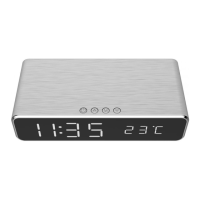
DAC-WPC-01 DIGITAL ALARM CLOCK
WITH WIRELESS CHARGING FUNCTION
GEMBIRD EUROPE B.V. http://www.gembird.eu
All brands and logos are registered trademarks of their respective owners
Press to confirm the year and month will start blinking.
Press to change the month.
Press to confirm the month and day will start blinking.
Press to change the day.
Press to confirm the date.
SET ALARM
This alarm clock has 3 separate alarm settings, A1, A2 and A3, which can be set individually.
Press until the display shows“--A1”,“--A2” or“--A3”.
Long press until the alarm time is blinking.
Press to adjust the Hour first.
Press to confirm the Hour and minutes will blink.
Press to adjust the minutes.
Press to confirm the minutes.
Press to determine the clock.
ENABLE or DISABLE ALARM


 To Next Page