INTRODUCTION
Congmtulations
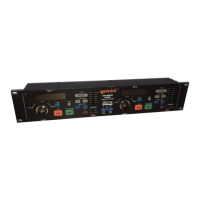
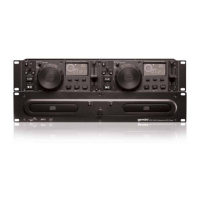
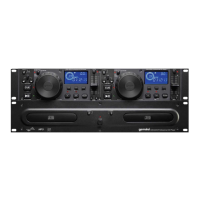
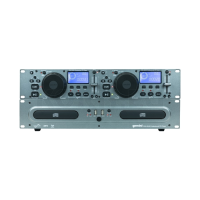
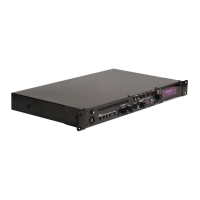
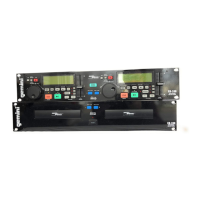
on purchasing a Gemini CD-240 Dual CD
Player.
This state
of the art professional CD
player
is
backed
by a three year warranty,
excluding
lasers.
One year
warrar@
on CD
lasers.
Prior to use, we suggest
that you
carefully
read all
the
instructions.
CAUTIONS
D
O
not use this CD
Player
at temperatures below
41”F/5”C
or
higher
than
95’F/35’C.
Place
the
unit in a
clean
and dry
location.
Do not
place
the
unit in an
unstable
location.
When
disconnecting
the power
cord
from an AC outlet, always grasp it by
the
plug. Never
pull
the power
Cord.
To prevent electric shock, do not remove the cover or
the
bottom screws.
There are no user
serviceable
Parts
inside. Please refer
servicing
to a
qualified technician.
Do not use
chemical
solvents
to clean
the
unit.
Keep the laser pickup clean by keeping the drawer closed.
Keep this manual in a
Safe
place
for future reference.
SAFETY CERTIFICATIONS
Laser Diode Properties
Material: Ga
-
Al
-
As
Wavelength: 755
-
815 nm (25” C)
Laser Output: Continuous Wave, max.
0.5mW
IMPORTANT NOTE
Since
the
CD-240
ls
a dual CD
player,
most of the
functions
and
controls
are
duplicated
on
both
sides of
the
CD
player.
To eliminate
confusion
and to
make
the
drawings easier to understand, we will
only
number
the
right
side
functions
and
controls.
The only
controls
that
are not duplicated are the
ROBO START
(l),
POWER
(20)
switch
and
the
VOLTAGE SELECTOR
SLIDE (22)
switch.
LINE VOLTAGE SELECTION
Model CD-240
is
a dual
voltage
unit. lt will operate at
115
or
230 volts. The
unit is preset at the factory to 115 volts. To set the proper voltage follow
these
Steps:
1.
Place
the
head
of a
screw
drtver
in the
center
of the VOLTAGE
SELEC-
TOR SLIDE
(22)
switch
found
on
the rear
Panel.
Slide
the
switch
left
for 115
volts
or push the
switch
right for 230 volts.
3.
Do not forte or twist
the
switch.
Excessive
forte
may
cause
darnage.
If
the
switch
does not move
smoothly.
contact a qualified technician.
CONNECTIONS
1.
Using
the
induded
cable,
plug
one end into the
REMOTE JACK
(21) and
the
other end into
the
PLAYER
JACK (23).
2.
Plug one end of a set of RCA connectors into
each
of the
LINE OUTPUT
(25)
ja&.
3.
Plug the other end of the RCA connectors into any available line
level
input jacks
on
your mixer. If you are playing the CD-240 through a
receiver, you
tan
plug the RCA connectors into the CD or AUX input
jacks
on
your
receiver.
If there are no CD or AUX inputs, use any
line
level (not phono) inputs.
FUNCTION DESCRIPTIONS
ANTI-SHOCK
BUFfER
MEMORY: With 20 SECONDS OF ANTISHOCK
BUFFER MEMORY, each side of the CD player stores 10 seconds of
future play to ensure
that any
harsh movement or bumping of the unit will
not interrupt play and play will continue smoothly.
POWER
SWATCH:
After making sure that the VOLTAGE SELECTOR SLIDE
(22)
switch,
found
on
the rear
Panel,
is
properly
set,
plug the unit in and
press the POWER (20) switch. The unit will turn on. Pushing the
POWER
(20)
switch
a
second
time will turn the unit off.
DISC
TRAX
The DISC
TRAY
(19)
is
where the CD
is
held
during
loading,
unloading and playback. Pressing the disc tray OPENICLOSE BUTTON
(7),
will open or dose
the
tray.
The
DISC TRAY (19)
holds both 12
cm
and 8 cm CDs. Please note, if the CD-240 is in the play mode, the tray
will not open.
OPEN/CLOSE
BUTTON:
Press the
OPENICLOSE
BUTTON
(7) to load or
remove a CD from the
DISC TRAY (19).
DISPLAY:
The
DISPLAY
(5)
Shows
the
track
number,
pitch
value,
single-
auto tue, continue (for continuous play), and 3 different
time
displays.
These
time
displays are time elapsed
on
the
track,
time remaining
on
the
disc and
üme
remaining on the
track.
Time
is
measured in minutes,
seconds and frames.
PLAYBACK DISPLAY:
The
PLAYBACK DISPLAY
(6) displays the time
remaining to play and
flashes
slowly when
the
track
has 15 seconds
left.
The
PLAYBACK DISPLAY
(6) flashes quickly when the
track
has 5
seconds
left.
PLAWPAUSEHJ
:
Esch
press of the
PLAYIPAUSE
BUlTON
(16)
causes
the Operation
to
change
from play
to
pause or from pause back
to
play.
-.___
-
TRACK
SKIP
H
H
+1
0:
The TRACK SKIP
BUTTONS
(12) let you select
the
track
to play.
SEARCH
JOG
WHEEL:
The SEARCH JOG WHEEL (9) has two
functions.
Use
the
SEARCH JOG WHEEL
(9) to make fine adjustments in PAUSE
mode. Use the SEARCH JOG WHEEL (9) to bend
the
pitch
for
precise
synchronization
in PLAY mode.
SEARCH
DIAL:
Use
the SEARCH DIAL
(8)
to
select the
scanning
direction
and
Speed.
Tuming
the
dial in the dockwise
direction
will
scan
forward
and
counter
dockwise
will
scan
In
reverse. The scanning
Speed
increases
as
the
dial is tumed
further.
STOP
n
:
The STOP BUTTON (4) will end the playing of the CD.
TIME:
The TIME
BlJlTON
(2) switches the
üme
display between the three
available choices listed
under
DISPLAY.
CUE
W~th
the
.unit
in the play mode
(playlpause
LED
glows
green), and
after the
tue
Point
has been memorized, pressing
the
CUE BUTTON
(15) will
cause
the
CD
player
to enter
the
pause mode
(playlpause
LED
blinks green) at the memorized
tue
point
(the
tue
LED
glows
yellow).
If
the
tue
polnt
was not memorized,
the unit
will
retum
to
the
beginning of
the
track.
Holding down
the
tue
button
changes
the
tue
function
to
PREVIEW
(allowing you to hear the
music
play at whatever tempo you
adjusted to by holding the
tue
button down). Releasing the
tue
button
retums you to the preset
tue
point.
CUE/B
MIT:
After
the
tue
Point
is
memorized, pressing
the
CUEIB
(10)
button in the play
mode.
(the
tue
LED BLINKS yellow),
repeats
the
section
between the
tue
point and
the
point where
the
CUUB (10)
button was pressed (there will be a slight delay between
the
end and
the
restart of play). Press the
CUEIB
(10)
button again or pause play to EXIT
the repeating play.
CLUB
Rf TURN:
Press
the
CUUB
RETURN (11)
button to retum to the
beginning of the previously saved
CUUB
from normal play.
SINGLE-AUTO
CUEICONTINUOUS:
Pressing
the
SINGLE-AUTO
CUEI
CONTINUOUS
(3) button activates
the
AUTO CUE FUNCTION. The
AUTO CUE FUNCTION
Causes
the unit to pause at the beginning of
music
of the
following
track
and allows you to statt play immediately from
the
start of
music
without any blank
space
(which
exists at the
beginning
of every
track).
Pressing the
SINGLE-AUTO
CUEICONTINUOUS
(3)
button a
second
time activates the CONTINUOUS
function
causing
the
unit
to
play continuously (after the last
track,
the
unit
will retum to the
first track of the disc and continue to play). Pressing the SINGLE-AUTO
CUUCONTINUOUS
(3) button a third time deactivates the
CONTINU-
OUS
function.
ROBO START: Press
the
ROBO START
(1) button to activate
ROBO
START
(the button
will illuminate). Use ROBO START in SINGLE-AUTO
CUE MODE to altemate play between the two sides of the CD player
(one
track
from one side, then one
track
from the other side). See
the
‘Robo Start
Instructions”
section
for
further
instructions.
4%,
8% and 76% BUTTONS: Use
the
4%,
8% and 16% BUTTONS (13)
to
assign the
percent
the
pitch
wntrol
slide will have. The 4%
button
will
assign
+/-4%
to
the
pitch
wntrol
slide. The 8% button will
aSSign
+/-8%
Page 2


 To Next Page
 Loading...