Need help?
Do you have a question about the Gemini CDX-2250i and is the answer not in the manual?
Covers FCC compliance, handling, water, ventilation, power sources, location, and general warnings.
Details electrical safety, grounding, cord protection, overloading, object entry, lightning, and power lines.
Instructions for servicing, damage requiring service, replacement parts, and safety checks.
Identifies connection ports and indicators on the rear of the CD player unit.
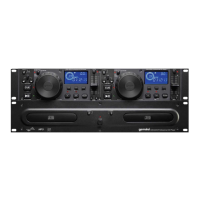
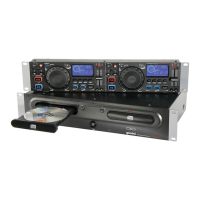
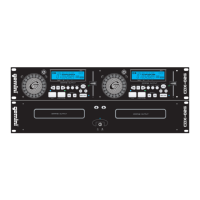
Details the various buttons, displays, and jog wheels on the front of the CD player.
Lists key features of the CDX-2250i and specific safety information for the laser diode.
Provides essential precautions for operating and maintaining the CD player.
Explains how to connect power, audio outputs, and the control cable to the unit.
Details powering the unit on/off, using the disc tray, and ejecting discs.
Describes the jog wheel, jog mode, display information, and programming functions.
Explains pitch control, pitch bend, loop section setup, and reloop functions.
Details how to use the Play/Pause button and set/use cue points.
Provides details on disc type, display, pitch, installation, dimensions, and weight.
Details quantization, sampling rate, frequency response, THD, SNR, dynamic range, and output level.
Details product warranty, coverage, exclusions, and the return/repair process.
Step-by-step guide for returning a product for warranty or repair service.
Provides the official shipping address for Gemini Worldwide Headquarters.
 General
| CD-R playback | Yes |
|---|---|
| Playback disc formats | CD audio, MP3 |
| Device type | - |
| Product color | Black, Grey |
| Number of decks | 2 deck(s) |
| Playback disc types | CD, CD-R |
| Display type | LCD |
| USB 2.0 ports quantity | 2 |
| Quantity | 1 |

 To Next Page