Need help?
Do you have a question about the Gemini CDJ-01 and is the answer not in the manual?
Essential precautions to prevent injury, fire, and product damage during operation and handling.
Recommendations for safe placement, ventilation, and protection from environmental hazards.
Procedures for safe maintenance, repair, and replacement of parts by qualified personnel.
Ensuring correct electrical connection using polarized or grounded plugs for safety.
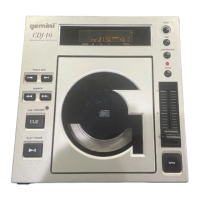
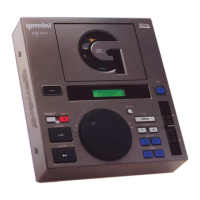
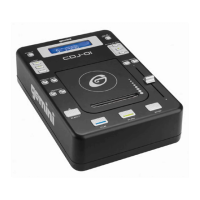
Overview of the Gemini CDJ-01 CD player, highlighting its capabilities and design.
Instructions for correctly setting the dual voltage selector for 115V or 230V operation.
Step-by-step guide for connecting audio outputs, digital input, and power.
How to power the unit on/off and manage the CD disc tray operations.
Detailed explanation of playback, pause, stop, cue point setting, and preview functions.
Navigating tracks, searching within them, and understanding the various time displays.
Utilizing auto-cue, continuous play, looping, and pitch control functions for mixing.
Step-by-step guide for basic operation, including disc loading and track playback.
Techniques for setting, fine-tuning, and saving precise cue points for playback.
Guidance for resolving common problems such as disc playback errors or skipping.
Detailed technical data including disc type, audio section, dimensions, and power requirements.
 General
| Pitch Control | +/- 8%, +/- 16% |
|---|---|
| Dimensions | 294 x 220 x 110 mm |
| Weight | 2.2 kg |
| Frequency Response | 20 Hz - 20 kHz |
| Power Consumption | 15W |
| Type | CD Player |
| Playback Formats | CD |
| Output | RCA |
| Channels | 2 |
| Power Supply | 50/60 Hz |

 To Next Page